

Order Logging Dashboard
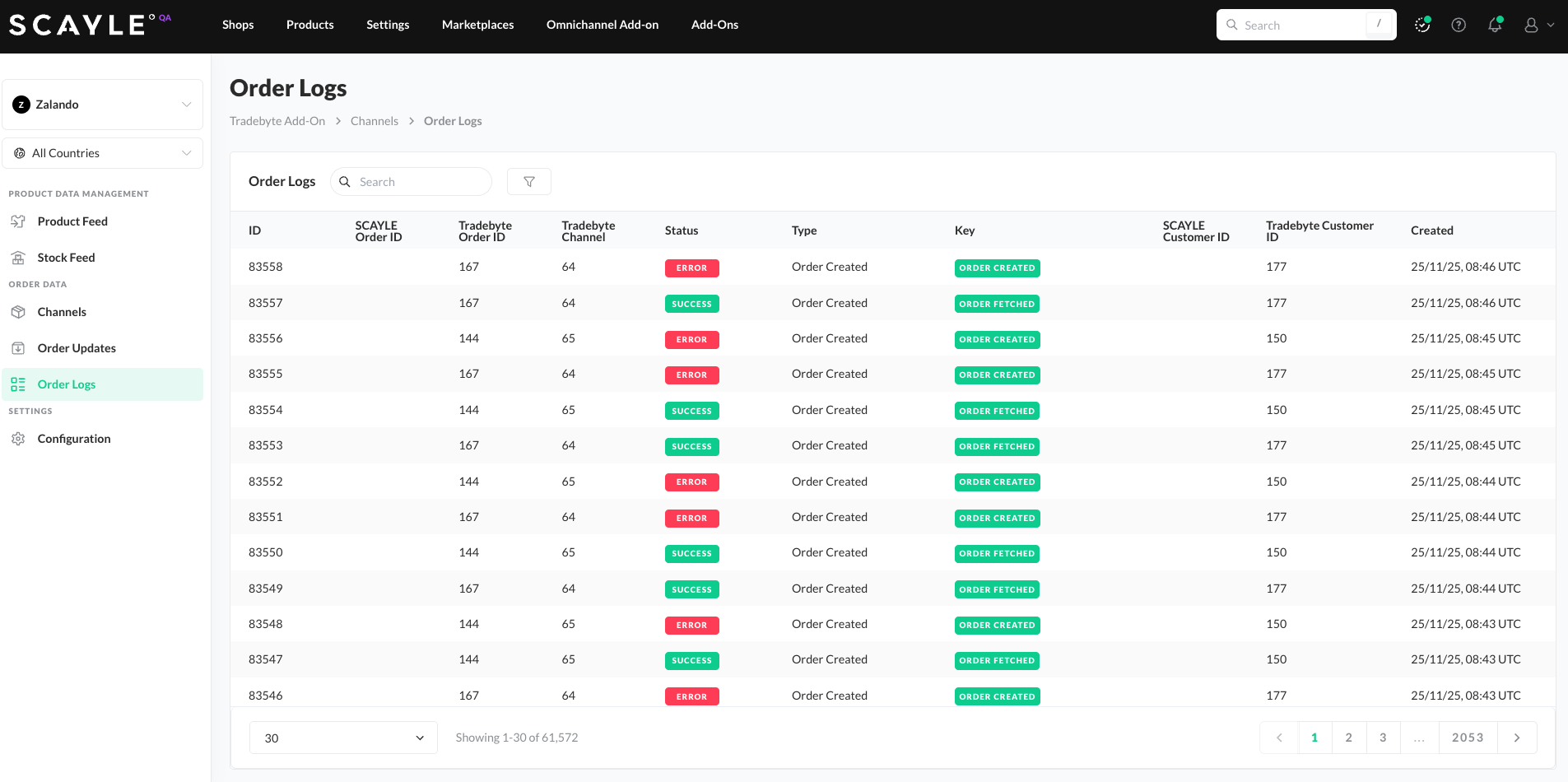
The Order Logging Dashboard provides full visibility into all order-related events exchanged between SCAYLE and Tradebyte. In the SCAYLE Panel go to Add-ons ➜ Tradebyte Add-on → Order Logs.
This dashboard is designed to support monitoring, debugging, and validation of order flows across systems.
Dashboard Table
The table displays all log entries with the following attributes:
- Log ID
- SCAYLE Order ID
- Tradebyte Order ID
- Tradebyte Channel
- Status
- Type
- Key
- SCAYLE Customer ID
- Tradebyte Customer ID
- Creation Date
The table supports pagination, enabling easy review of large log volumes.
Search & Filtering Capabilities
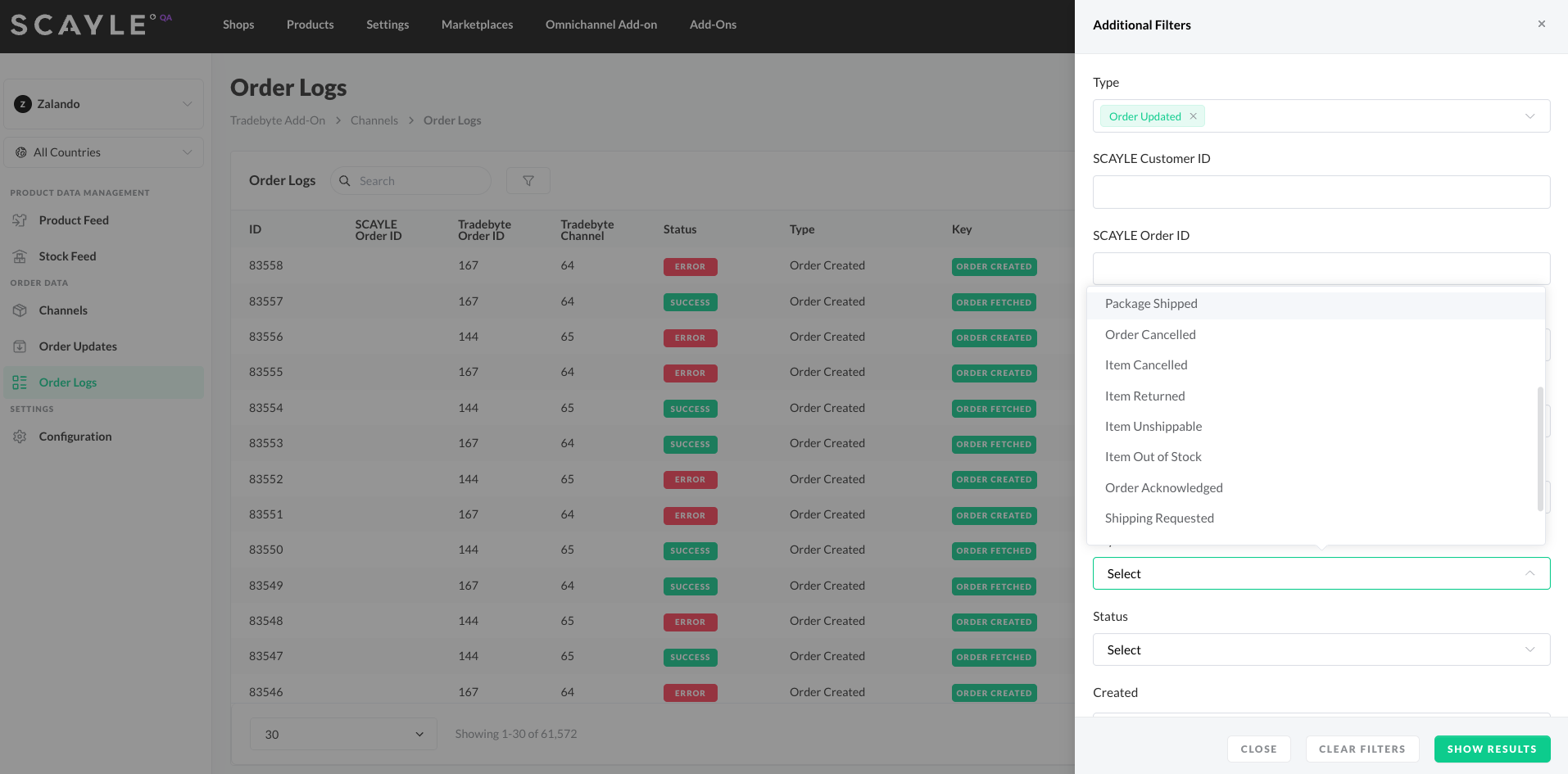
Users can refine their view using a comprehensive set of filters, including:
- Event Type
- Order Creation
- Order Updates
- Identifiers
- SCAYLE Customer ID
- SCAYLE Order ID
- Tradebyte Customer ID
- Tradebyte Order ID
- Tradebyte Channel
- Event Key
Specifies the exact event subtype, such as individual order creation or order updates steps. - Status
- Success
- Error
- Skipped
- Warning
- Creation Date
Filter logs by the date they were created.
The filter section also provides Close, Clear Filters, and Show Results actions for efficient navigation.
Order Log Entry Details
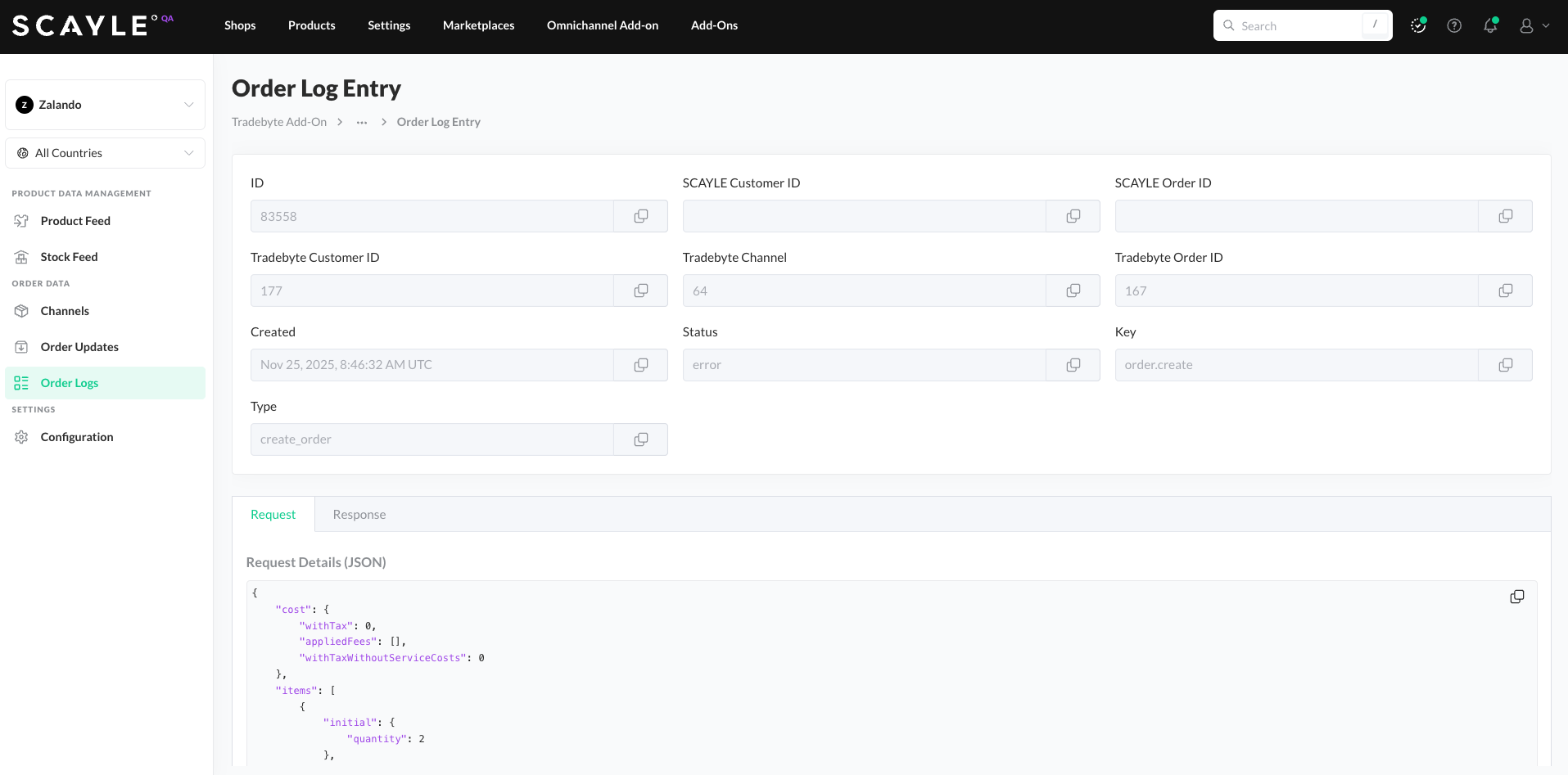
Each row can be opened to view detailed information about the log entry. The details include:
- API Request and Response bodies
Displayed in JSON or XML, depending on whether the request originated from SCAYLE or Tradebyte. - Payload Preview
The structured payload can be inspected directly in the UI. - Copy Functionality
Users can copy request or response content for debugging or support purposes.
This dashboard provides a powerful and transparent way to trace order flows end-to-end, identify issues, and ensure reliable communication between SCAYLE, Tradebyte, and the connected marketplaces.


