

Configuration
You configure the Virtual Try-On Add-on per shop, and budgets per shop-country. There are three configuration areas:
Access Policies
Access policies control which storefront origins, or domains, can call the Add-on storefront endpoints. Navigate to Add-ons ➜ Virtual Try-On ➜ Access Policies to configure which domains should be included.
The Add-on enforces this allow-list through Cross-Origin Resource Sharing (CORS): only requests from a configured origin receive a valid CORS response.
Access policies work as follows:
- You configure them per shop.
- Each policy is of type
originand holds a storefront domain. - If no origin is allow-listed for a shop, the Add-on rejects all storefront calls from the browser.
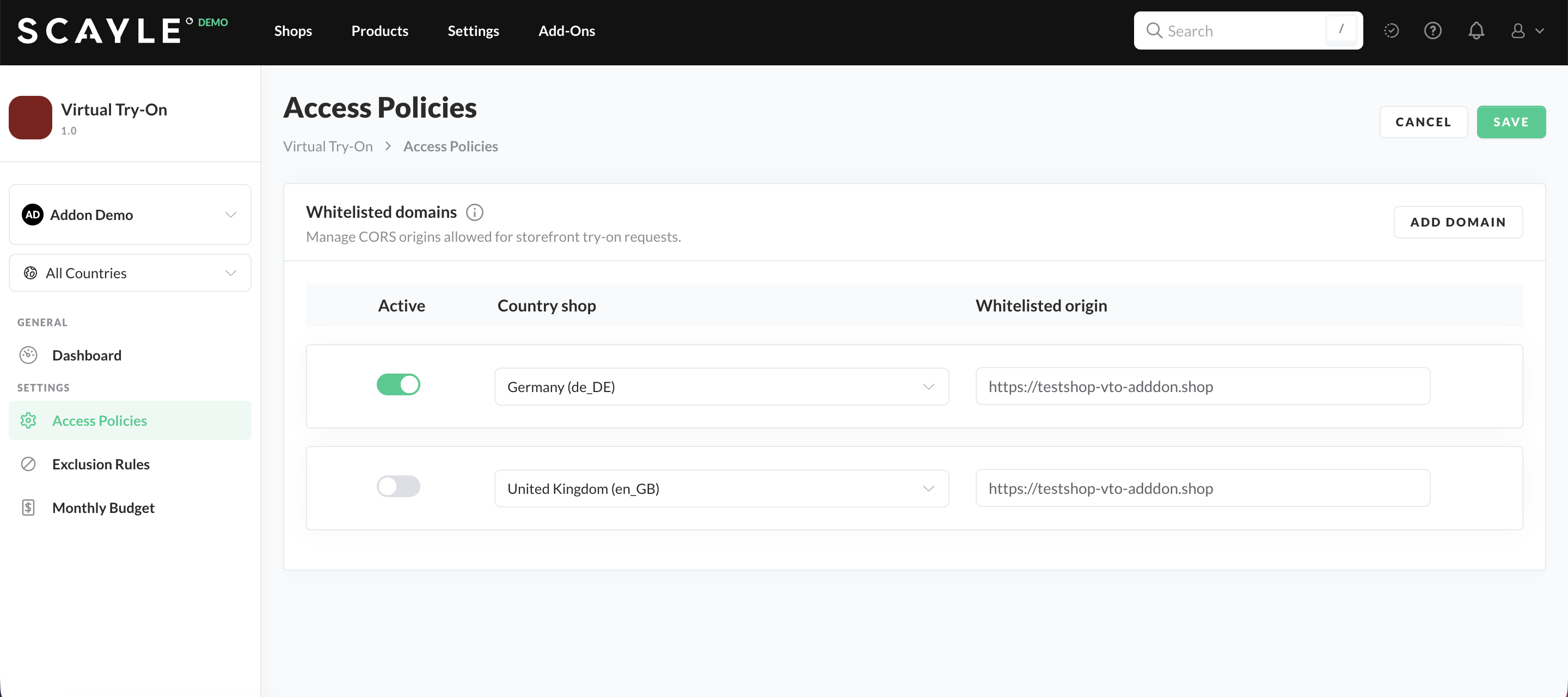
Access Policies in the SCAYLE Panel
Add every storefront domain that should offer try-on, including staging and preview domains. Please note that wildcards aren't supported.
Exclusion Rules
Exclusion rules let you switch off try-on for specific product categories, for example, categories where a virtual try-on isn't expected to improve the customer experience. Set excluded categories in Add-ons ➜ Virtual Try-On ➜ Exclusion Rules.
Exclusion rules work as follows:
- You configure them per shop.
- Each rule is of type
categoryand references a category. - Products in an excluded category are never eligible for try-on, even if the other categories the product is part of are not excluded. The storefront settings response returns the excluded category IDs, so the frontend can hide the try-on option. The
generateandlookupendpoints, which retrieves a saved result, reject requests for products in excluded categories.
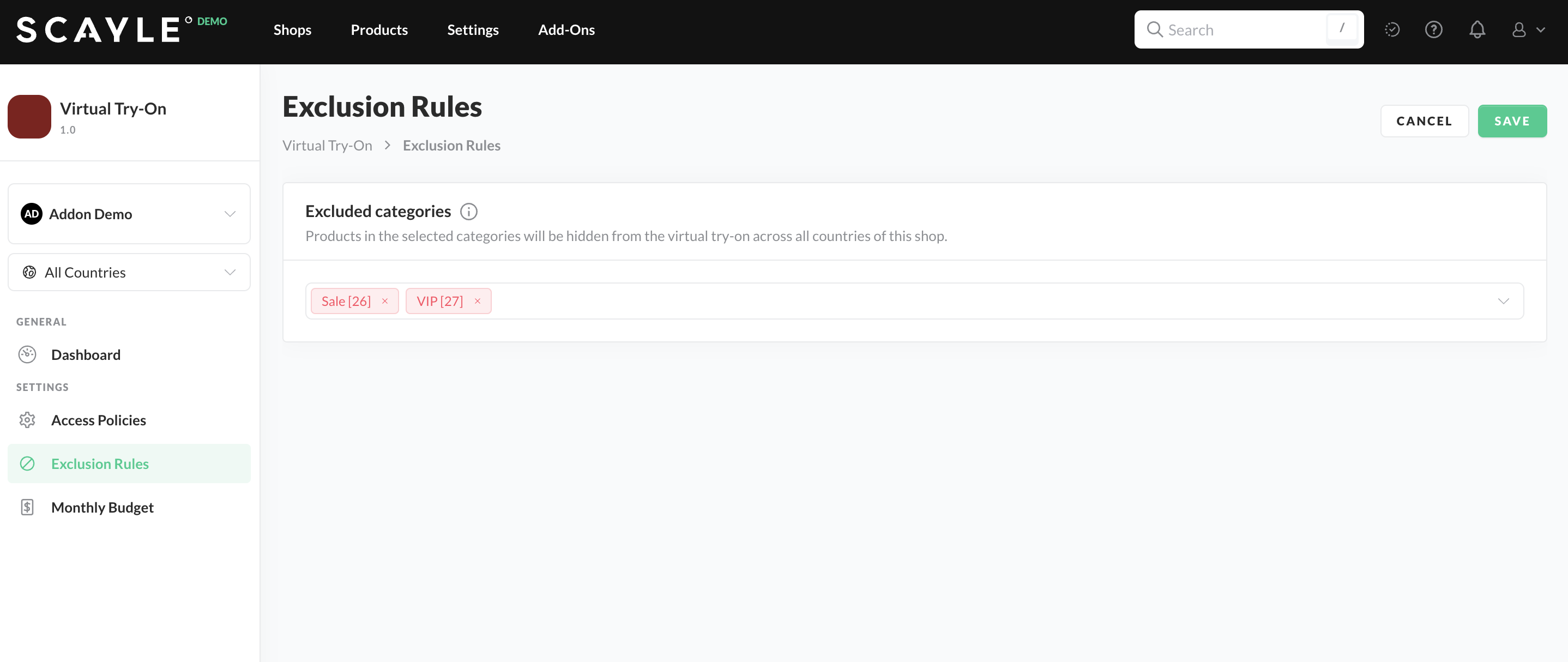
Exclusion Rules in the SCAYLE Panel
Budgets
Budgets are the main control for both cost and activation. You set them per shop-country and per month in Add-ons ➜ Virtual Try-On ➜ Monthly Budget. Each budget consists of:
- Base amount – the monthly budget you allocate for image generation. Once a month has started, the base amount for that month can't be adjusted.
- Top-up amount – an optional amount added to the base amount for that month. Use top-up amounts if you would like to extend the usage of the Add-on for that month once the base amount has been used up. Top-up amounts can be changed at any point in the ongoing month.
- Enabled flag – whether the feature is switched on for that shop-country and month.
The total budget for a month is the base amount plus any top-up. Because you manage budgets month by month, you can plan future months and review past months independently.
Please double-check your Base amount budgets before clicking the SAVE button.
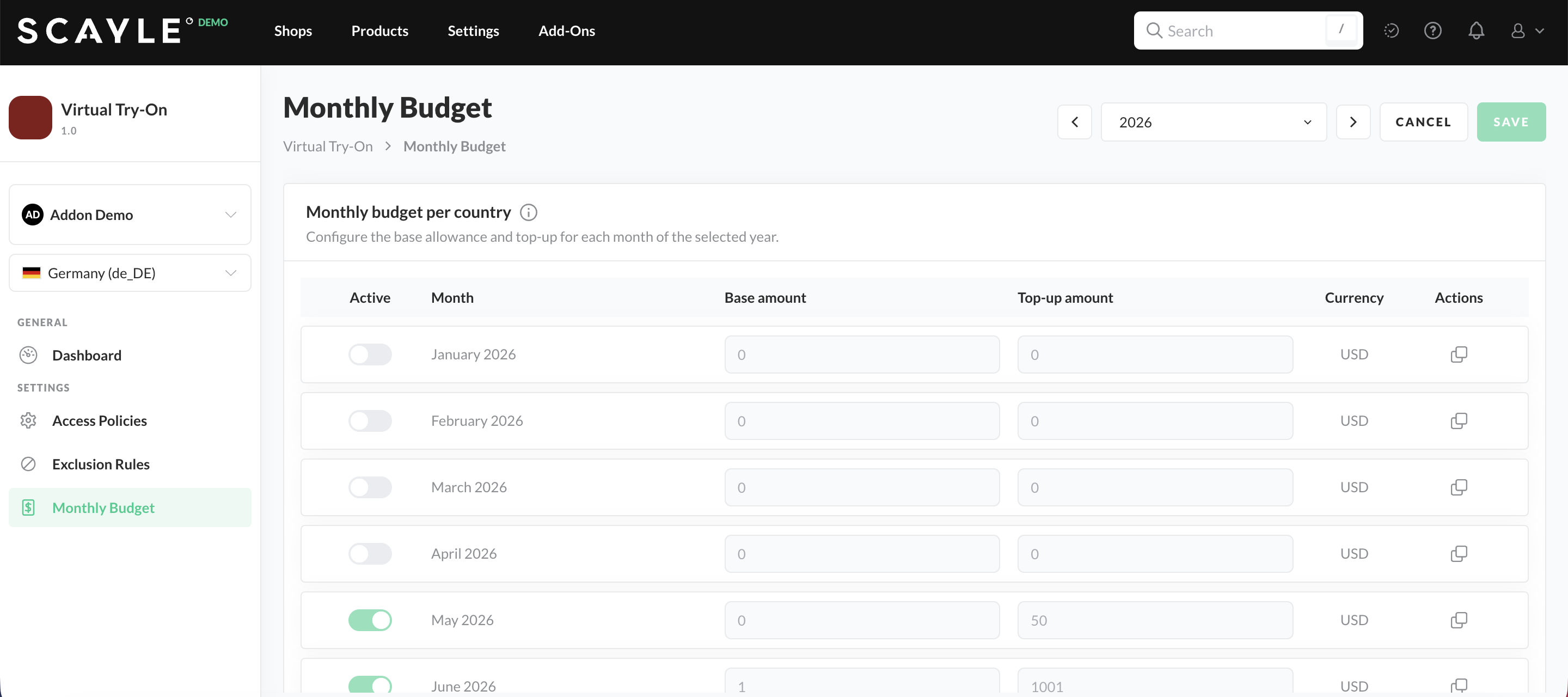
Budget Overview in the SCAYLE Panel
How Budgets Drive Activation
The feature is active for a shop-country in the current month only when both of the following are true:
- The budget is enabled.
- The remaining budget can cover at least one more image generation.
The remaining budget accounts for spend already incurred that month plus an estimate for images that are still generating. When the remaining budget drops below the price of one image, the feature switches off automatically for that shop-country. It stays off until you add a top-up or the next month begins and an enabled budget exists for it.
For more information on the pricing model and the reporting screen, see Usage and Billing.
Configuration Reference
The following table summarizes each configuration setting, its scope, and its effect:
| Setting | Scope | Type or Values | Effect |
|---|---|---|---|
| Access policy | Shop | origin, a storefront domain | Allow-lists a storefront origin for CORS. |
| Exclusion rule | Shop | category, a category reference | Excludes a product category from try-on. |
| Budget – base amount | Shop-country, month | Monetary amount | Sets the base monthly spend allowance. |
| Budget – top-up amount | Shop-country, month | Monetary amount | Adds spend to the base amount for that month. |
| Budget – enabled | Shop-country, month | On or off | Switches the feature on or off for the shop-country for that month. |


