

Rule-Based Recommendations
Rule-based recommendations allow you to automate merchandising by leveraging the SCAYLE Smart Sorting engine. Unlike algorithmic similarity, these sliders use predefined logic—such as sales velocity or stock levels—to populate product lists dynamically.
In the Storefront Application, these are implemented via the <SFSmartSortingProductsSlider /> component.
Core Functionality
The slider functions as a bridge between your storefront and the Smart Sorting keys configured in the SCAYLE Panel.
- Mandatory Logic: You must provide a
smart-sorting-key. This key tells the system which algorithm to run (e.g.,new arrivals,top seller,recently popular). - Dynamic Population: The component automatically handles the API request to fetch products that meet the sorting criteria.
- Contextual Relevance: You can further refine the results by passing specific IDs to ensure the "Top Sellers" are relevant to the page the user is currently visiting.
Two Ways to Deploy
This feature is designed for both developers and business users, offering maximum flexibility in how recommendations are managed.
1. Developer Implementation (Code-Based)
For hard-coded placements or custom page templates, use the <SFSmartSortingProductsSlider /> component directly. This is highly configurable via props:
| Property | Requirement | Description |
smart-sorting-key | Mandatory | The unique identifier for the sorting logic (e.g., scayle:v1:topseller, scayle:v1:new_in). |
title | Optional | The heading displayed above the slider. |
category-id | Optional | Filters the sorting results to a specific category. |
brand-id | Optional | Filters the sorting results to a specific brand. |
limit | Optional | Defines the maximum number of products to display (Default is often 10-20). |
Example: Category-Specific Bestsellers
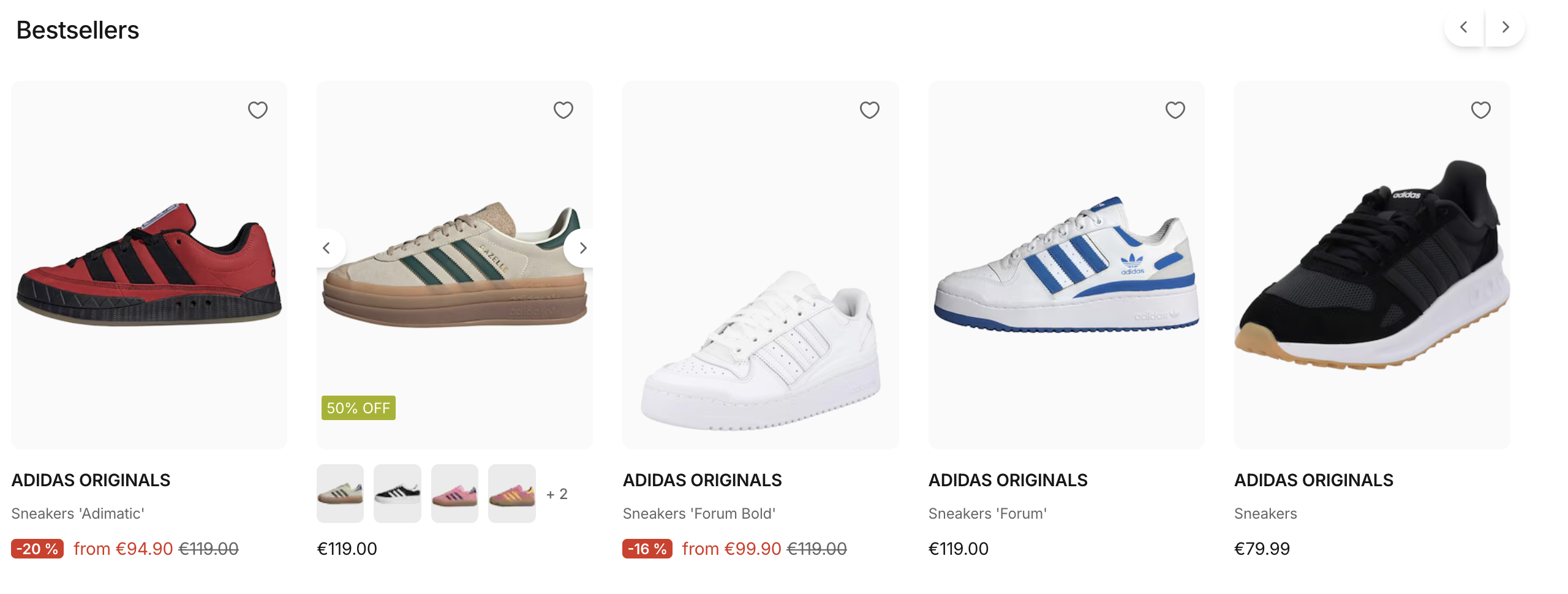
A common use case is displaying top-performing products within a specific category and brand to increase conversion on landing pages.
The following example renders a slider showing the top 15 selling products specifically for Brand ID 550 within Category ID 12.
2. Business User Deployment (CMS-Based)
The <SFSmartSortingProductsSlider /> is also available as a ready-to-use CMS Component. This allows shop managers and merchandisers to:
- Add sliders onto any page (Homepage, Landing Pages, etc.).
- Configure keys and filters (like Brand or Category) directly in the CMS interface without writing code.
- A/B test placements by moving the slider block to different positions on the page to see which drives the most engagement.
When to Use Rule-Based Sliders
Rule-based sliders are most effective when placed on high-traffic entry points where user-specific data might be limited:
- Homepage: Use
scayle:v1:trendingto show what’s popular across the whole shop. - Brand Pages: Use
scayle:v1:topsellerfiltered bybrand-idto showcase the brand's "hero" products.


