

Loyalty Programs
SCAYLE Checkout supports the interface and infrastructure for integrating any third-party loyalty programs directly into the payment step via APIs. This means tenants can implement loyalty cards of their choice – such as PAYBACK or other provider-backed programs to allow customers to collect (earn) and burn (redeem) points during the checkout process. This functionality enables customers to:
- Register or subscribe to a loyalty program during checkout,
- Enter an existing membership number to collect loyalty points,
- And, where supported, use loyalty points to partially or fully pay for the order.
While SCAYLE Checkout facilitates the input and transmission of loyalty data, it does not handle the underlying business logic for earning or redeeming points.
For earning points, SCAYLE relies on the calculation factor configured in the SCAYLE Panel for each loyalty program. This factor is multiplied by the order total to determine how many points a customer will receive after order confirmation.
For redeeming points, SCAYLE uses the conversion factor provided by the tenant to calculate the monetary value of a customer’s loyalty balance during checkout. For example, if a customer has 1,500 points and the conversion factor is set to 0.01, those points would equal 15.00 EUR (1,500 × 0.01).
As an alternative, you can enable Dynamic Points Calculation, which delegates the earning and balance calculation to a custom API endpoint that you provide. This is useful when the number of earned points depends on business rules that go beyond a single multiplier — for example, active promotions, vouchers, or customer segments.
Note: With Dynamic Points Calculation enabled, customers must attach a loyalty card before they can see the number of points they will earn — the pre-card preview shown in static mode is not available. See Set up Loyalty Programs for configuration details and other known limitations (no automatic retry, no refund support).
All other loyalty logic—such as promotional code validation, bonus point calculation, or reward application—must be handled entirely by the middleware or the external loyalty provider.
User Flow
If a loyalty program is configured, the customer will see a dedicated loyalty section on the payment step of the checkout. Depending on the Loyalty Program configuration, this section provides options to either register for the program or enter an existing membership number.
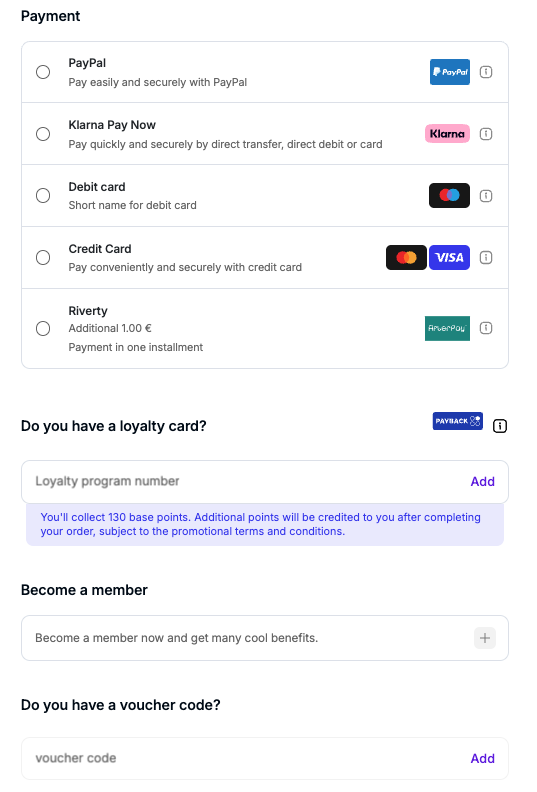
Loyalty Program module in the Checkout
Registration
First-time users can register for a loyalty or membership program directly within the checkout flow using a dedicated registration form. Once completed, the newly registered loyalty account is linked to the order.
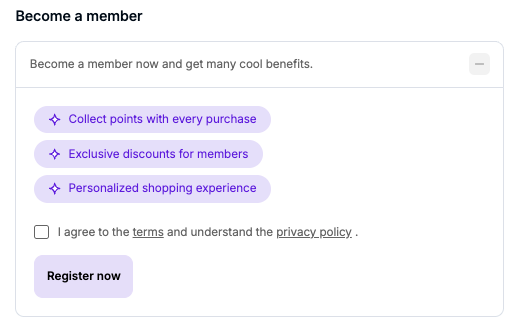
Earn Loyalty Points
Existing members can enter their loyalty card number to collect points with their purchase. Once entered, SCAYLE can validate and optionally verify the number through your middleware and the loyalty provider. Similarly to the registration, you will also find the attached card in the state response.
Customers can opt for removing the attached loyalty card from the input field. Once detached, the order will not earn points under the removed card.
After validation, the card balance is checked. Based on the response, customers may use points to fully or partially pay for their order, depending on your loyalty provider’s logic. Users have the option to choose how many loyalty points they want to redeem during checkout.
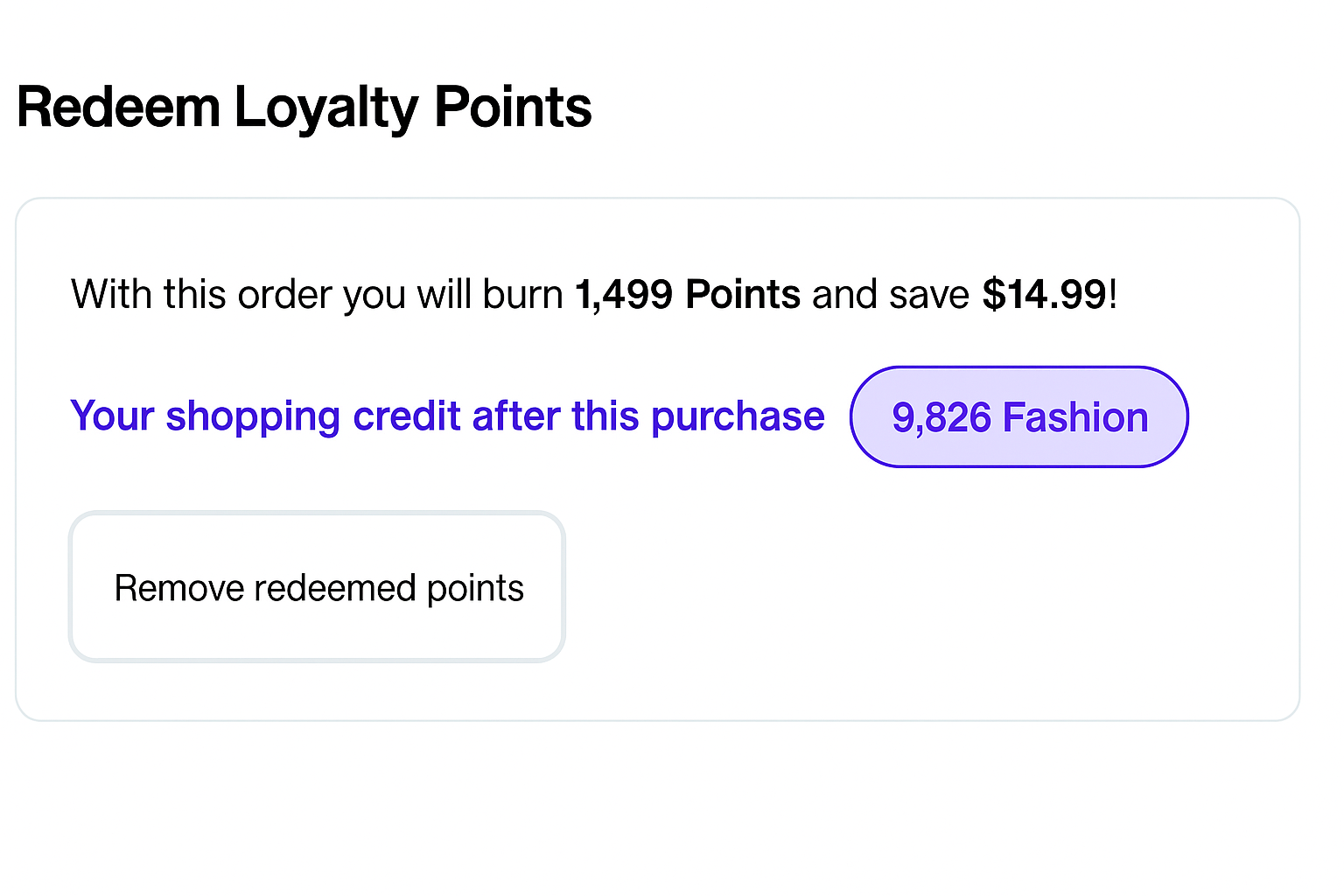
Redeem Loyalty Points
Full redemption
If a customer’s loyalty points are equal to or greater than the order total, the checkout can be completed without requiring any additional payment method.
Partial redemption
Partial redemption is supported, allowing customers to use only a portion of their available points and save the rest for future purchases.
When points are applied, the checkout state response reflects the updated total purchase price and the number of loyalty points deducted.
Exclude Products From a Loyalty Program
Some products in your catalog may need to be excluded from loyalty point calculations—both when earning and when redeeming points. You configure this at the product level using attributes in the SCAYLE Panel. Because a shop can have one or multiple loyalty programs enabled at the same time, the configuration lets you exclude a product from a single program or from several of them.
Behavior in Calculations
When a basket contains products marked with the loyaltyCardExclusion attribute for a given loyalty program:
- Calculations of granted loyalty points exclude these items from the total order amount.
- Calculations of redeemed loyalty points exclude these items from the total order amount.
This logic cannot be changed.
Behavior in the Checkout UI
The loyalty program module on the Checkout UI is rendered based on the contents of the basket:
- If a basket contains both eligible and excluded products, the loyalty program module is rendered, and customers can attach a card or redeem points based on the eligible items only.
- Whenever the basket is created or updated and contains only products to be excluded from the loyalty program, the Checkout UI does not render the loyalty program module.


