Monitoring Exporter
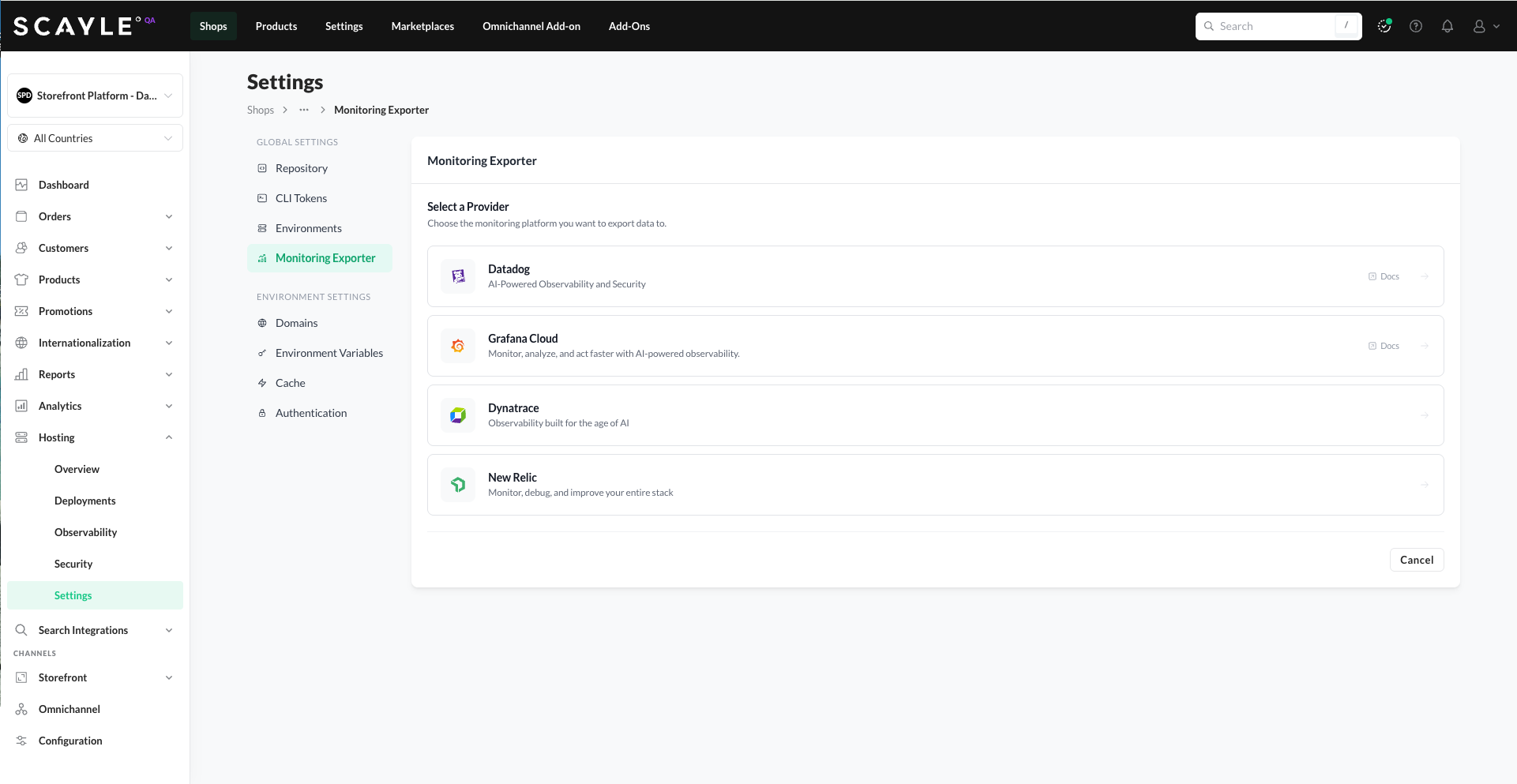
The Monitoring Exporter sends your storefront's logs, metrics, and traces to a supported external monitoring service. Data is exported using the OpenTelemetry protocol. Currently supported providers: Datadog, Grafana Cloud, Dynatrace and New Relic.
This lets you use your preferred monitoring platform to analyze your storefront's health and behavior, even though the underlying infrastructure is managed by SCAYLE. The Monitoring Exporter is configured once per shop. All environments share the same exporter and are distinguished by per-environment OpenTelemetry names (see Telemetry Settings below).
Supported providers
Four providers are supported with native integrations:
See each provider's page for setup steps and for how to use your storefront data once it's flowing. We're continuously expanding the list of supported providers.
Setting up an exporter
- Go to Shops ➜ [Shop] ➜ Hosting ➜ Settings ➜ Monitoring Exporter.
- Click + Set Up Exporter.
- Choose your monitoring platform from the list of supported providers.
- Fill in the provider-specific connection details (see the provider's page for what each field expects).
- Click Connect.
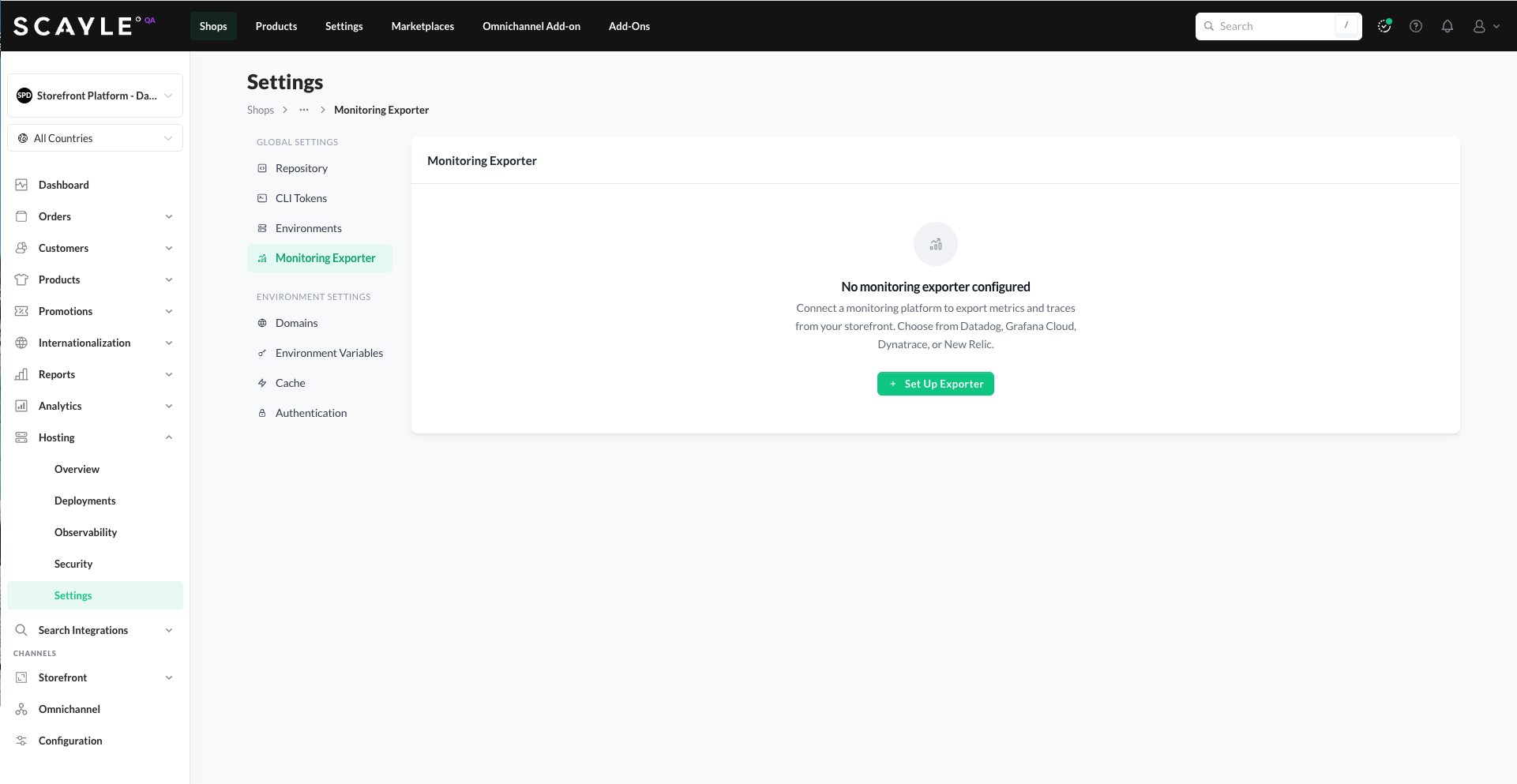
Data collection only begins after the exporter is set up. Historical data from before the setup is not available in your monitoring tool.
Telemetry Settings
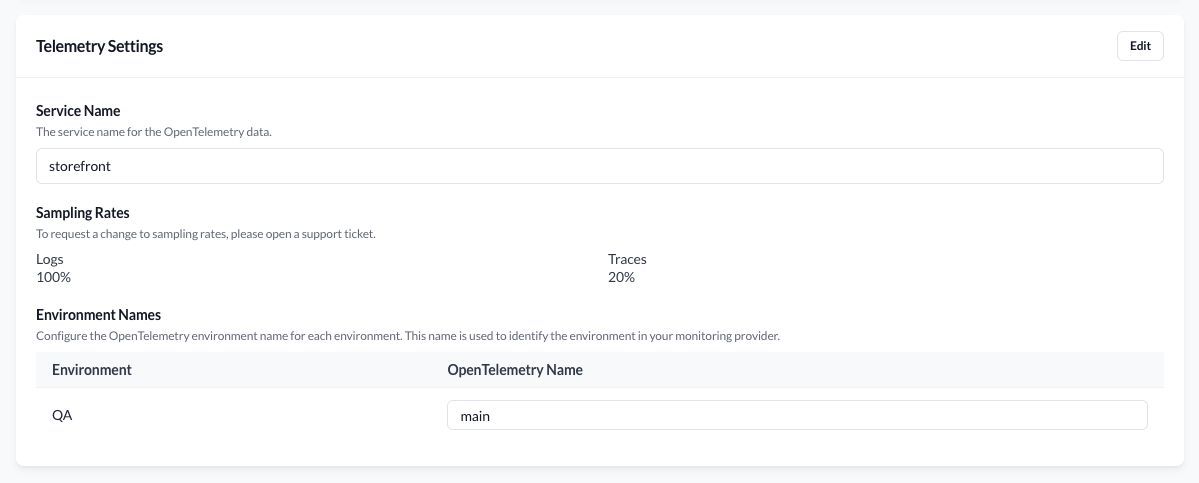
Below the Monitoring Exporter card, the Telemetry Settings section controls how your data is labelled when it arrives at your monitoring tool.
Telemetry Settings are decoupled from the exporter setup — you can adjust them before connecting an exporter, or update them later without disrupting the connection.
Service Name
The OpenTelemetry service name used as the primary identifier for your storefront's data in the monitoring tool. Default: storefront. Change this if you want a more specific identifier - for example, when running multiple storefronts in the same monitoring account.
Sampling Rates
Controls how much telemetry data is exported:
- Logs -
100%by default - Traces -
20%by default
Sampling rates are read-only in the SCAYLE Panel. To request a change, contact your SCAYLE Account Manager.
Environment Names
Lists all your shop's environments and lets you set the OpenTelemetry name for each. This is how your monitoring tool distinguishes data from different environments (e.g., filtering by env:main in Datadog or Grafana).
The first environment created during initial setup has the default OpenTelemetry name main. You can override this and set a different OpenTelemetry name for each environment as needed.
Updating or removing the exporter
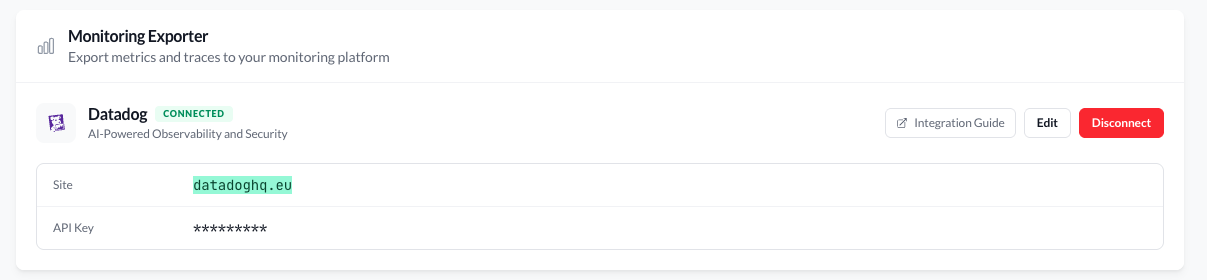
To update the exporter's credentials or switch providers, click Edit on the Monitoring Exporter card. To stop exporting data entirely, remove the exporter from the same card. Data streaming stops immediately after disconnection.