

Repository
The Repository page is where you manage the Git repository connection SCAYLE uses to build and deploy your Storefront Application. It's set up during your first-time setup and can be updated later as your repository, credentials, or build layout changes.
Where to find it
Repository configuration lives in Shops ➜ [Shop] ➜ Hosting ➜ Settings ➜ Repository.
If you haven't yet connected a repository, go to Overview to make the initial connection - see Getting Started for the step-by-step walkthrough. Once connected, the Repository page shows the current setup and lets you edit it.
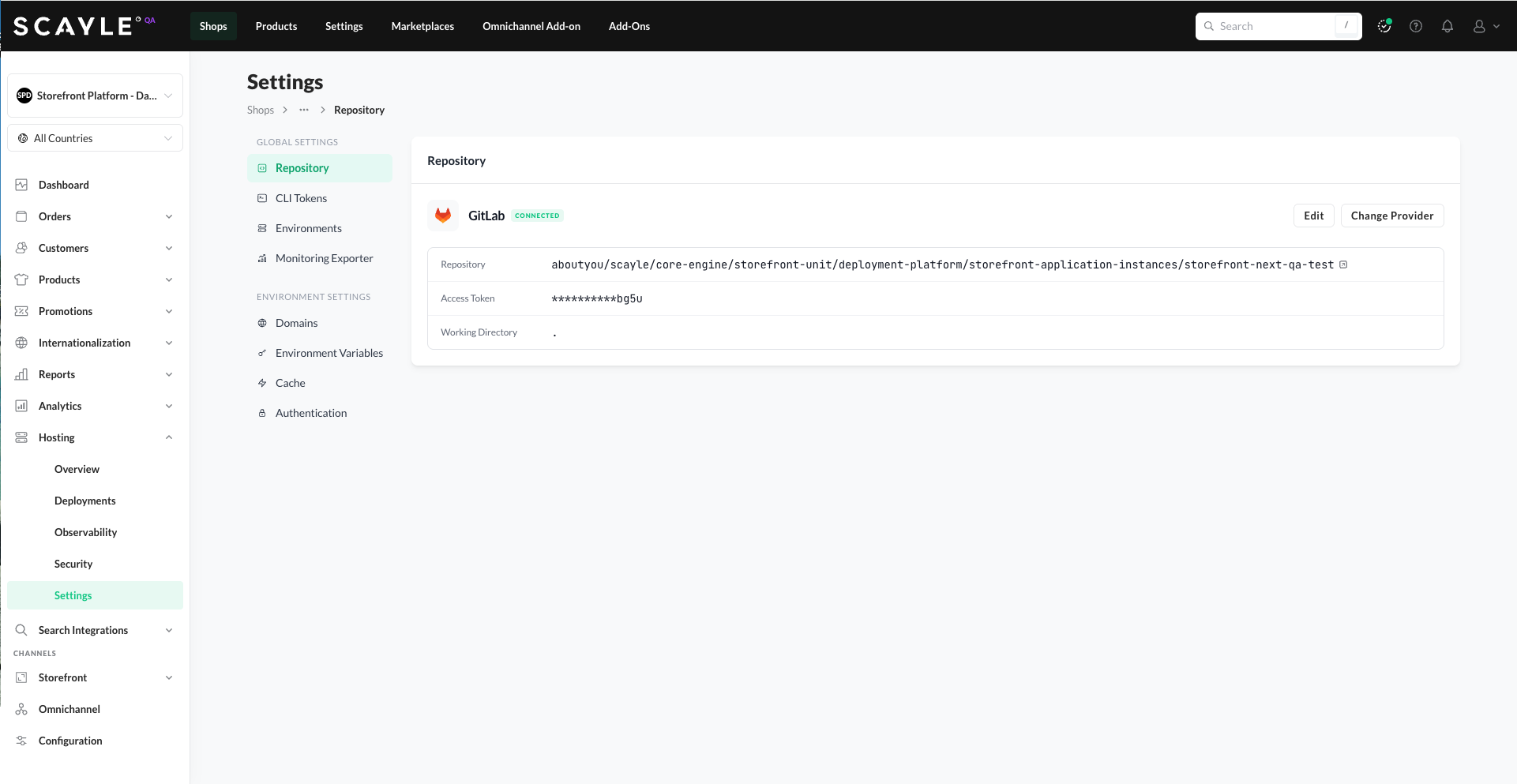
What you see
The Repository Configuration tab displays:
- Provider - the Git hosting provider (GitHub, GitLab, or Other Git Repository). When the connection is healthy, shown with a CONNECTED badge and "Connection verified [timestamp]". When the connection has failed, shown with a CONNECTION FAILED badge and "Last checked [timestamp]" - see Connection health below.
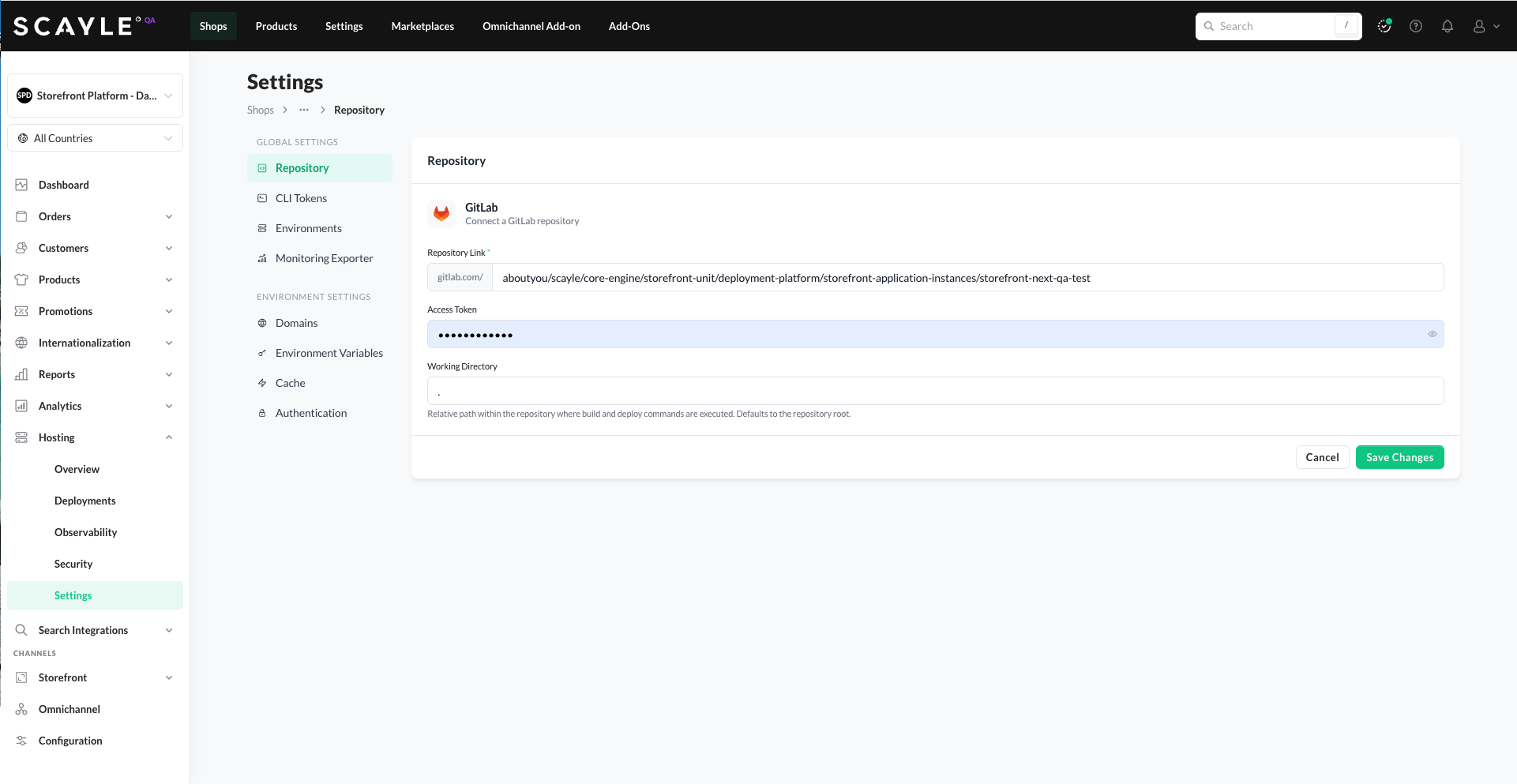
- Repository Name - the full path of the connected repository (e.g., your-org/storefront-app).
- Access Token - the authentication token used to clone and (when needed) push to the repository. Shown masked; the actual token cannot be retrieved after entry.
- Working Directory - the path within the repository where build commands run. Defaults to
.(the repository root). Used for monorepo support. - Test Connection button - runs an immediate check to verify the platform can still authenticate to your repository. Use this to confirm a connection is working after updating the access token or repository details, without waiting for the next automatic check.
Connection health
Storefront Hosting periodically checks that the platform can still authenticate to your configured Git repository. The check runs in the background and requires no manual action. The last check timestamp is shown next to the provider name - "Connection verified [timestamp]" when the check succeeded, or "Last checked [timestamp]" when it failed.
When the connection is healthy, the provider name is displayed with a CONNECTED badge.
When the check fails - because the repository was renamed or moved, or the access token expired, was rotated, or was revoked - the provider name shows a CONNECTION FAILED badge and a warning banner appears on the Repository page:
"Failed to connect to this repository. New deployments to all environments of this shop are blocked until the connection is restored. Rolling back to a previous deployment still works. Check that the access token is still valid and that the repository still exists."
The error is also surfaced elsewhere in the SCAYLE Panel so you notice it quickly:
- On the Overview page, a Repository connection problem banner appears at the top with a Go to Repository Settings link.
- When you try to deploy, the Deploy a new version dialog cannot load branches or tags, and shows "Can't load branches or tags" with a Repository Settings button.
Because repository configuration is shop-wide, a broken connection blocks new deployments to all environments of the shop, including production. Rollback to a previous deployment continues to work - use this to restore service quickly while you fix the repository connection.
What to do when the error appears:
- Verify that the repository still exists at the configured URL and is reachable.
- Check that the access token is still valid and has the required permissions to read the repository.
- If either has changed, click Edit to update the Repository configuration.
- Click Test Connection to confirm the fix worked before triggering a new deployment.
Git providers return identical responses for "repository not found" and "invalid token" errors, so the platform cannot distinguish the two. When the connection fails, check both possibilities.
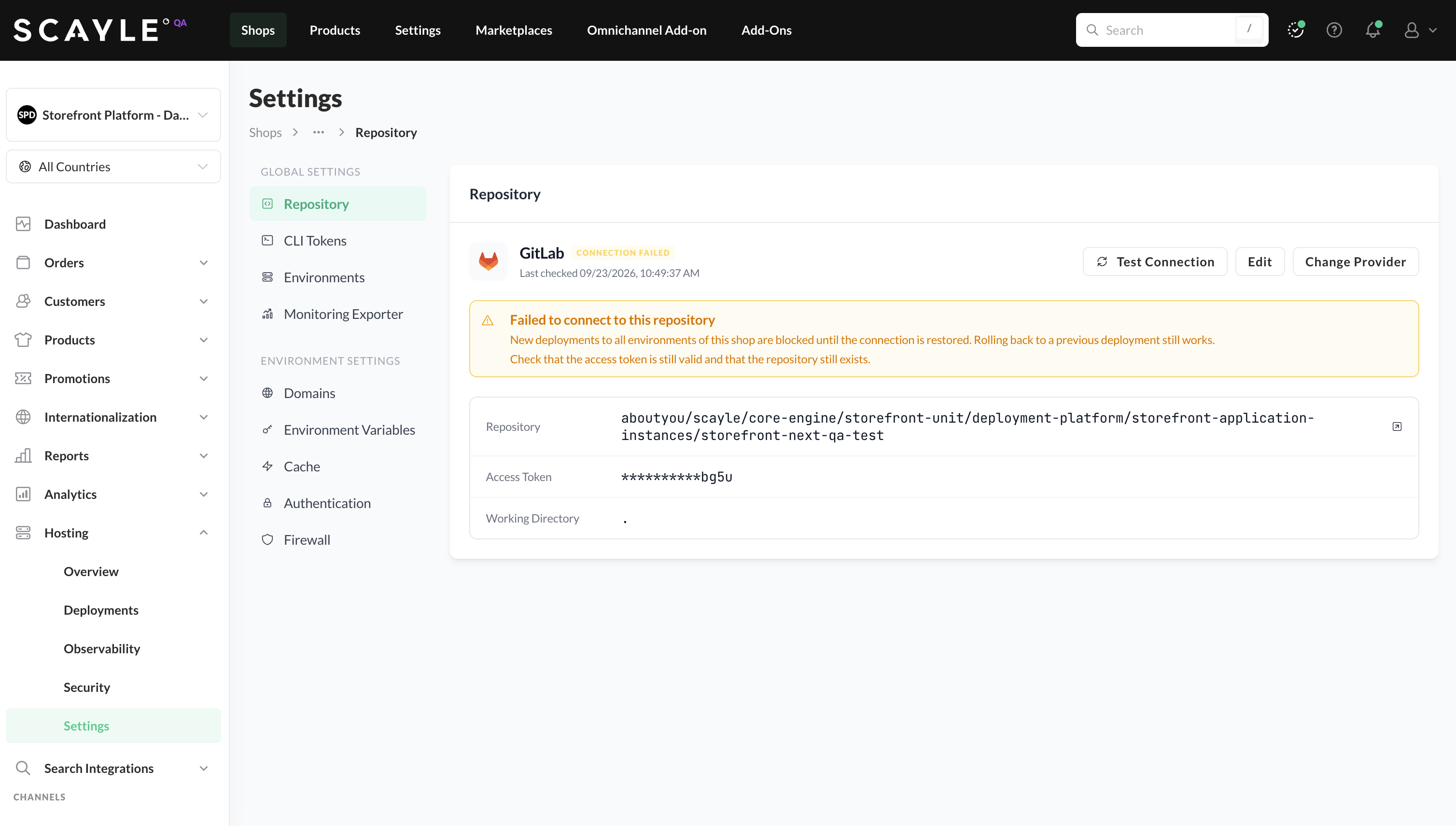
Repository page showing the CONNECTION FAILED state with the warning banner
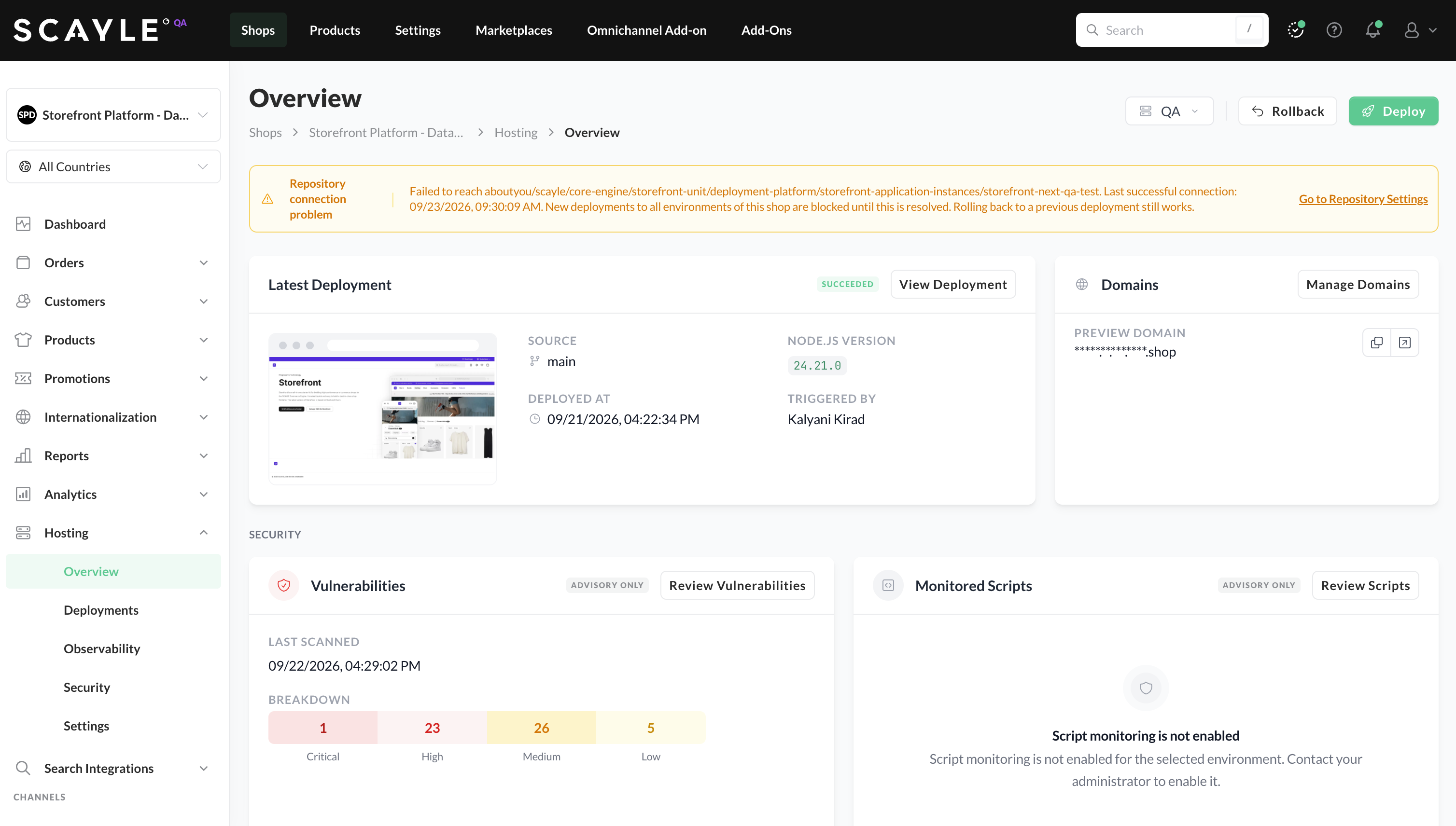
Repository connection problem banner shown on the Overview page
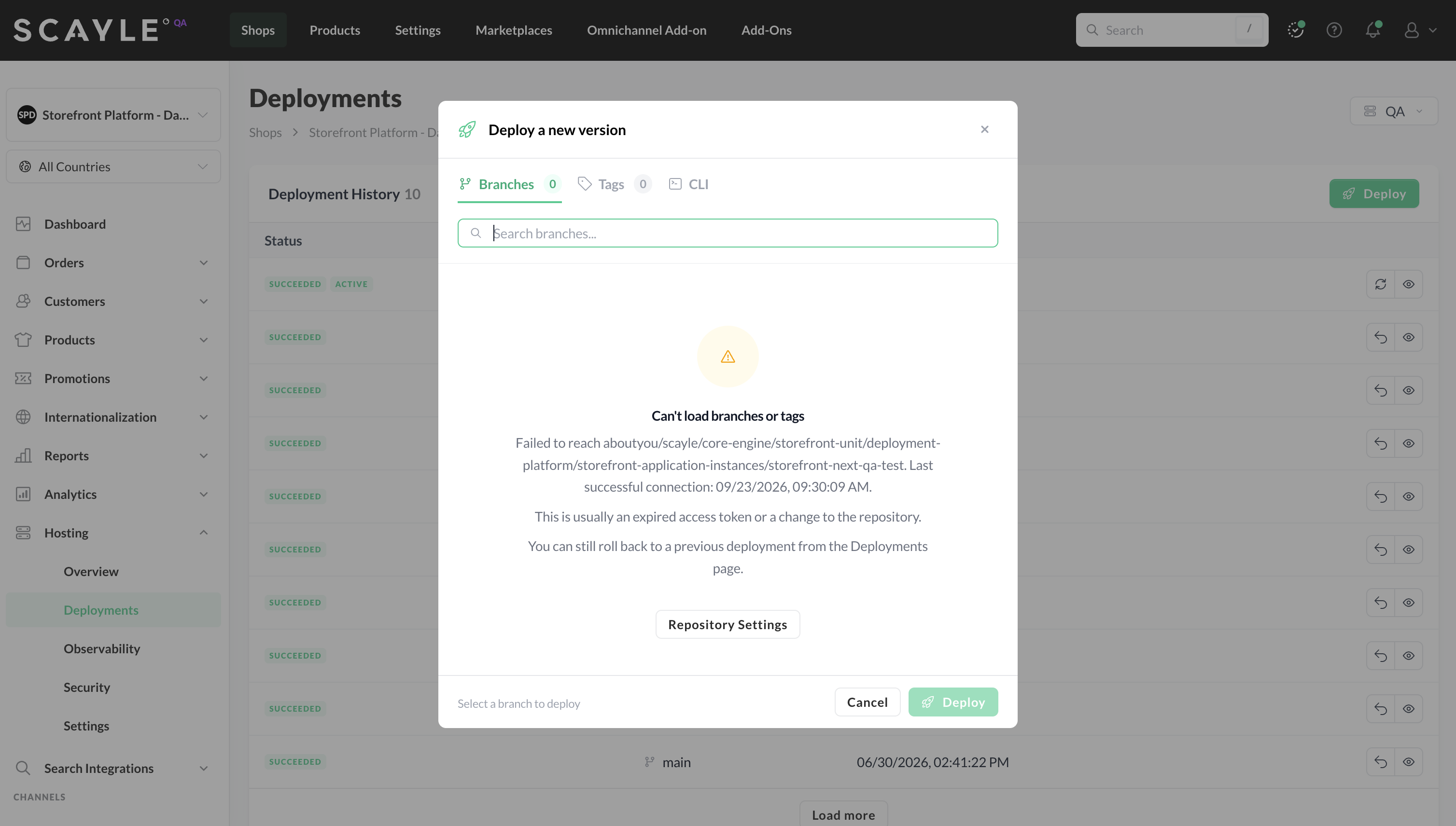
Deploy dialog when the repository connection has failed
Editing the configuration
To update the existing repository configuration:
- Click Edit in the top right of the Repository Configuration card.
- Update the fields as needed - for example, rotate the access token, change the working directory, or update the repository path.
- Save your changes.
The next deployment will use the updated configuration.
Changing the provider
If you need to switch to a different Git provider, click Change Provider in the Repository Configuration card. You'll be taken back to the provider selection flow, where you can choose GitHub, GitLab, or Other Git Repository and provide the new connection details.
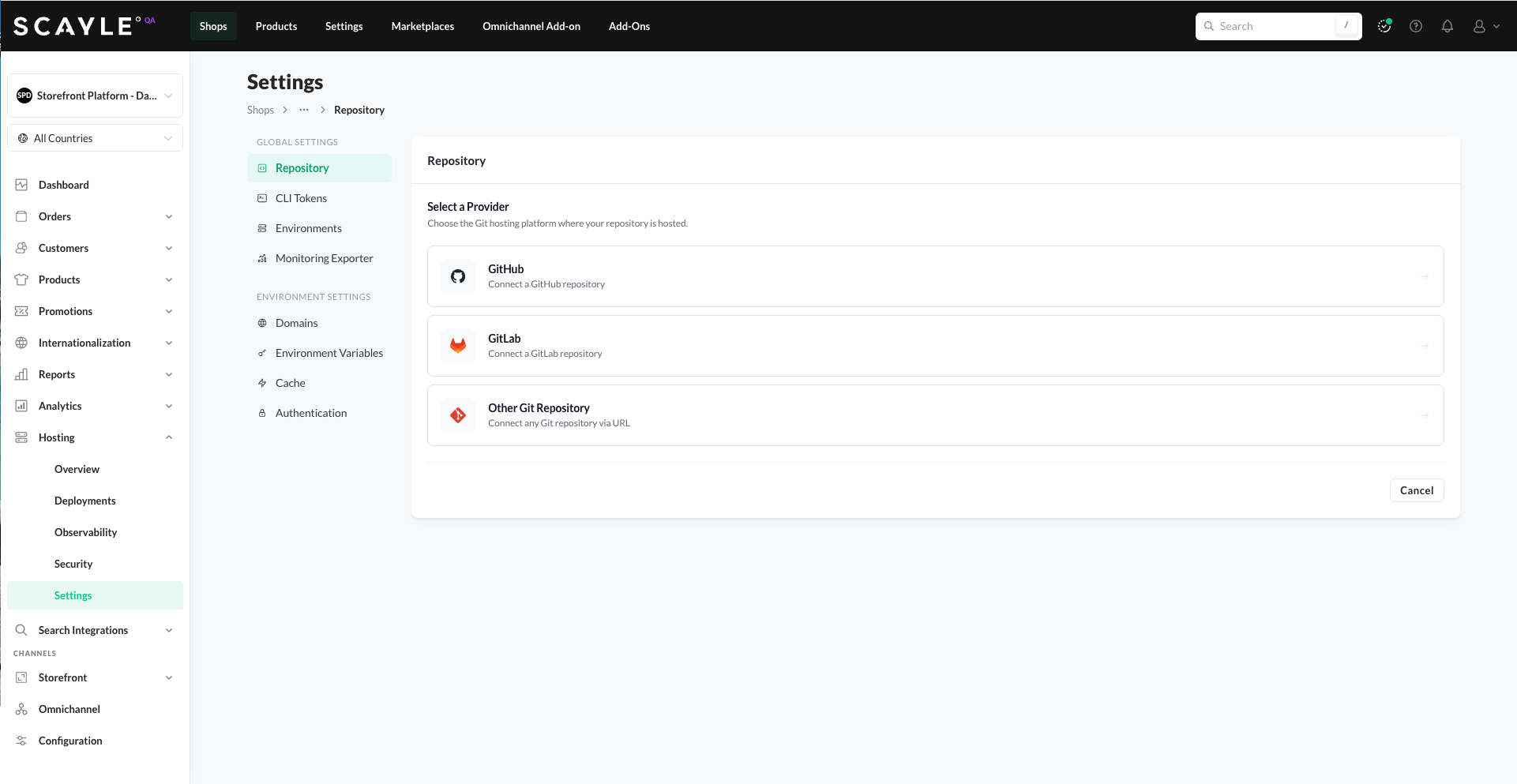
Changing providers replaces the existing connection. Make sure your new provider has the same codebase (or migrate it first) before changing the connection.
Working Directory (monorepo support)
If your Storefront Application lives in a subfolder of a monorepo, the Working Directory field tells SCAYLE where to run build commands. For example, if your monorepo layout is:
Set the Working Directory to the path of your Storefront Application within the repository (for example, apps/storefront). SCAYLE will run all build commands from that subfolder.
If your Storefront Application is at the root of the repository (the default for most setups), leave the Working Directory as ..


