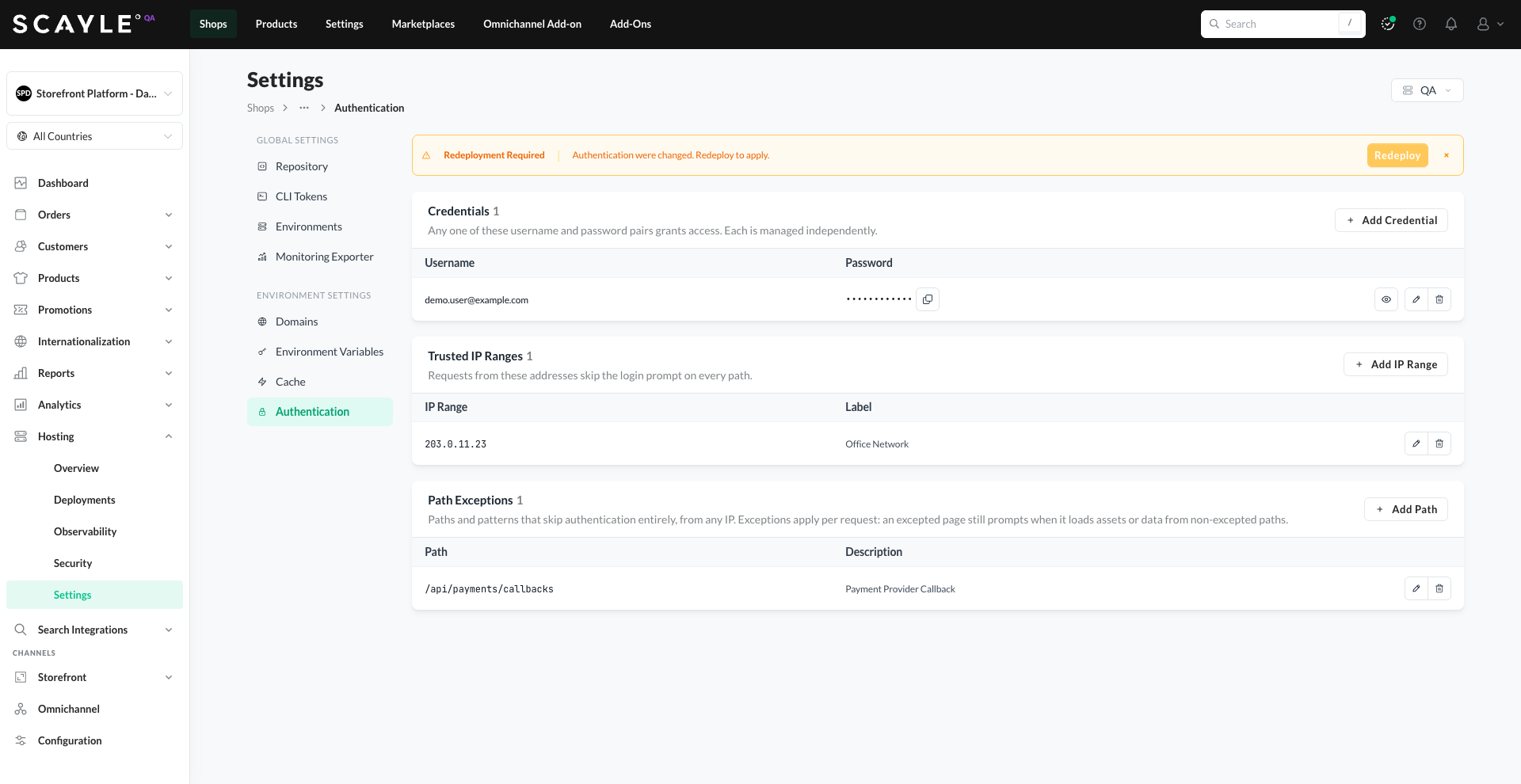
Environment Authentication
Overview
Protect your Storefront Application with per-environment access rules.
- Credentials - one or more username and password pairs. Any valid pair grants access.
- Trusted IP Ranges - IPs or CIDR ranges that bypass the login prompt entirely.
- Path Exceptions - paths and patterns that stay reachable without credentials, from any IP.
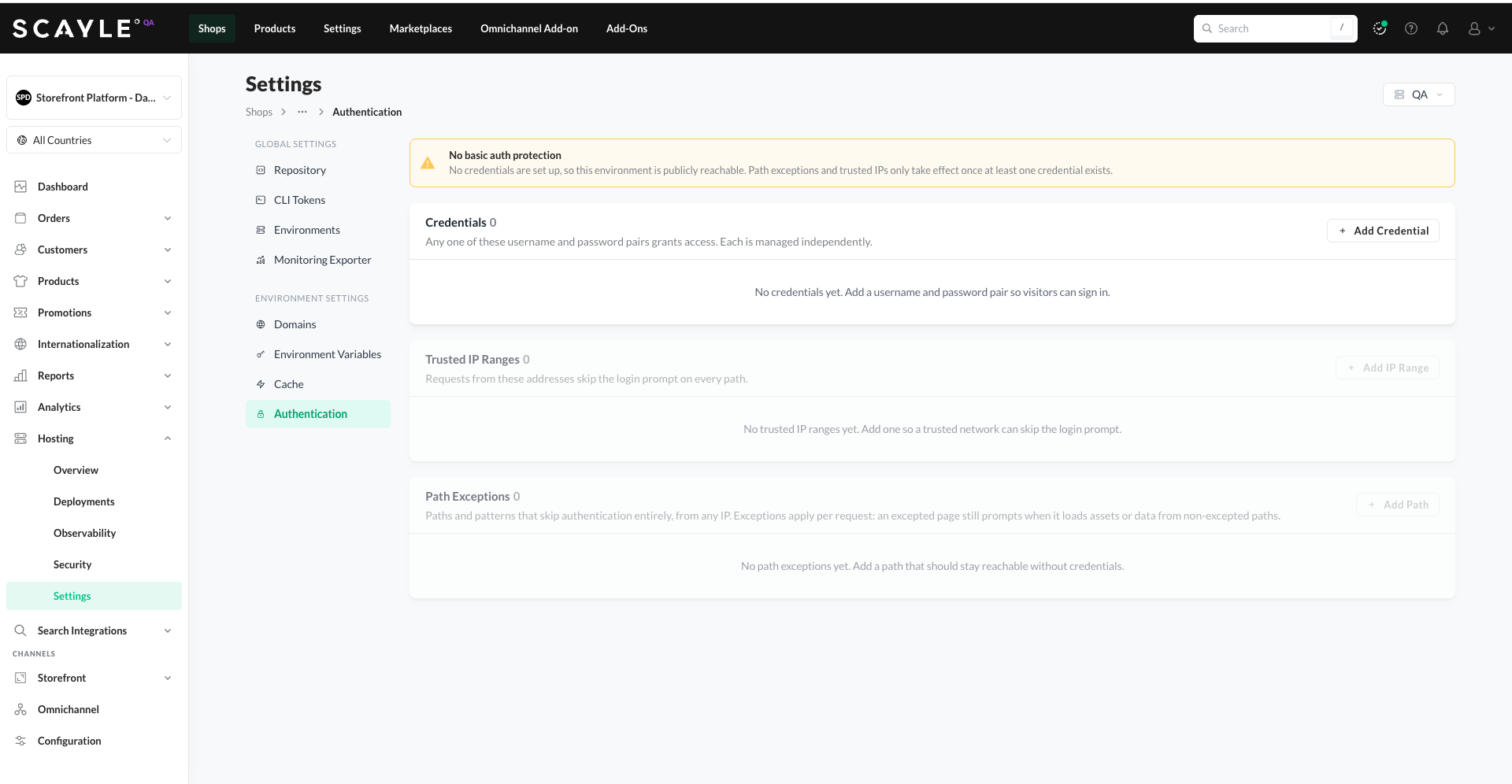
Credentials are the foundation. Adding a credential enables protection; when there are zero credentials, the environment is publicly reachable - Trusted IP Ranges and Path Exceptions only take effect once at least one credential exists.
This is particularly useful for non-production environments - staging, QA, or pre-launch deployments - where you want to limit access to authorized users while still serving payment callbacks or webhook endpoints that need to remain public.
Where to find it
Authentication settings live in Shops ➜ [Shop] ➜ Hosting ➜ Settings ➜ Authentication. The configuration is per-environment - use the environment selector at the top of the Settings page to switch between environments.
Credentials
Credentials are username and password pairs. Any one of the configured pairs grants access — they are independent, so you can add, change, or remove them individually without affecting the others.
Credentials are checked using HTTP Basic authentication: visitors get a browser-native prompt, and automated clients can send them in the Authorization header.
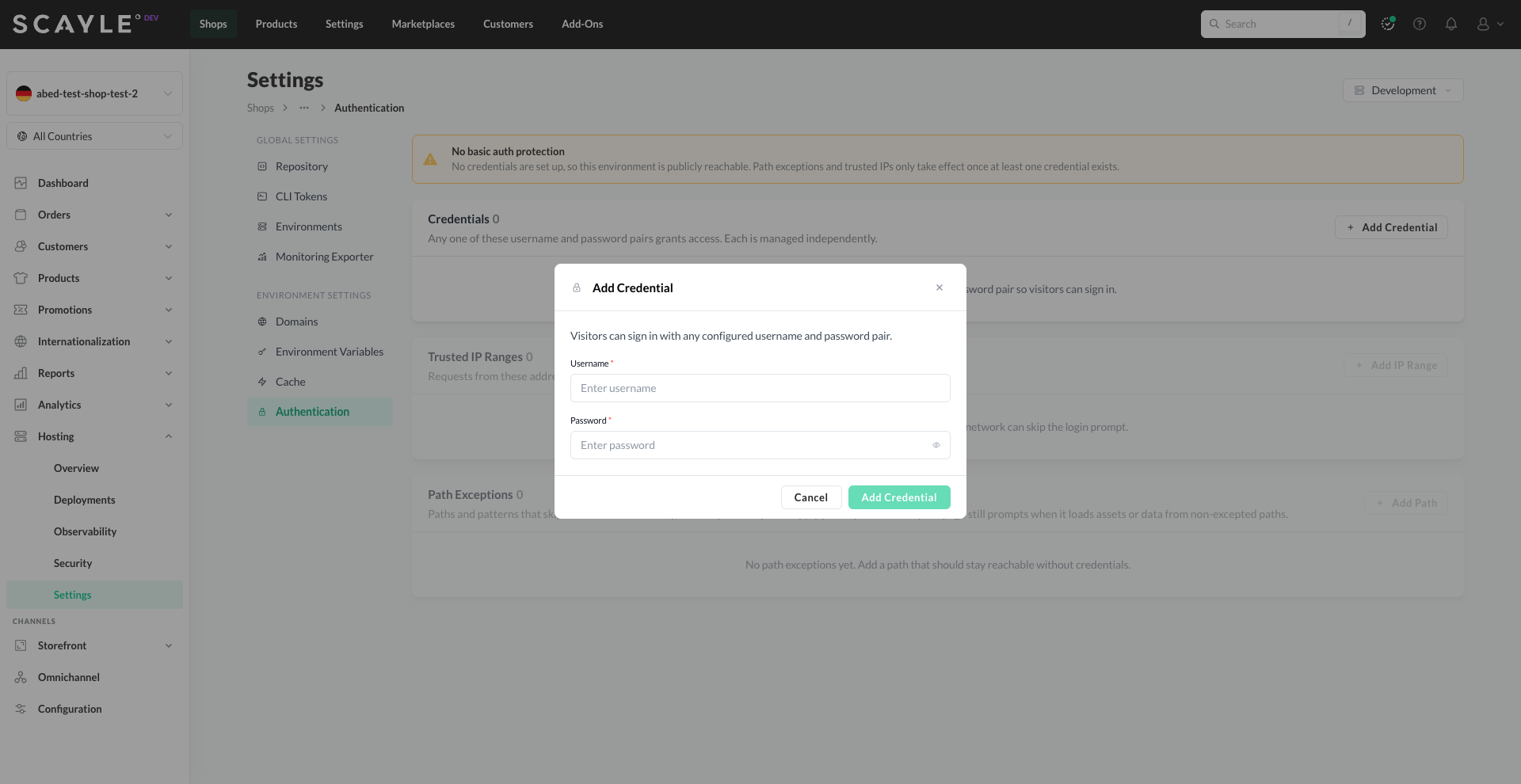
To add a credential:
- Click + Add Credential.
- Enter a Username and Password (up to 72 characters).
- Click Add Credential.
The credential once saved
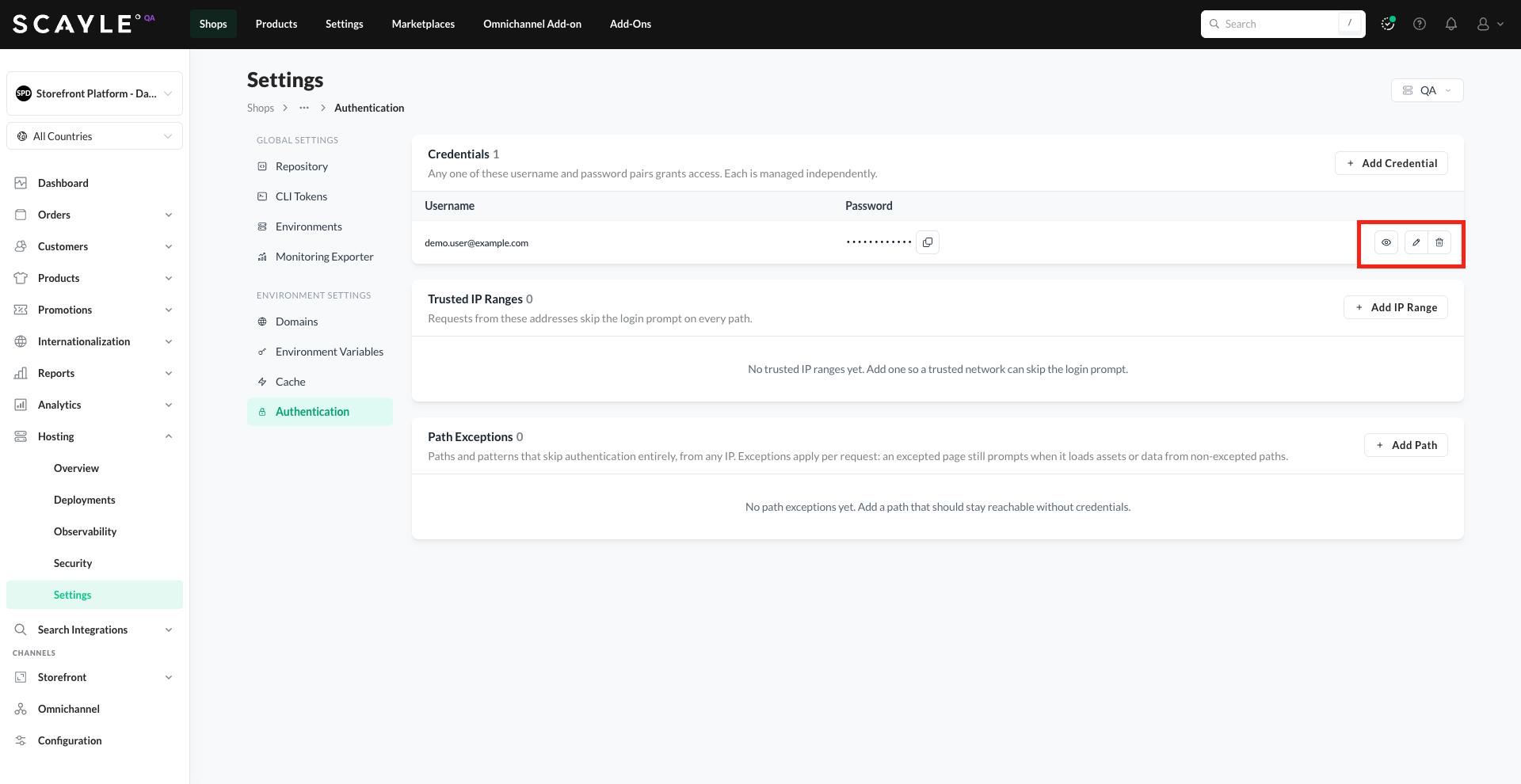
To edit a credential: click the pencil icon next to it, update the Username or Password (up to 72 characters), and click Save Changes.
To reveal a password: click the eye icon next to the masked value. Use the copy icon to copy it to your clipboard.
To remove a credential: click the trash icon and confirm.
Removing the last credential. If you delete the only remaining credential, a stronger confirmation is shown warning, that the environment will become publicly reachable once you redeploy.
Trusted IP Ranges
Trusted IP Ranges are IP addresses or CIDR ranges that skip the login prompt on every path. Use them to let known networks (VPNs, office IPs, monitoring services) reach the environment without credentials.
To add a trusted IP range:
- Click + Add IP Range.
- Enter an IP address or CIDR range (e.g.,
203.0.113.0/24). - Optionally add a Description (e.g., "Office network") to remember what the range is for.
- Click Add IP Range.
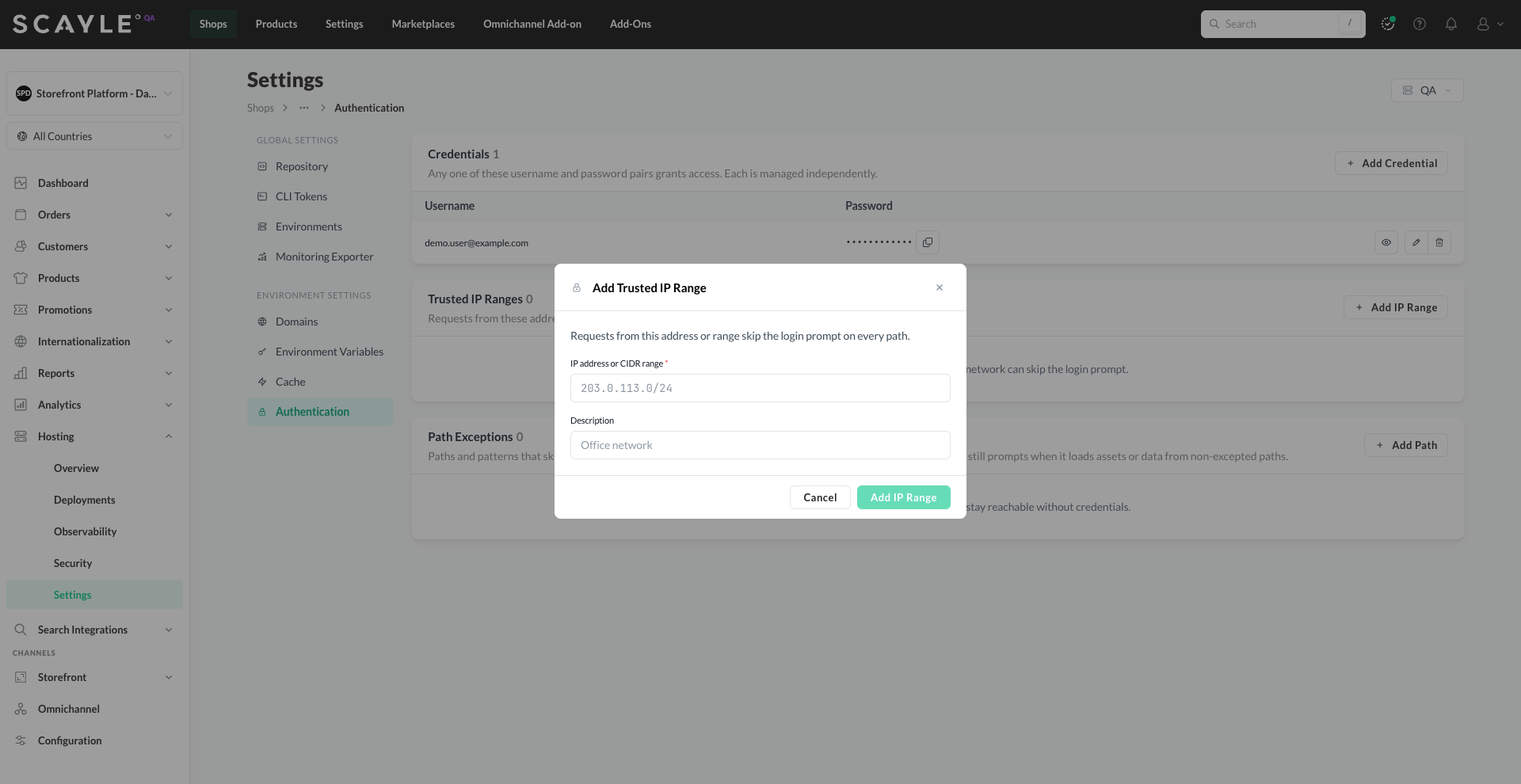
Edit or remove existing ranges using the pencil and trash icons.

Trusted IP Ranges only take effect while at least one credential exists. If credentials are removed, IP ranges have no impact (the environment is fully public anyway).
Path Exceptions
Path Exceptions are paths and patterns that skip authentication entirely, from any IP. Use them for endpoints that need to remain publicly reachable - such as payment provider callbacks, web-hook receivers, or health check endpoints.
To add a path exception:
- Click + Add Path.
- Enter a Path or pattern (e.g.,
/api/paymentsfor an exact path, or/api/payments/*to match a subtree). - Optionally add a Description (e.g., "Payment provider").
- Click Add Path.
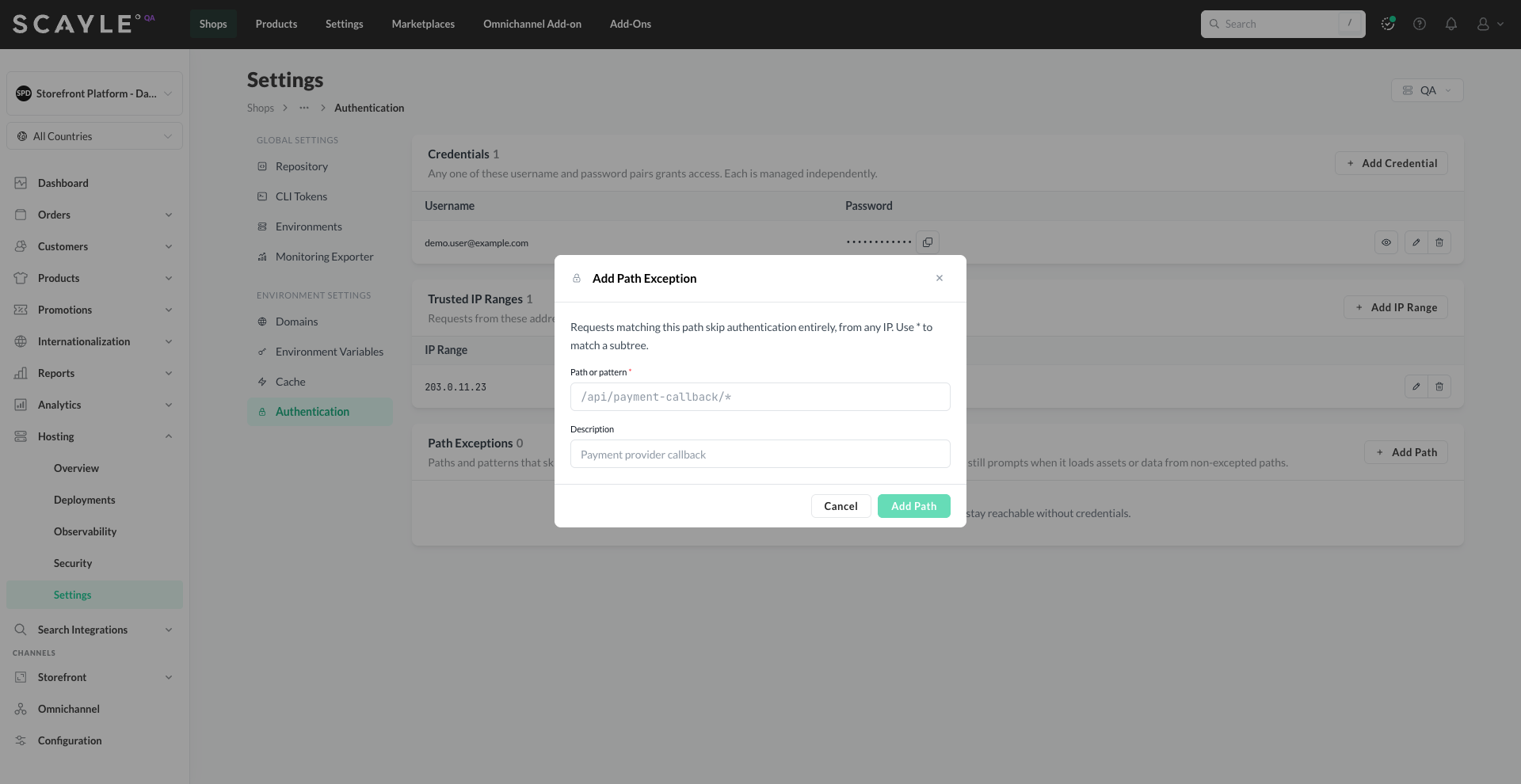
Edit or remove existing paths using the pencil and trash icons.

Path Exceptions only take effect while at least one credential exists.
Path Exceptions apply per request. An excepted page still prompts for credentials when it loads assets or data from non-excepted paths.
How the rules work together
When at least one credential exists, the platform evaluates rules in this order:
- Trusted IP Ranges are checked first. Requests from a trusted IP pass through immediately, no matter the path.
- Path Exceptions are checked next. If the request path matches an exception, it passes through without credentials.
- Credentials are required last. Any valid pair grants access.
- Otherwise, the request is challenged and a login prompt is shown.
Fully public environments
An environment with zero credentials is publicly reachable - anyone can access it. This is the intended way to fully open an environment; there is no separate on/off toggle.
When credentials are at zero, the Trusted IP Ranges and Path Exceptions cards are disabled - you can't add rules to a public environment because there's nothing for them to modify. A banner at the top of the page explains this state.
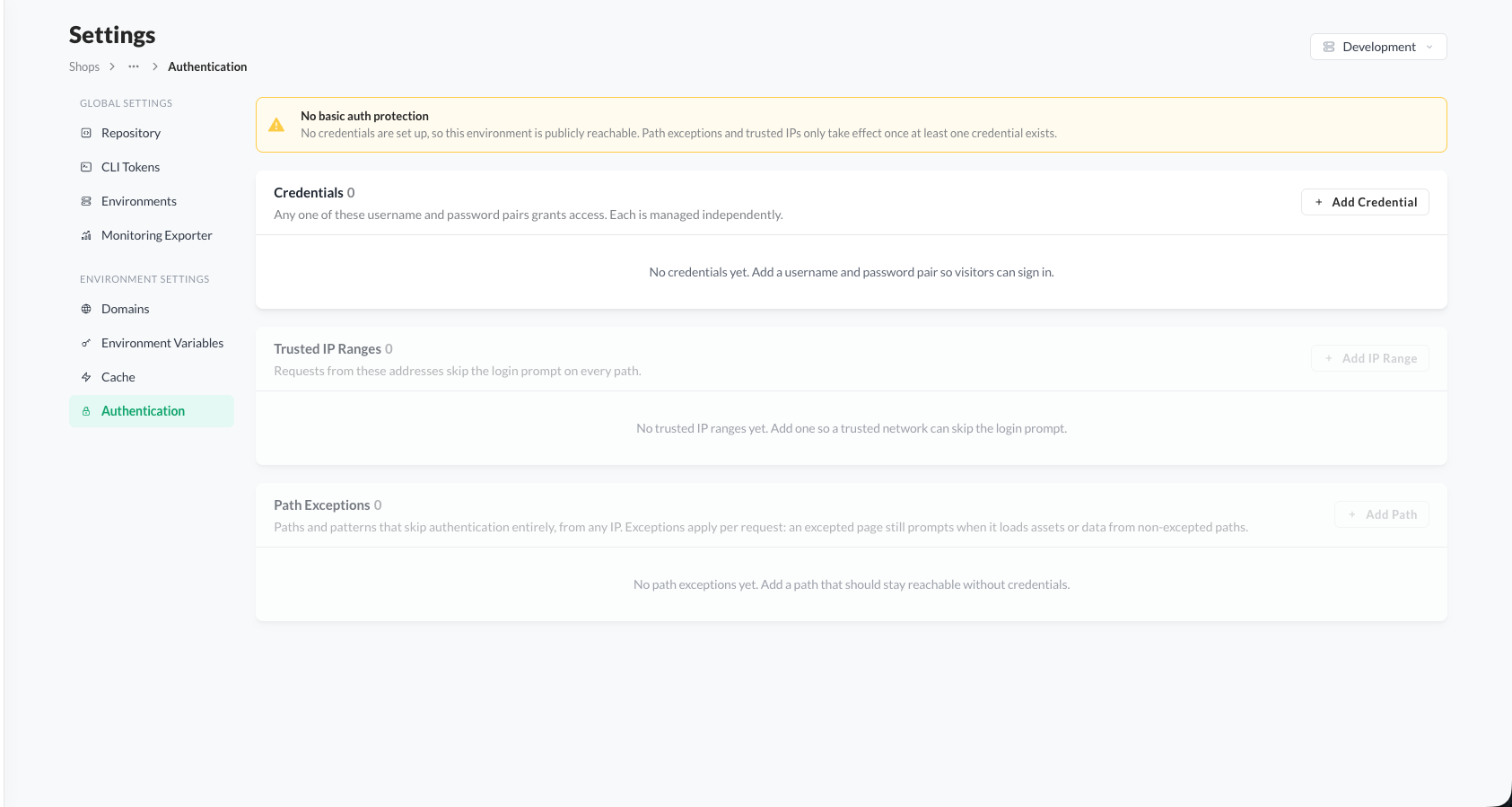
Redeployment required
Any change - adding, editing, or removing credentials, IP ranges, or Path Exceptions - is saved but won't take effect until the environment is redeployed. A Redeployment Required banner appears at the top of the page prompting you to redeploy. Click Redeploy and follow the standard deployment flow (see Deployment Actions).