

Delivery Options
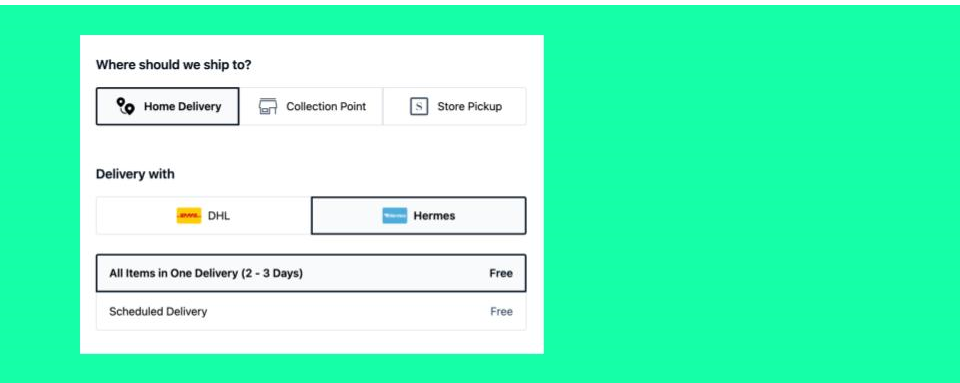
The Standard Checkout provides three Delivery Options:
- Home Delivery
- Collection Point
- Store Pickup
Alternatively, delivery options can also be configured via an Ingrid integration, which controls how delivery choices are presented to customers.
To be available in checkout, each delivery option requires at least one corresponding shipping option.
Configuration surface: which delivery options are available is backend configuration. It follows from the shipping options and collection points set up under Settings ➜ Shipping & Delivery. The preferred delivery option and the Ingrid feature toggle are frontend configuration under Settings ➜ Checkout ➜ Configurations. For the difference between the two surfaces, see Backend and Frontend Configuration.
Home Delivery shipping options are linked to carriers that deliver orders to the customer’s address, while Collection Point and Store Pickup options are linked to collection points, allowing customers to choose a pickup location instead.
Collection Point and Store Pickup use the same underlying mechanism and differ only by the configured collectionPointType.
If collectionPointType = generic, the Store Pickup delivery option is activated.
If collectionPointType has any value other than generic, the Collection Point delivery option is activated.
Scheduled Delivery is supported only for Home Delivery. It cannot be applied to Collection Point or Store Pickup delivery options.
Once configured, all delivery options are enabled by default and appear in checkout automatically. You can optionally use the Rule Engine to restrict the availability of specific delivery options based on criteria such as shop country, customer segment, or order value.
A preferred delivery option can also be defined. This option is pre-selected for new and guest customers, while returning customers will see the delivery option used in their most recent order pre-selected by default.
Click here for detailed information in how to customize Delivery Options.
Understanding Shipping Options
Shipping options define the delivery methods available to customers during checkout and connect those choices to carriers and pricing. Each shipping option represents a customer-facing method, such as standard delivery, express delivery, store pickup, or pickup at a collection point, and its configuration determines what the customer ultimately sees.
A shipping option specifies which carriers can fulfil the delivery (via carrier groups) and how delivery costs are calculated. It does not control delivery speed or transit times; these are defined separately through warehouse and delivery estimation configurations, while carrier pickup and transport behavior is managed in the carrier setup.
Shipping options are configured per shop country and evaluated dynamically during checkout. SCAYLE displays only those options that are valid for the current order, delivery address, and configuration rules.
Basic Concepts
| Terminology | Description |
|---|---|
| Delivery Option | It describes the delivery method from the customer’s perspective and determines whether the order is shipped to an address or collected from a designated location. |
| Shipping Option | The customer-visible delivery method (e.g., “Standard Delivery”, “Express”). |
| Shipping Policy | A grouping key used in APIs to associate carriers and shipping options with countries and configurations. |
| Scheduled Delivery | Allows customers to choose a specific delivery date and, if available, a time slot during checkout using a date and time picker. This capability is available only for Home Delivery shipping options. It is not supported for Collection Point or Store Pickup. |
| Carrier Group | A list of carriers that the shipping option supports. Shipping options don’t reference carriers directly — they use carrier groups. |
| Collection Point | A pickup location where the customer can collect items. Shipping options don’t reference collection points directly — they use collection point types. |
How Shipping Options Are Configured
Standard Checkout
Shipping options in SCAYLE are defined using a two-level configuration model. This model separates global definitions from shop-specific behaviour, allowing shipping logic to be reused across multiple shop countries and storefronts.
You can create and manage these configurations through the SCAYLE Panel.
1. Global Shipping Policy (Required)
The first step is to create a shipping policy at a global level.
A shipping policy:
- Defines the logical shipping option (for example, Standard Shipping or Express Delivery)
- Exists independently of any shop country
- Generates a unique shipping policy key
This key acts as the stable identifier for the shipping option and is required for all further configuration.
Shipping policies must exist before they can be used in any shop configuration.
2. Shop-Level Shipping Configuration (Required per Shop Country)
Once a shipping policy exists, it must be activated and configured per shop country.
At this level, the shipping policy key is used to define how the shipping option behaves in a specific shop, including:
- Service costs (pricing shown to the customer)
- Carrier group assignment (which carriers can fulfil this option)
- Scheduled Delivery (if the customer is required to select a day and time for the delivery, applicable only when the shipping option is linked to Home Delivery)
This allows the same shipping policy to behave differently across countries or storefronts while remaining logically the same option.
3. Carrier Groups and Collection Points as the Fulfilment Link
Shipping options are not linked directly to individual carriers or collection points. Instead, they reference carrier groups and collection point types, which determine which fulfilment providers are eligible for the option.
This indirection allows:
- Reuse of shipping policies across multiple carriers and collection points
- Easy fulfilment provider replacement without changing shipping options
- Consistent checkout behaviour even when carrier setups change
The below diagram summarizes the configuration levels:
.svg)
During checkout, SCAYLE:
- Identifies the shop country
- Loads the shop-level shipping configurations
- Resolves the referenced shipping policy
- Applies pricing, conditions, and fulfilment provider eligibility
Only shipping options that are fully configured at both levels are considered.
Ingrid Integration
The Ingrid Add-on is a holistic delivery platform that combines carrier and shipping options under one roof for easily configuring the right options depending on package size, weight, and other criteria such as age verification upon delivery.
To enable this setup, you must first contact your SCAYLE Account Manager to activate and configure the Ingrid Add-on according to your business requirements and connect it to your Ingrid instance.
From a configuration perspective, you must:
- Create a carrier with the exact generic name:
INGRID_GENERIC - Configure a shipping option with the key:
ingrid_generic - Assign this shipping option to the relevant shop country
Both values are reserved and must match exactly. For more information, see Reserved Shipping Option Keys in the Configuration Reference.
Finally, you should enable the Ingrid configuration in the frontend through SCAYLE Panel under Settings ➜ Checkout ➜ Configurations ➜ Features ➜ Ingrid
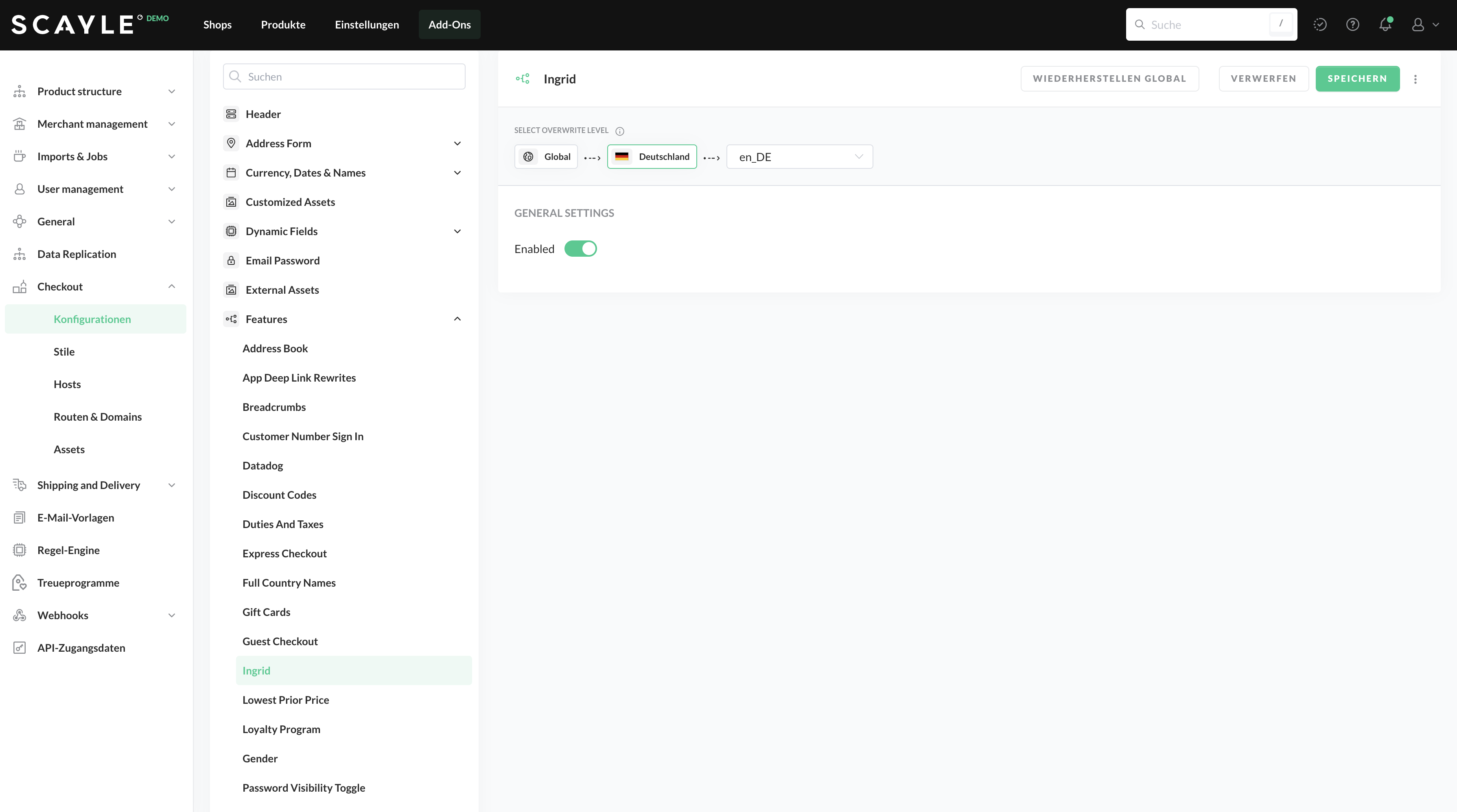
Enabling of Ingrid within the SCAYLE Panel
When the above configuration option is enabled and the setup is complete on the backend and on Ingrid itself, the SCAYLE checkout will display their widget instead of our delivery option selection.
This is always shown on the shipping step above the address form
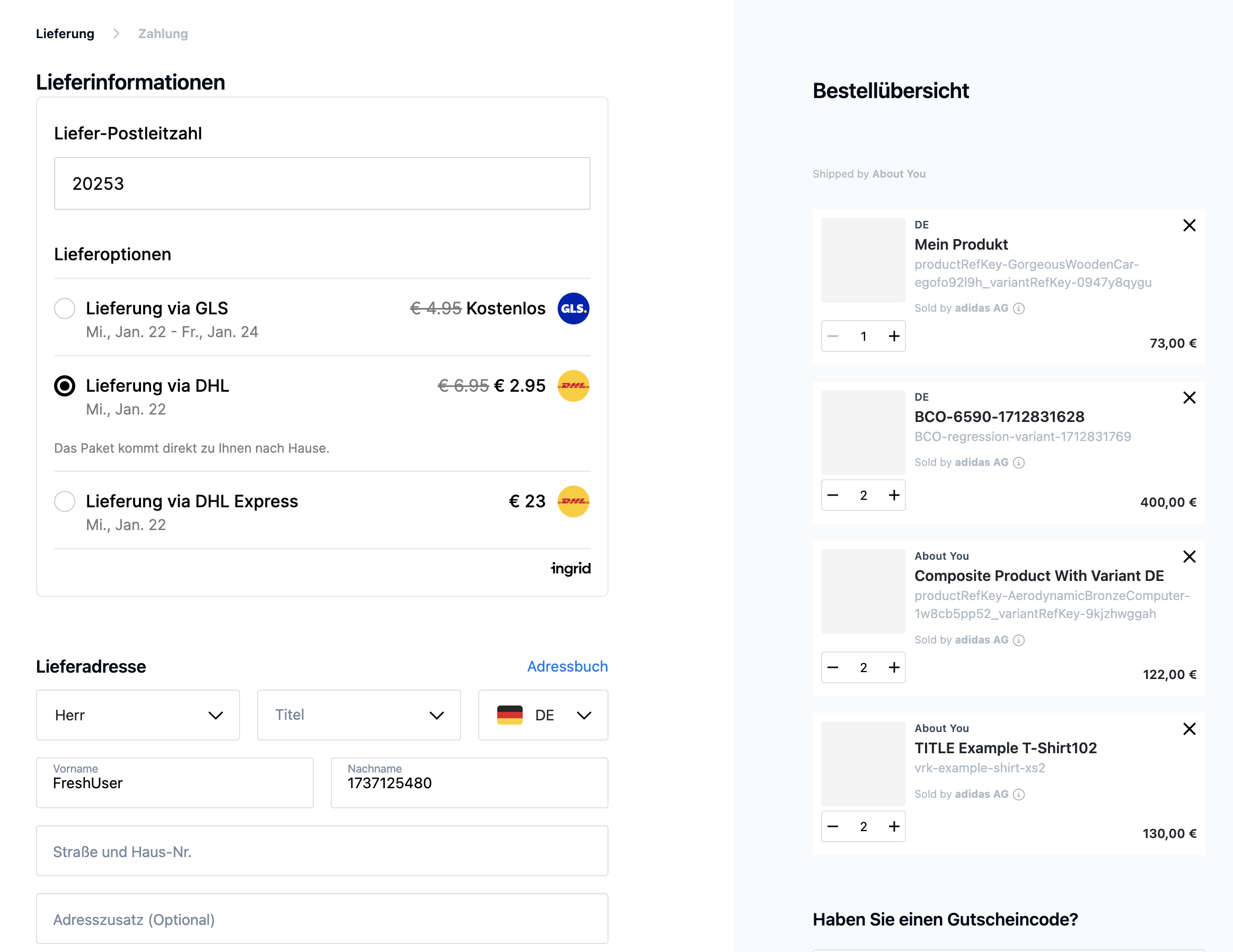
Ingrid integration within the SCAYLE checkout
How to Set Up Shipping Options
Step 1. Set up the foundational configurations (Required)
First, you must creates and configure the functional shipping options in SCAYLE:
- shipping policies (global)
- shop-level configurations
- carrier group / collection point type linkage
- service costs
- schedule requirement (applicable only for Home Delivery shipping options; not supported for Collection Point or Store Pickup)
Without this step:
- no shipping options exist
- nothing can be returned by APIs
- checkout cannot display delivery choices
Detailed instructions are available here.
Shipping option naming must be defined correctly from the start. The shippingOptionKey is directly used for checkout logic and translations. In particular, functionalities such as scheduled_delivery rely on exact key naming to trigger features like the date picker. Incorrect naming cannot be supported later and may break frontend behavior. Detailed guidance on naming conventions is provided in the configuration chapter. For the list of reserved keys, see the Configuration Reference.
Step 2. Integrate Shipping Options in Checkout (Required for Headless)
If you use Headless Checkout, this step is about consuming what was configured:
- fetching available shipping options
- displaying them in checkout
- reacting to user selection
- recalculating totals
Important clarification:
- This step does not configure shipping options
- It assumes shipping options already exist and are valid
- For non-headless (hosted) checkout, this step is mostly implicit
This is the technical consumption layer, not a configuration step.
Step 3. Customize Shipping Option Presentation (Optional)
Optionally, you can modify the appearance and behavior of shipping options in the SCAYLE checkout interface beyond just defining their basic logic and cost.
It covers a range of optional UI and presentation enhancements, including:
- Showing additional information such as short descriptions or tooltips for shipping options
- Hiding delivery estimates if you don’t want them displayed to customers
- Changing how shipping options are presented, such as adjusting layout or position
- Adding extra dynamic information (e.g., telephone number or preferred option) to improve UX
- Adapting the shipping options interface for multi-country or local legal requirements
These customizations are configured in the SCAYLE Panel under the checkout settings. They do not change the underlying shipping logic (like eligibility, cost, or conditions), but they enhance how shipping options are presented and interacted with in checkout — making the delivery choice clearer or more aligned with your UX expectations. Detailed instructions can be found here.


