

Logistics Cut Off
Logistics cut-off times define the latest point in the day by which parcels must be packed and ready for carrier pickup in a given shop country.
Cut-off times affect when an order is considered for same-day shipment. Orders packed after cut-off are treated as being shipped the next business day, which in turn impacts delivery estimates shown at checkout, and mail template.
For example, if the cut-off for Country X is 18:00 and an order is placed at 18:30, SCAYLE will treat it as a next-day shipment even if the fulfilment process could be the same day otherwise.
Cut-off times are an operational deadline — they do not represent carrier departure times, transit times, or delivery estimates themselves.
As a best practice, the cut-off time should be set slightly before the truck’s actual departure time (for example, 30 minutes earlier) to allow enough time for loading.
The delivery estimation logic (configured in defaults and warehouse overrides) combines with cut-off behavior to generate the delivery promise shown to the customer at checkout.
When You Should Update Cut-Off Times
You should revisit cut-off times when:
- Carrier pickup schedules change (e.g., updated routes or daily pickup counts).
- The region shifts between standard time and daylight saving time (summer vs winter clocks).
- Operational handling windows (e.g., warehouse closing hours, truck departure times) change.
How to Configure Logistics Cut-Off Times
You configure cut-off times at the shop-country level in the SCAYLE Panel:
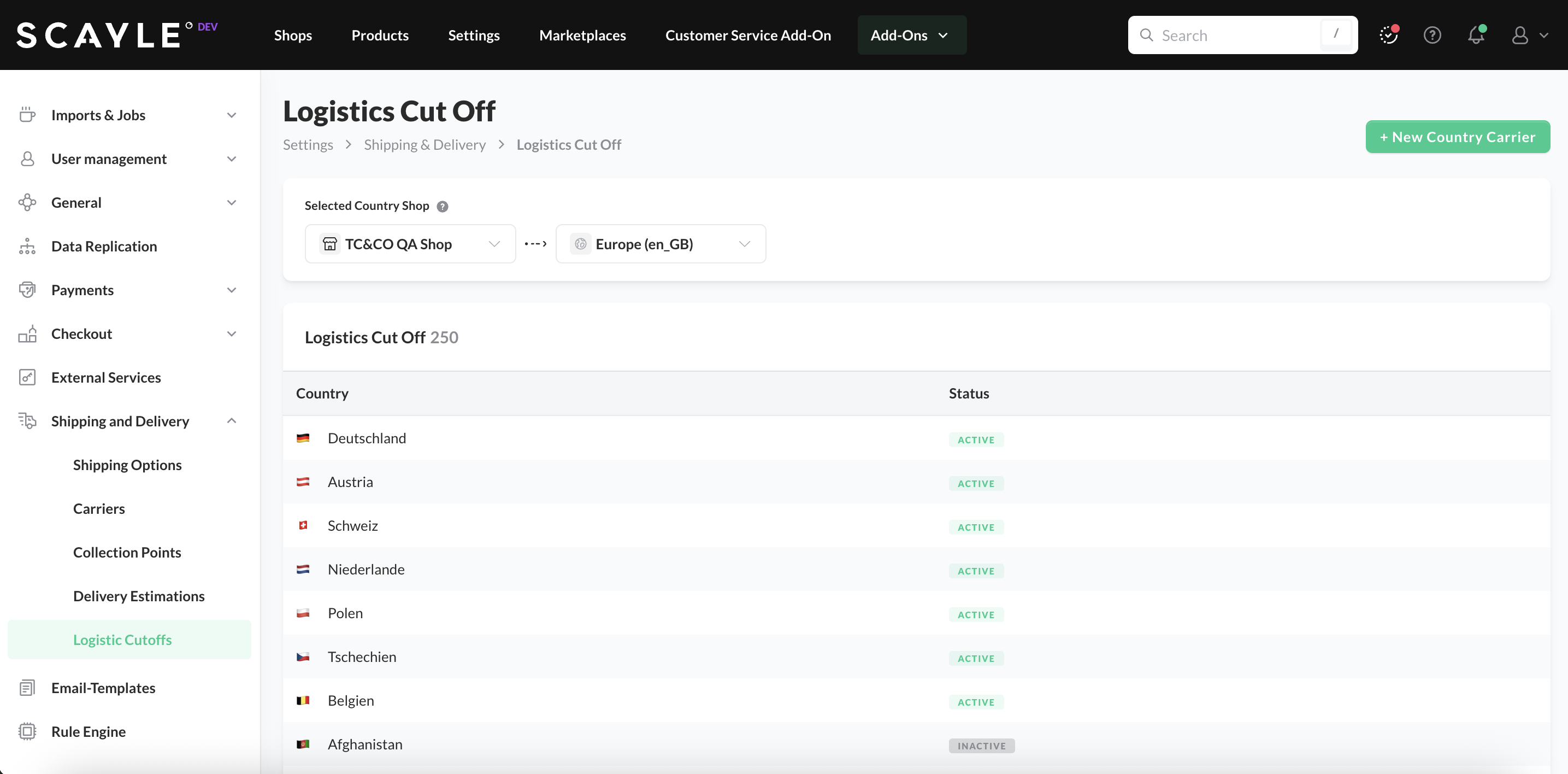
- Go to Settings ➜ Shipping & Delivery ➜ Logistics Cut-Offs.
- Select the shop country for which you want to configure cut-off times.
- Use the checkboxes to enable or disable working days for carrier pickups in that country.
- For each enabled day:
- Set the Last Collection Time (e.g., 18:00).
- Specify the Delivery Estimate Before Last Collection (e.g., 1–2 days).
- Specify the Delivery Estimate After Last Collection (e.g., 2–3 days).
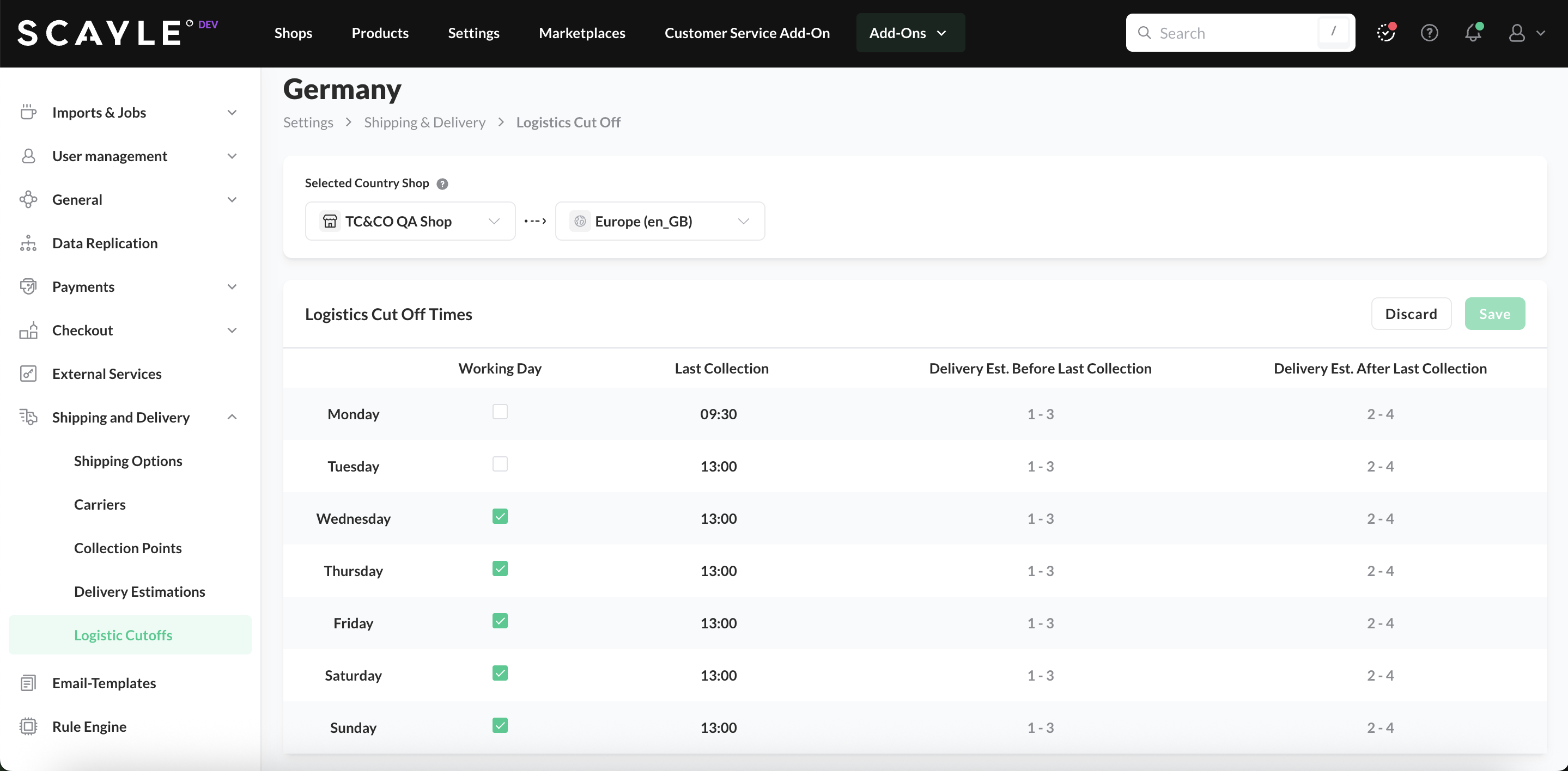
- Click Save to apply your changes.


