

Customize Delivery Options
As explained in the introduction, delivery options do not need to be explicitly enabled in the checkout configuration. Once the corresponding shipping options are properly set up, the Checkout automatically detects the configuration and displays the relevant delivery options (Home Delivery, Collection Point, or Store Pickup).
If you need to restrict or disable specific delivery options, this can be done via the Rule Engine by defining conditions such as shop country, customer segment, or order value.
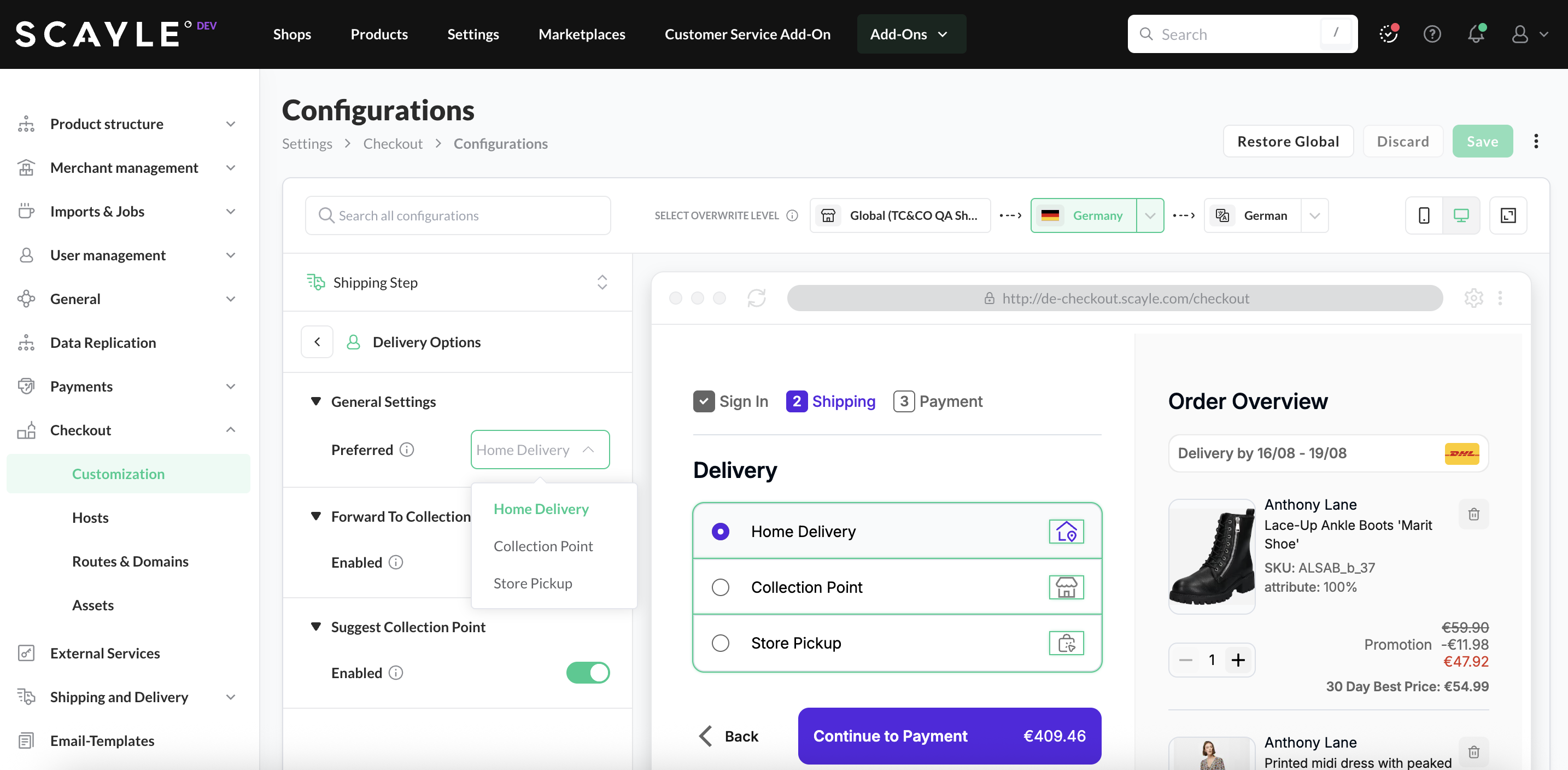
Once the setup is complete, you can customize the Delivery Options in SCAYLE Panel, under Settings ➜ Checkout ➜ Configurations , You can customize the delivery options in the Shipping Step ➜ Delivery Options tab.
Configuration surface: the settings on this page belong to the Checkout frontend configuration under Settings ➜ Checkout ➜ Configurations. Which delivery options exist is backend configuration, see Configure Shipping Options. For the difference between the two surfaces, see Backend and Frontend Configuration.
Set Preferred Delivery Option
- Go to Settings ➜ Checkout ➜ Configurations
- On the left pane select Shipping Step ➜ Delivery Options tab.
- Select the level of configuration (global, shop-country or locale).
Here you can select from the dropdown which delivery option should be pre-selected in the Checkout.
Add telephone number for shipping Option
Since every shipping option belongs to the specific carrier - and it's the carrier who eventually receives the "customer phone number" to notify about the delivery status, please find the instruction explaining how to add "telephone number" as a Dynamic Field, inside "Checkout as Guest".


