

Marketplaces (hidden)
Users can integrate Tradebyte into the SCAYLE Panel using two methods: the Native Marketplace Entity or the Tradebyte Add-On. The Native Marketplace Entity is ideal for creating a fully manageable marketplace within the SCAYLE Panel, allowing users to establish and manage Tradebyte connections with ease. This method provides comprehensive setup for standard shop configurations, granting users full operational control and monitoring capabilities.
Key Concepts
- Marketplace: The representation of an external sales platform connected to SCAYLE.
- Marketplace/Tradebyte Channel: The specific configuration (Marketplace + Country) provided by Tradebyte, which is used to set up the Marketplace entity in SCAYLE (e.g. Zalando DE, Zalando CH, etc).
- Single Source of Truth: Your SCAYLE environment remains the master for all product data.
Managing Marketplaces
The Marketplace management is integrated into the SCAYLE Panel under a dedicated top navigation point. Being able to see all configured marketplaces requires the permission marketplace__list .
On the overview you will see all Marketplaces configured for your environment for the companies that you have access to. The overview indicates the status of the Marketplace which you can also filter for.
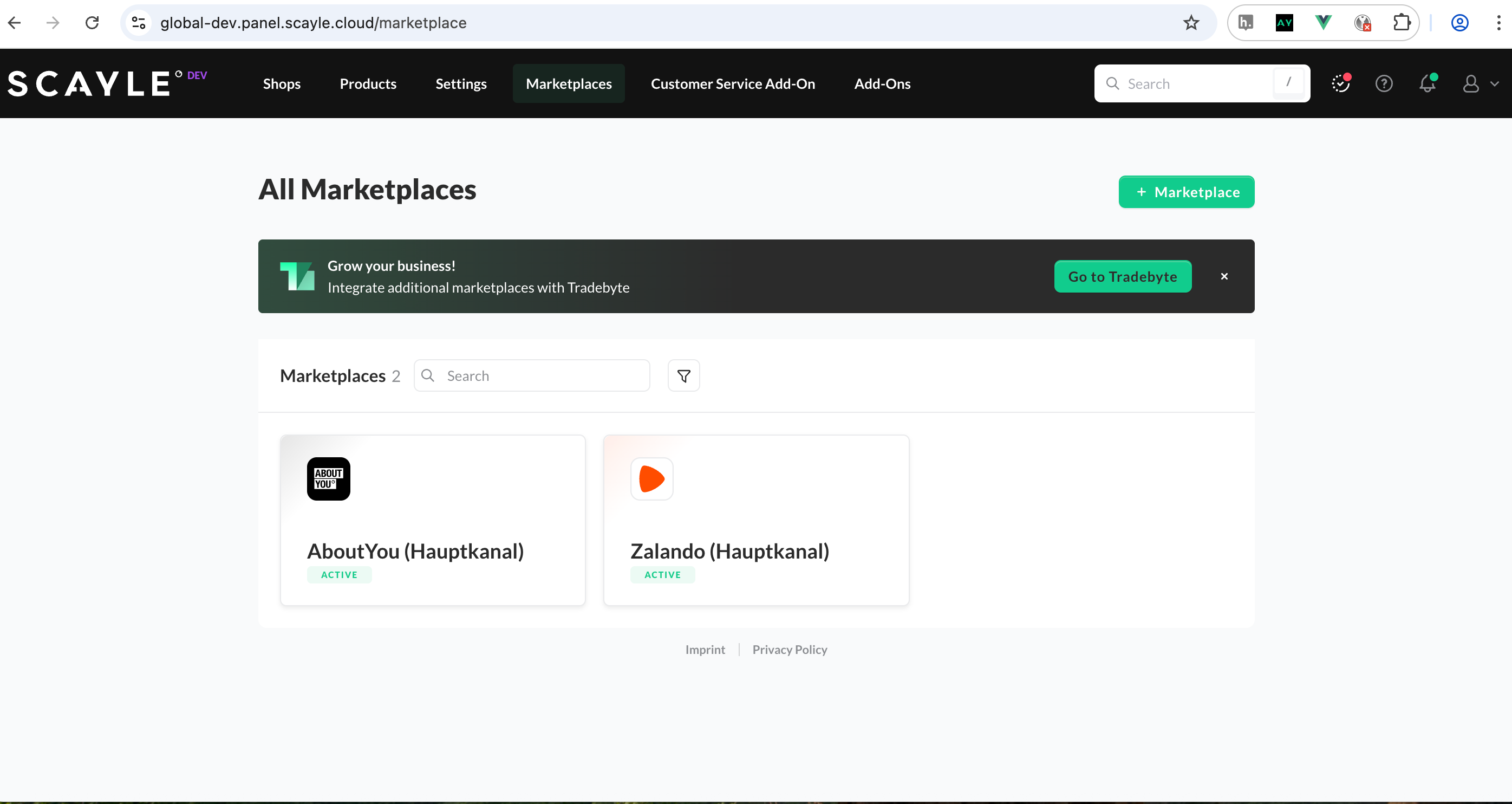
Create A Marketplace
To create a marketplace the permissions marketplace__create and marketplace__tradebyte_configuration__edit are required.
To ensure the Tradebyte Add-on is working correctly after creation, some settings like the SFTP and API Credentials need to be configured directly in your TB.One account before setting up your Marketplace. Please refer to the TB.One Platform Configuration for detailed instructions.
For each company set up in your environment you can create each marketplace only once.
To initiate the setup:
- In the SCAYLE Panel, go to Marketplaces.
- Click the NEW MARKETPLACE button.
- The system displays a list of available Tradebyte Channels (About You and Zalando ). Select the desired Channel
- Choose the country(s) which should be assigned to the marketplace
The further setup of a new marketplace can be done by a simplified wizard, which guides through the essential configuration steps.
marketplace__tradebyte_configuration__edit is required.Add-on Expert Mode is available in the SCAYLE Panel sidebar, which expands to display all Tradebyte Add-on menu entries in an Expert View. This allows users to manage all relevant settings:
Default Settings in SCAYLE for Marketplaces
Every marketplace is configured by default with:
- A dedicated payment method to process external orders that are already paid on the marketplaces.
The “external handled payment” method ensures that SCAYLE can process orders that have been confirmed and paid on the marketplace. - The “DHL_STD_NATIONAL” carrier key is created as the default Shipping and Delivery option for the newly generated shop countries. This carrier must also be added manually to the SCAYLE Merchant Countries carriers list. The carriers can be changed, and additional carriers can be configured at any time in the SCAYLE PANEL.
Maintain and Monitor Marketplaces
The Marketplace management is integrated into the SCAYLE Panel under a dedicated top navigation point. The new Marketplace entity is designed to be a fully manageable sales channel, offering the same suite of operational and analytical tools as a traditional Shop.
The following core functional areas are available for configuration, reporting, and maintenance of marketplaces, mirroring the capabilities of a standard shop:
- Operations & Fulfillment: Manage and configure Warehouses, Merchants and carriers, Shipping options, API Keys, and Channel-Configuration.
- Catalog & Assortment: Configure categories, manage the assortment, and view the Product List.
- Transactional Data: Full visibility and search capabilities for Orders and Customers.
- Geographic Control: Manage and create new Countries attached to the Marketplace.
- Reporting & Analytics: Access to KPI Dashboards, Custom Reports and Exports, and the General, Customer and Cohort Insights