

Configuration
The Tradebyte Add-on provides a dedicated Configuration UI within Expert Mode, allowing users to review and manage all TB API and SFTP settings created during the initial Marketplace Quick Setup.
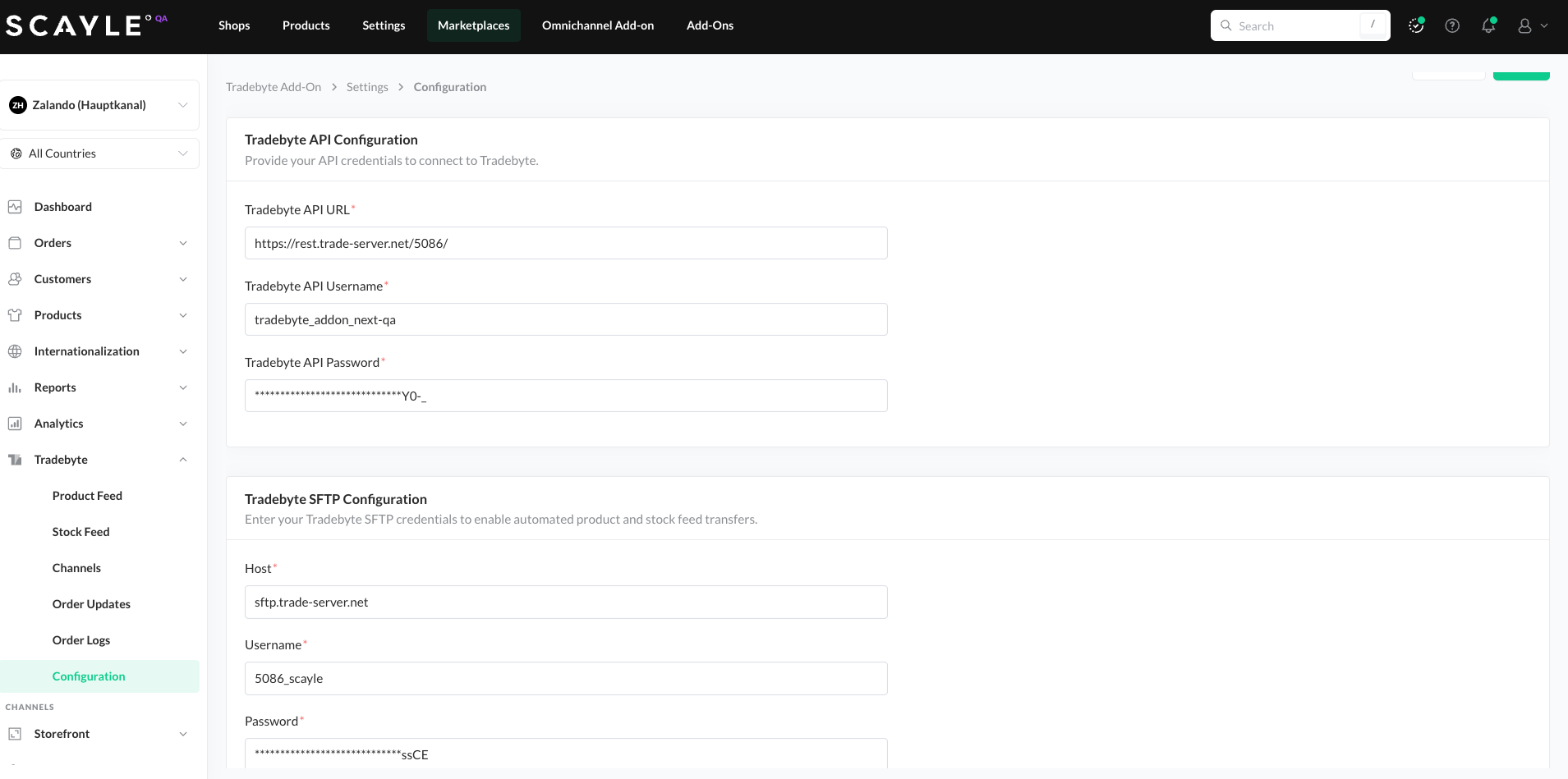
This page displays:
- Tradebyte API configuration, including
- API URL
- API Username
- API Password
- Tradebyte SFTP configuration, including
- SFTP Host
- SFTP Username
- SFTP Password
These settings are automatically filled when the marketplace is created in SCAYLE.
If a tenant has already created one marketplace (e.g. About You) for a specific SCAYLE company and later creates another marketplace (e.g. Zalando) for the same company, the Quick Setup step for entering credentials will already be marked as Done. In this case, users can review the existing configuration under:
Panel → Expert Mode → Tradebyte → Configuration
Any changes made in this UI must be saved to take effect.
This centralized configuration page ensures transparency, easy validation, and consistent setup across multiple marketplaces within the same SCAYLE company.