

Account & Orders
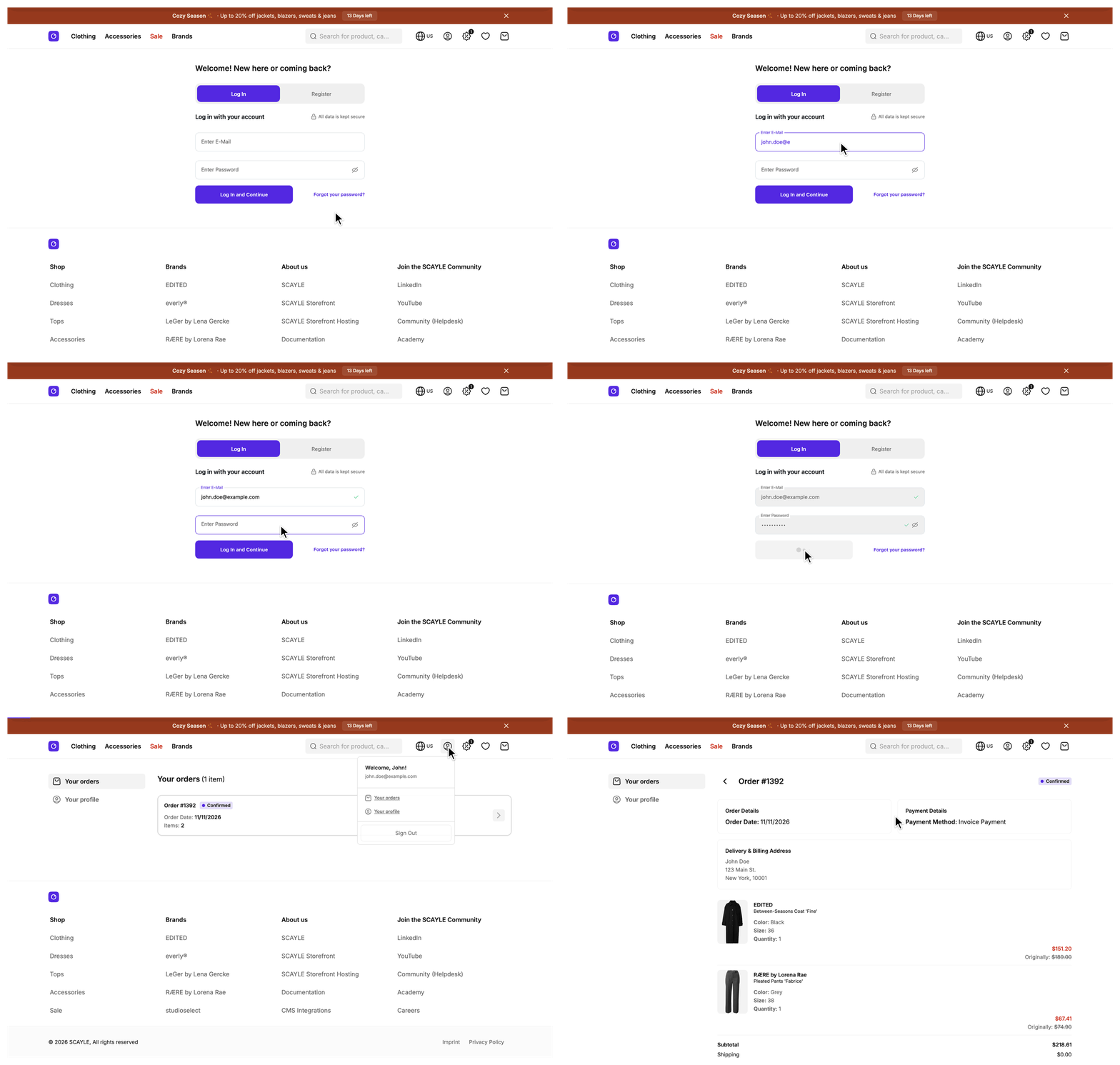
A customer signs in once and then looks up past orders, opens a single order, and edits their personal details, all behind one sign-in guard and one shared navigation. The pages sit under /account/*, and sign-in, registration, and password reset live on one page at /signin.
Why it matters
A customer's relationship with your shop does not end at checkout. They come back to see where an order stands, to check what they bought, or to fix a misspelled name, and each of those visits is a support request your team does not have to answer. See Account for adding a page of your own and Login & Registration for what carries over at sign-in.
Try it
Try it: open the account area (requires signing in)
What's included
- Login & Registration: The
/signinpage, which mounts the SCAYLE authentication component for sign-in, registration, and password reset. It covers the authorization code exchange, token refresh, sign-out, and the merge of the basket and wishlist the user built before signing in, which move into the new session. - Account: The protected
/account/*area. It covers the sign-in guard, the shared navigation, the profile page with the personal information form and the password change, and the subscriptions page that exists only in countries that enable it. - Order History: The
/account/orderspage, a paginated list of the customer's orders from the current shop. Subscription orders do not appear on it. - Order Details: The
/account/orders/:idpage for one order, with its status, addresses, payment method, items grouped by delivery package, and cost breakdown. - Customer Segments: The segments of a signed-in customer and what they change: segment-targeted promotions, the default sort order on category pages, and analytics events. It also covers the component and composable that show content to one segment, and how that content reaches cacheable and non-cacheable pages.
What you can change
Configure
- Turn the subscriptions page and its navigation entry on or off per country, and set the password policy per shop in the SCAYLE Panel. See Account.
- Set the OAuth client credentials and the session secret through environment variables, and choose the identity providers and authentication methods the sign-in component offers in the SCAYLE Panel. See Login & Registration.
Theme
- Restyle the layout around the sign-in form in
src/client/pages/SignIn.vue. See Login & Registration. - Restyle the order cards, the status badge, and the order detail components under
src/client/components/account/orders/. See Order History and Order Details. - Give each
SFCustomerSegmentslot your own markup. See Customer Segments.
Extend
- Add an account page with your own route and controller, and register its entry in
useAccountMenuinsrc/client/composables/useAccountMenu.ts. See Add an account page. - Add a field to the personal information form by rebuilding the
updatePersonalInfoDefinitionRPC withbuildRpc, and enforce your own password rules the same way withupdatePasswordDefinition. See Add a field to the personal information form and Enforce your own password rules. - Add a field to each order summary by overriding
mapOrderSummariesonOrderMapperServiceinsrc/server/services/mappers/order-mapper.ts. See Add a field to each order summary. - Change what the order details page shows by overriding
mapProduct,formatDate, ormapCostonOrderMapperService, orgetViewPropsandrenderNotFoundonAccountOrderDetailController. See Order Details. - Run your own code after sign-out by subclassing
AuthFlowServiceand registering it in theauthslot ofsrc/server/registries.ts. See Run your own code after sign-out. - Show content to one customer segment with
SFCustomerSegmentoruseCustomer, or send segment-only data from a controller. See Customer Segments.
Replace
- Swap the SCAYLE authentication component for your own sign-in form or identity provider flow. See Login & Registration.
- Serve the account area from a different system by removing the account routes and redirecting customers to an external dashboard. See Account.


