

Sales
A sale is a price reduction you set up in the SCAYLE Panel, and the Storefront Application V3 shows it on the product card, the product detail page, and the basket with no extra mapping code. The Storefront API returns the sale as an applied reduction with the category sale, and the price mapper (the server code that turns a Storefront API response into the data your pages receive) puts it on the same mapped price that carries campaign and promotion reductions.
Why it matters
A sale is one more field on the shared price shape, so the listing, the detail page, and the basket line items all render it from the same data.
Try it
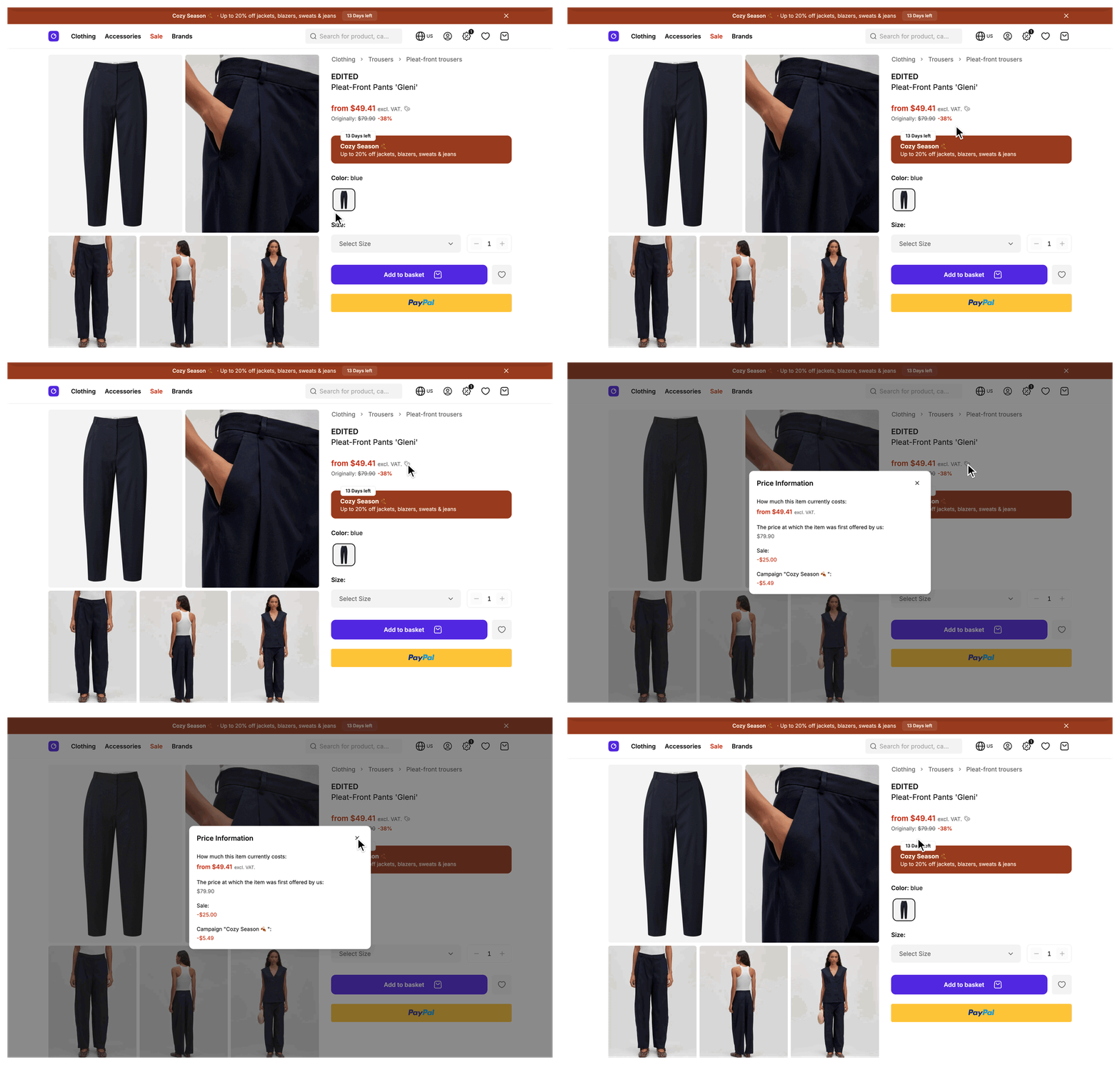
Try it: open a product on sale
Compare a product card in the sale category with the same product's detail page and its basket line.
What's included
- Sale reduction fields:
saleReductionInCentsand the formattedsaleReductionon every mapped product, variant, and basket line price. Pricing covers the reduction breakdown and when the fields areundefined. - Sale flag:
isOnSaleis true when the Storefront API names a reference price it allows you to advertise the reduction against. The price components color the final price as a sale from this flag. - Reference price lines: The original price before the sale and the lowest prior price, each with a flag that says whether to show it and whether to strike it through.
- Basket sale rows: The basket summary lists each
saleandvoucherreduction on the basket as its own row, next to a sum of all sale reductions insaleReductionSumInCentson the basket cost.
What you can change
Configure
- Which products are on sale, the sale threshold, and the lowest-prior-price rule, all in the SCAYLE Panel. See Configuration.
Theme
- The sale color is the
--color-product-saledesign token insrc/client/design-tokens.css. Change its value and every element that uses thetext-product-saleclass follows. - How the price rows render is set in
src/client/components/product/SFProductPrice.vue. Edit it to change the layout, the labels, or how the mapper's flags show or strike a reference line.
Extend
- A sale has no hook of its own. To add a field next to the sale fields, add it to the
VariantPricetype with adeclare module '@scayle/storefront/types'augmentation and populate it in the price hooks ofProductMapperServiceandBasketMapperService. See Change how a mapped price is produced, Types, and Add a field to a mapped entity.
Constraints and limits
Permanent
- A sale exists only in Storefront API data. On a mapped price, the mapper reads the amount of the first applied reduction with the category
saleand never computes or changes it. A price with two sale entries reports only the first. - The Storefront API decides whether a reduction may be advertised as a sale. The mapper reflects that decision in
isOnSaleand in the reference price lines. - A price can carry sale, campaign, and promotion reductions at the same time. Each one has its own field.
Known limitations
- Declare a field you add to
VariantPriceas optional, so a price that your override does not touch leaves itundefinedinstead of breaking the type. A price override on the product mapper does not reach basket line prices, see Pricing.
How it works
A mapped price carries the sale next to the other reductions. A product with one sale entry in its applied reductions maps to a price with the sale amount in the saleReduction fields, and an isOnSale flag that reflects the Storefront API's decision. See Pricing for the fields.

The Storefront API returns each price with its appliedReductions, a beforeSaleWithTax amount, and a reductionsRelativeTo value that is either beforeSaleWithTax, lowestPriorPrice.withTax, or empty. The SDK maps these in one place for products, variants, and basket line items. ProductMapperService and BasketMapperService extend the SDK mapper classes and do not override their price methods, so the SDK result reaches your pages unchanged.
See Pricing for how isOnSale, originalPriceInCents, the reference lines, and strikeThroughPrices follow from reductionsRelativeTo.
SFProductPrice.vue renders the result. It colors the final price with text-product-sale when isOnSale is true and shows the reference lines from the flags above. The lowest prior price line also needs the showLowestPriorPrice prop. The product card, the product detail page, and the basket card pass it, so a price component you add has to pass it too. The basket mapper also sums every basket-level sale reduction into saleReductionSumInCents and lists each sale and voucher reduction in saleAndVoucherReductions, which SFBasketSummaryReductions.vue renders as rows.
Setup
There is nothing to install or register. The product and basket mappers already map sales through the SDK price mapping. A sale appears once the Storefront API returns it for a product.
Configuration
SCAYLE Panel
The sale price is entirely SCAYLE Panel data. The SCAYLE Panel controls:
- Which products are on sale and their sale dates.
- The sale threshold and the lowest prior price enforcement. See Pricing for where to set them.
Storefront Application
No setting in the Storefront Application V3 changes how a sale is mapped or shown. The sale color is a design token, see What you can change.
Troubleshooting
A product with a reduced price in the SCAYLE Panel doesn't show a sale
Issue: A product with a sale price configured in the SCAYLE Panel renders its regular price, with no strikethrough or sale display.
Possible causes: The Storefront API response for that product doesn't include a category: 'sale' entry in appliedReductions. Most often this means the sale hasn't taken effect yet (it's outside its active schedule), the product isn't included in the sale's product selection, or the discount falls below the sale threshold.
Solution:
- Confirm in the SCAYLE Panel that the sale is configured to include this product.
- Check that the current time falls within the sale's active schedule.
- Verify the discount percentage exceeds the sale threshold set in Settings ➜ General ➜ Configuration ➜ Sale Calculation.
- Fetch the raw Storefront API response for the product and inspect
appliedReductionsto confirm the sale entry is present.
Prevention: Treat a missing reduction in the API response as a SCAYLE Panel configuration question first. The mapper reflects whatever appliedReductions the API returns and doesn't decide whether a sale applies. The SCAYLE Commerce Engine makes that decision before the response reaches your shop.


