

New SCAYLE Panel Changelog
The new Panel is available since November, 11th for all tenants. In order to switch to the new Panel, reach out to your Key Account Manager. A Panel Switcher will be enabled for your space that allows you to switch between the old and new Panel. By default, the old Panel will be displayed
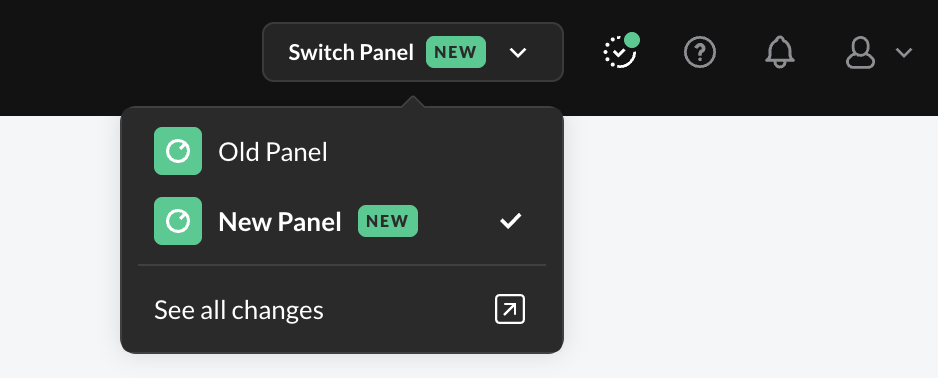
Panel Switcher
Internationalization
Global and country-specific settings now sit side by side, so you no longer switch from country to country.
Assortment
- All shop countries on one page. Change several and save them in one go.
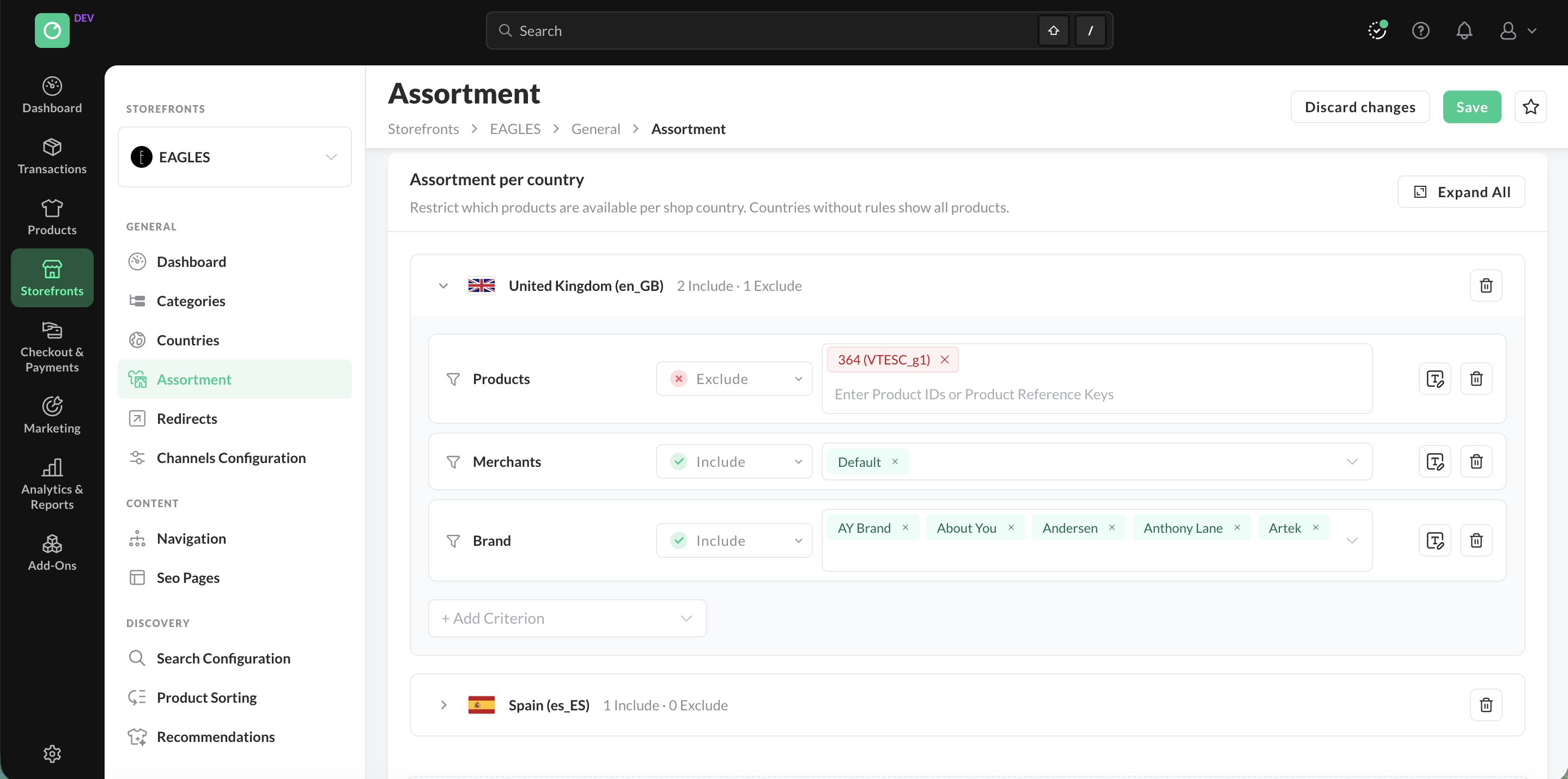
Manage the assortment for all your shop countries in one single page
Shop Categories
- All country-specific settings, such as status and sorting, on the General Info page.
- Live preview of the first 20 products per country in the selected sorting. Drag and drop products in the preview to create a new custom sorting.
- Exports (CSV, XLSX), imports, and SEO can be managed directly on the category page.
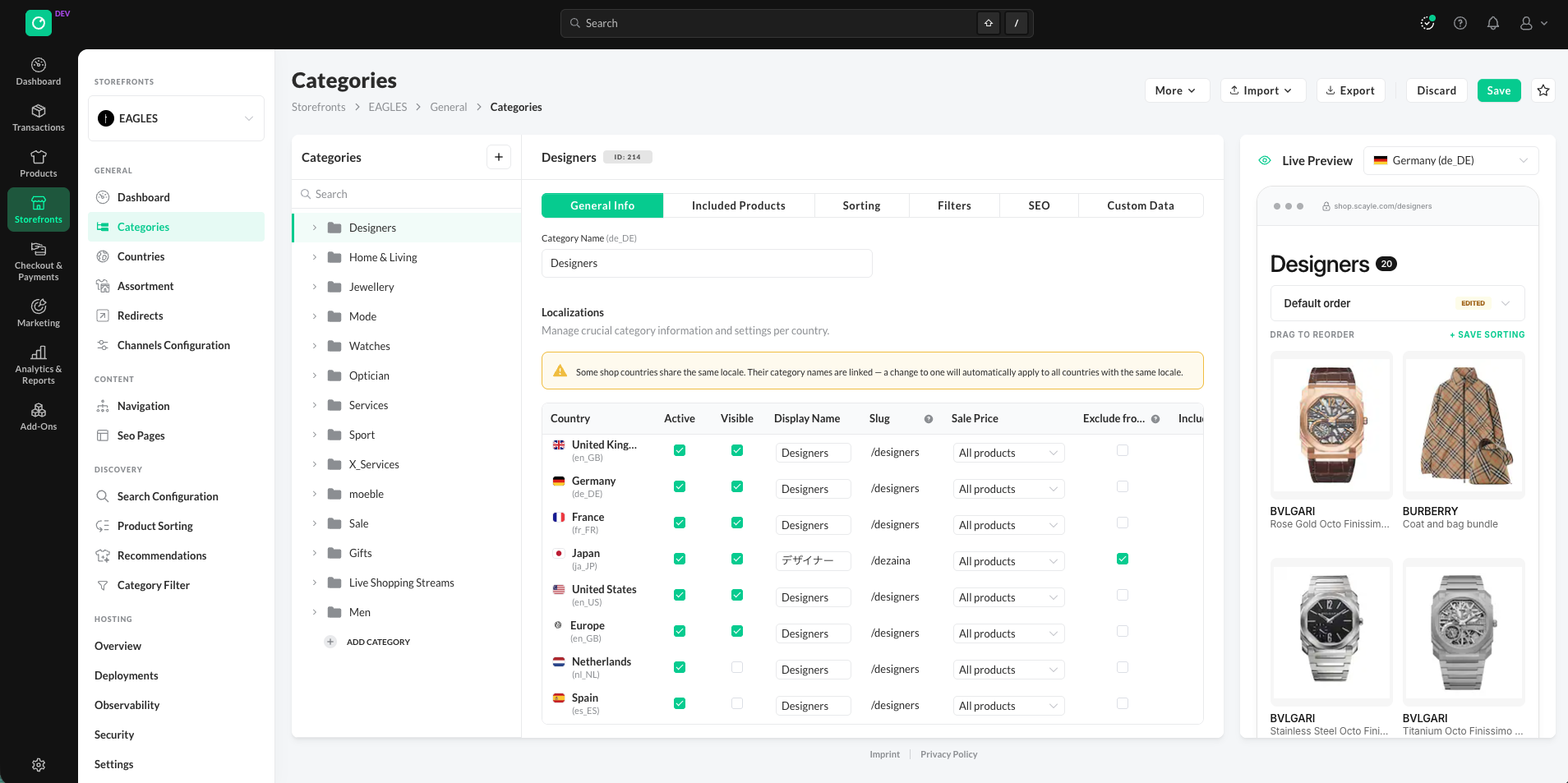
Manage the Shop Categories for all your shops on one single page and preview the the category sorting for different shops and sorting keys
Redirects
- Global, country-only, and overridden redirects on one page, with new Scope and Per-Country columns.
- Customize a global redirect per country inline: status, status code, target URL, and priority.
- Activate or deactivate redirects, and group them with tags.
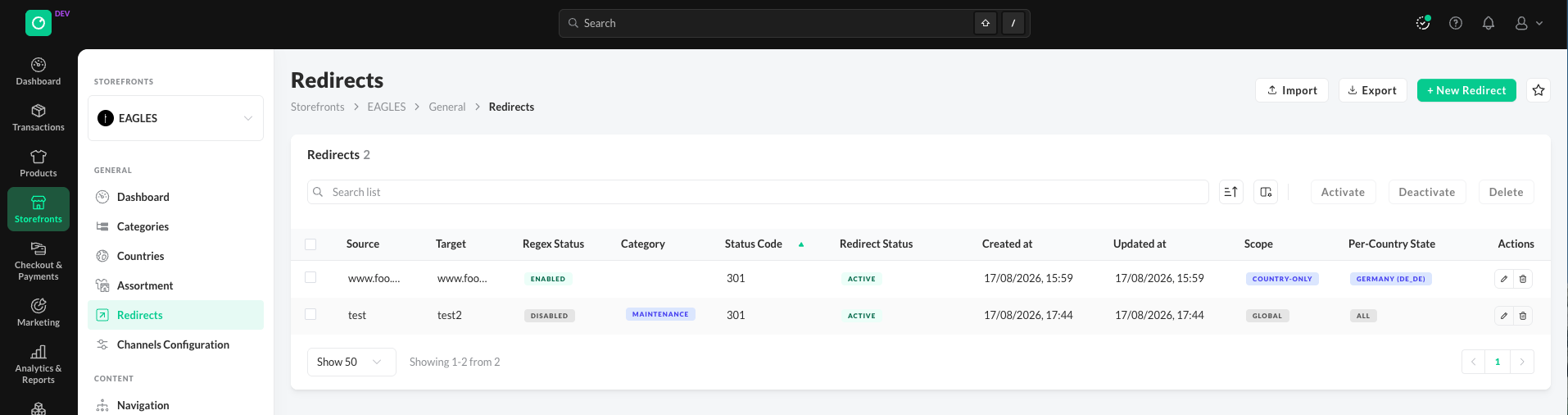
Redirects Overview
Customers, Orders, and More
- Customers, Orders, Promotions, Price Campaigns, Analytics, and Warehouses: select the shop or country directly on the page.
- Order and customer lists with more filters and selectable columns.
- Return rate on the customer detail page, with the details on mouse-over.
- Create and edit addresses directly in the customer address book.
- Custom Reports and Exports no longer depend on a selected shop.
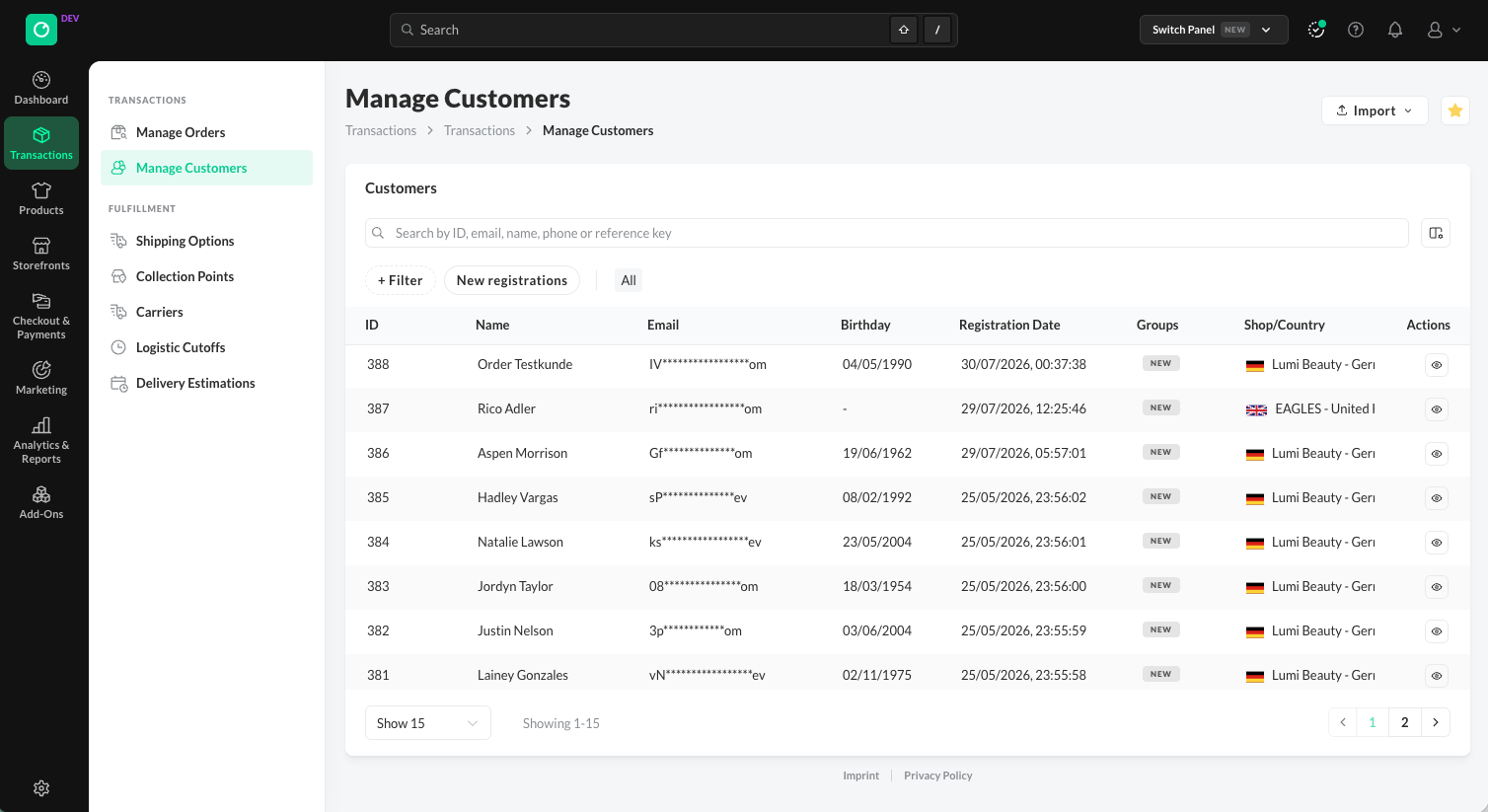
Manage Customers list, with search and filters.
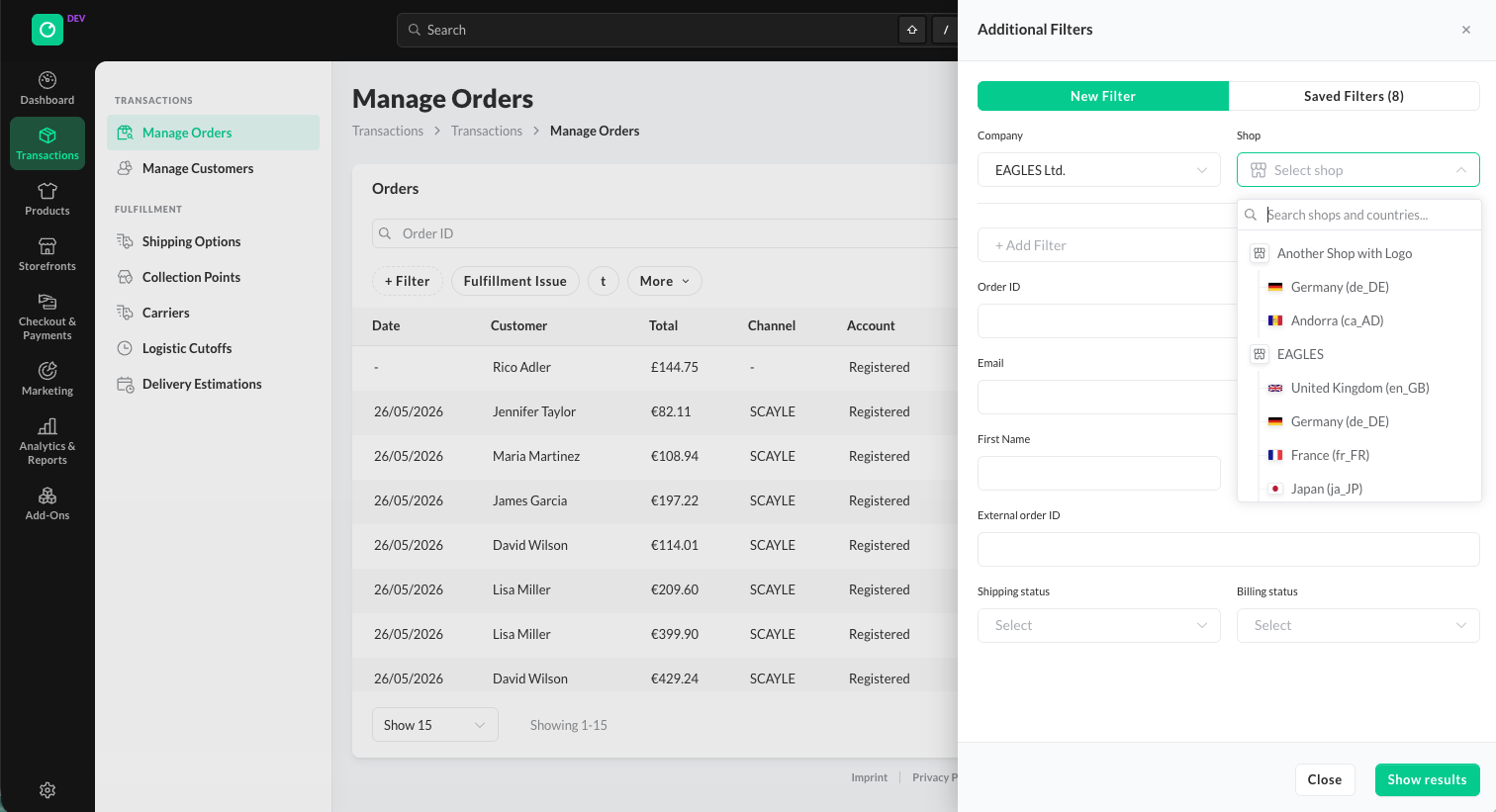
Manage Orders extended Filters options
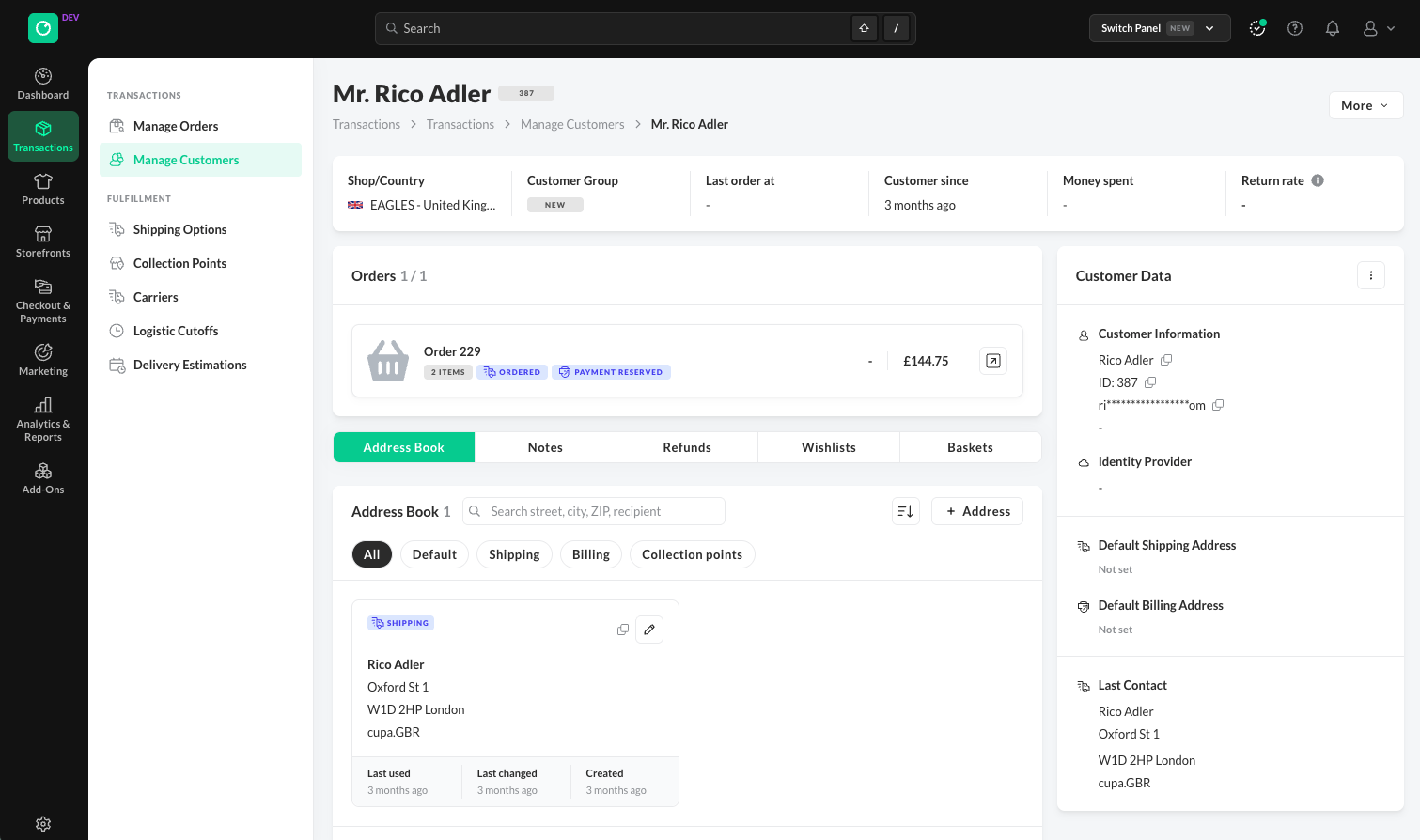
Customer detail page, with orders, address book, return rate and customer data
More Improvements
Navigation
- Main navigation on the left, in two levels and sorted more logically.
- API Keys from Shops and Settings are now combined in one place under Settings ➜ API Keys.
Products
- New read-only product view, opened via Details in the product list. Switch with Edit product and View product.
- Created at and Updated at on the product view and the product edit page.
- Prices and inventory managed directly from the product edit page, for the product and all its variants.
- Product Availability in the Storefront is show for every country including problem reasons in case a product is not available in the Storefront
- Product reference key shown and searchable everywhere in the SCAYLE Panel.
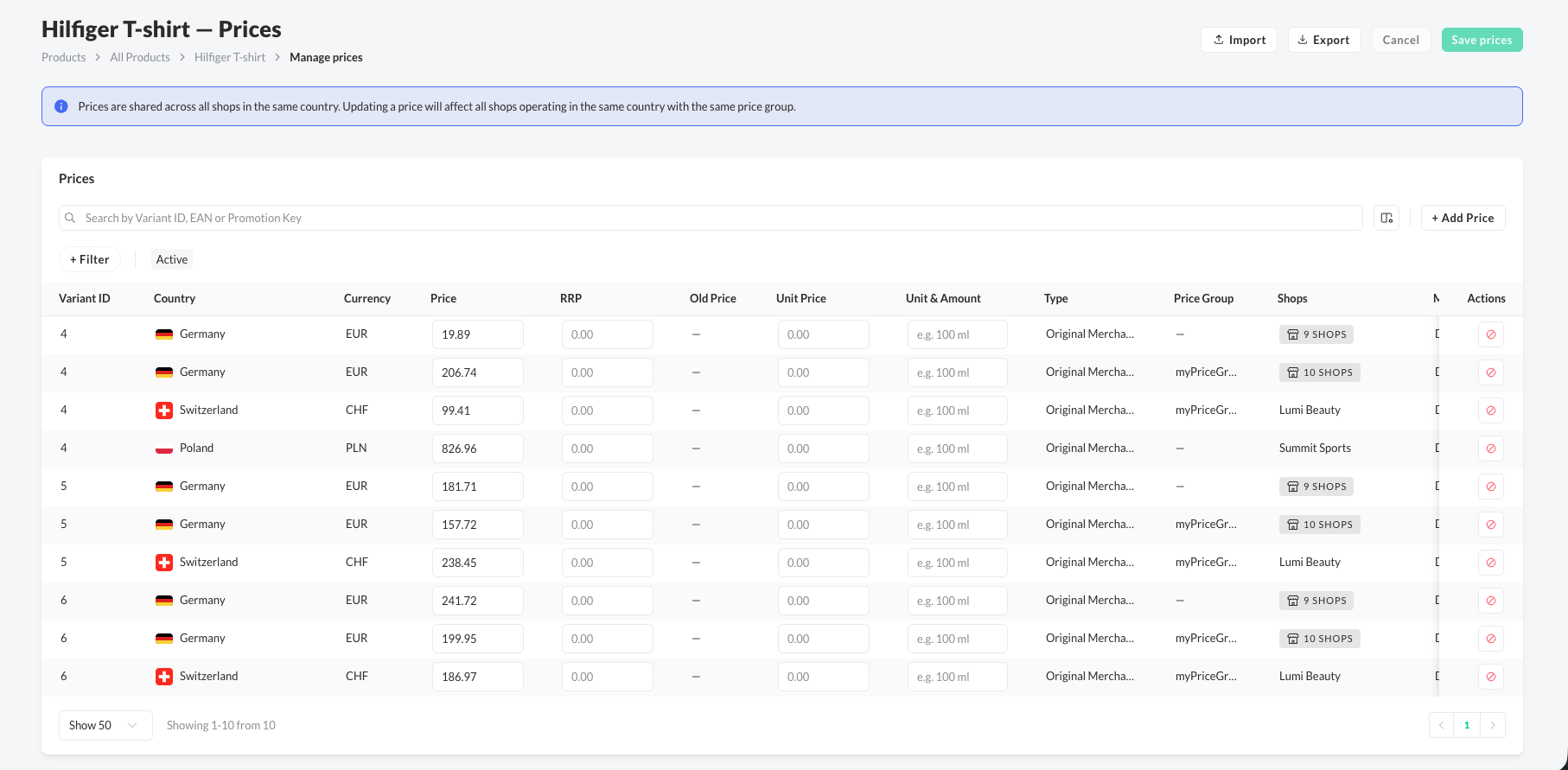
Manage Prices directly on the PDP
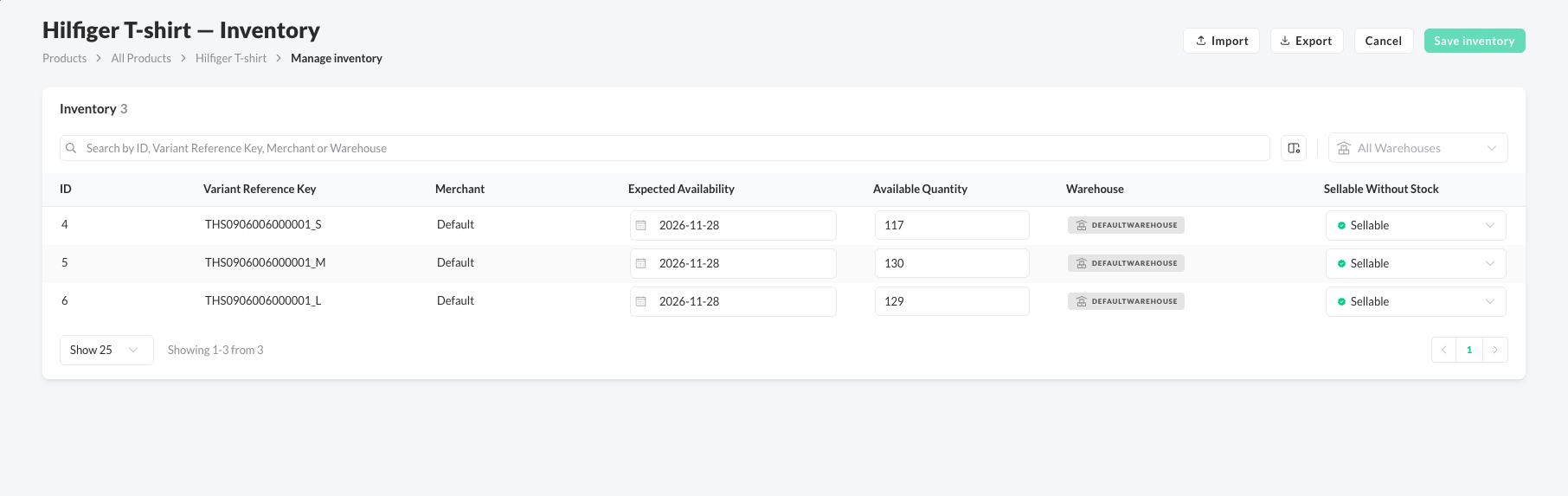
Manage Inventory directly on the PDP
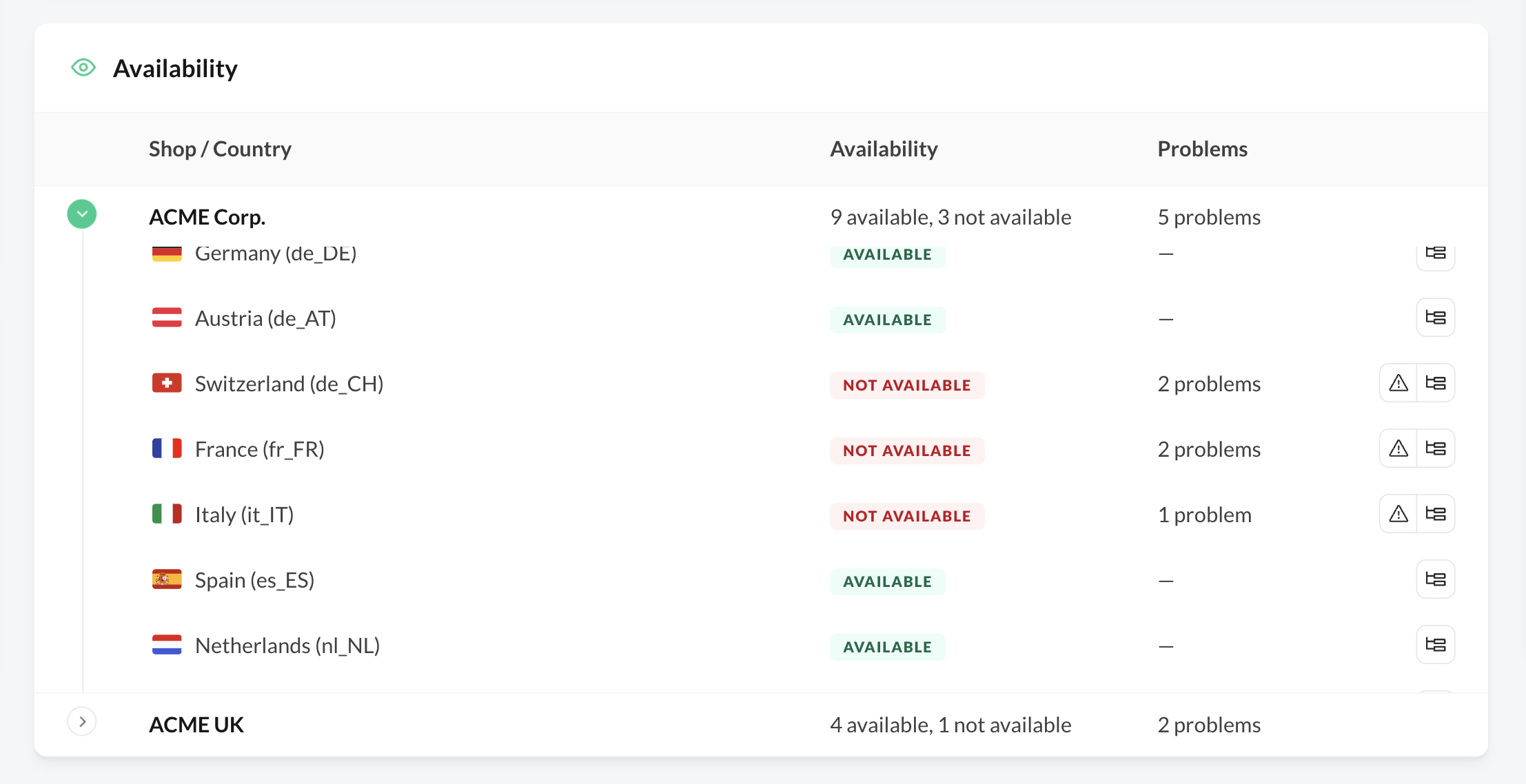
The product's availability in the Storefront is shown on the Product Detail Page including it's problem reasons
Translations
- All translations in one place under Settings ➜ Translations, for all translatable entities.
- Progress per language, with filters and search to find missing translations.
- Translate manually or with AI, one entry or all missing entries at once.
- One import for all entities, and export as CSV, JSON, or XLIFF.
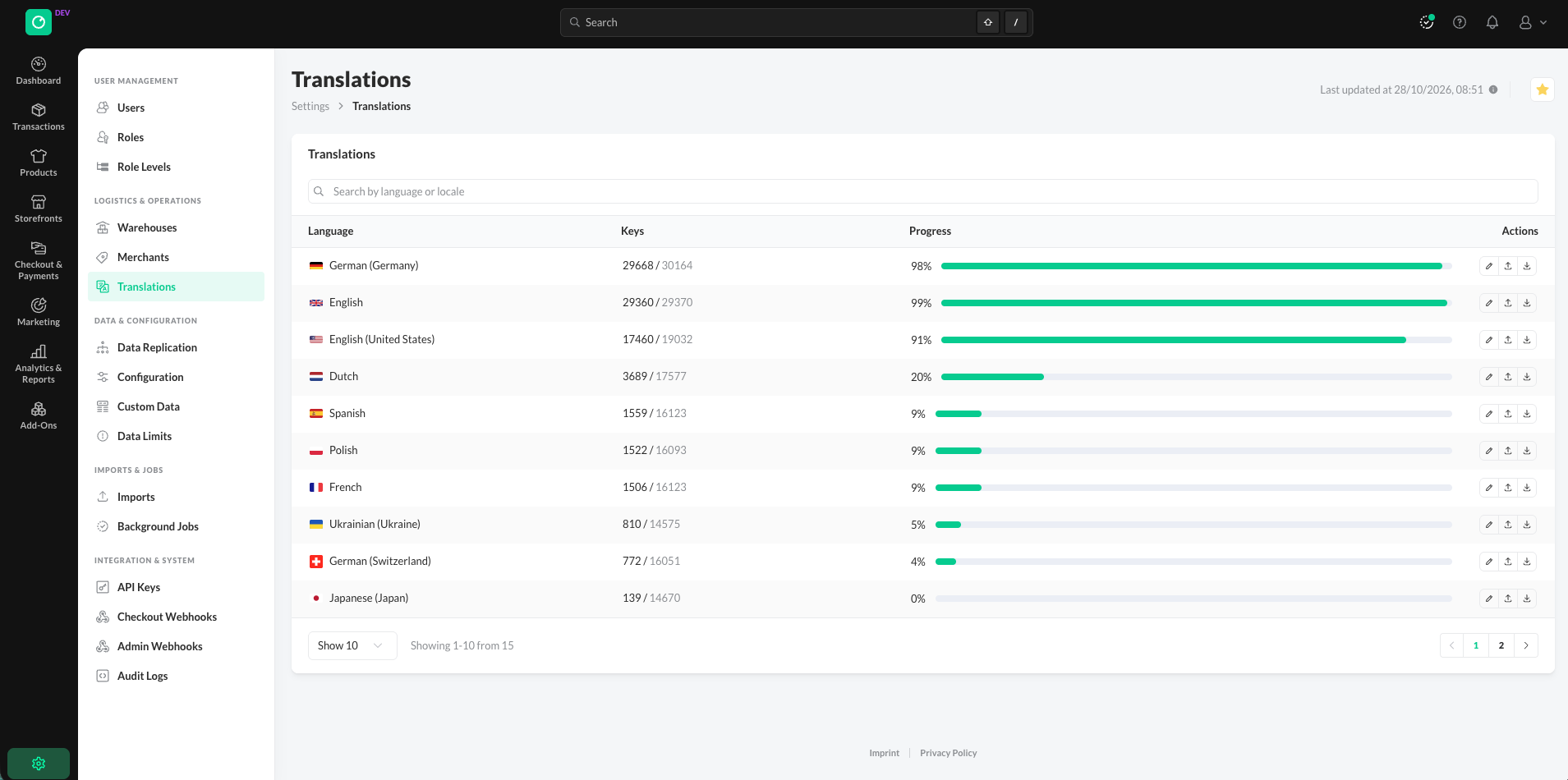
Translation Overview Page
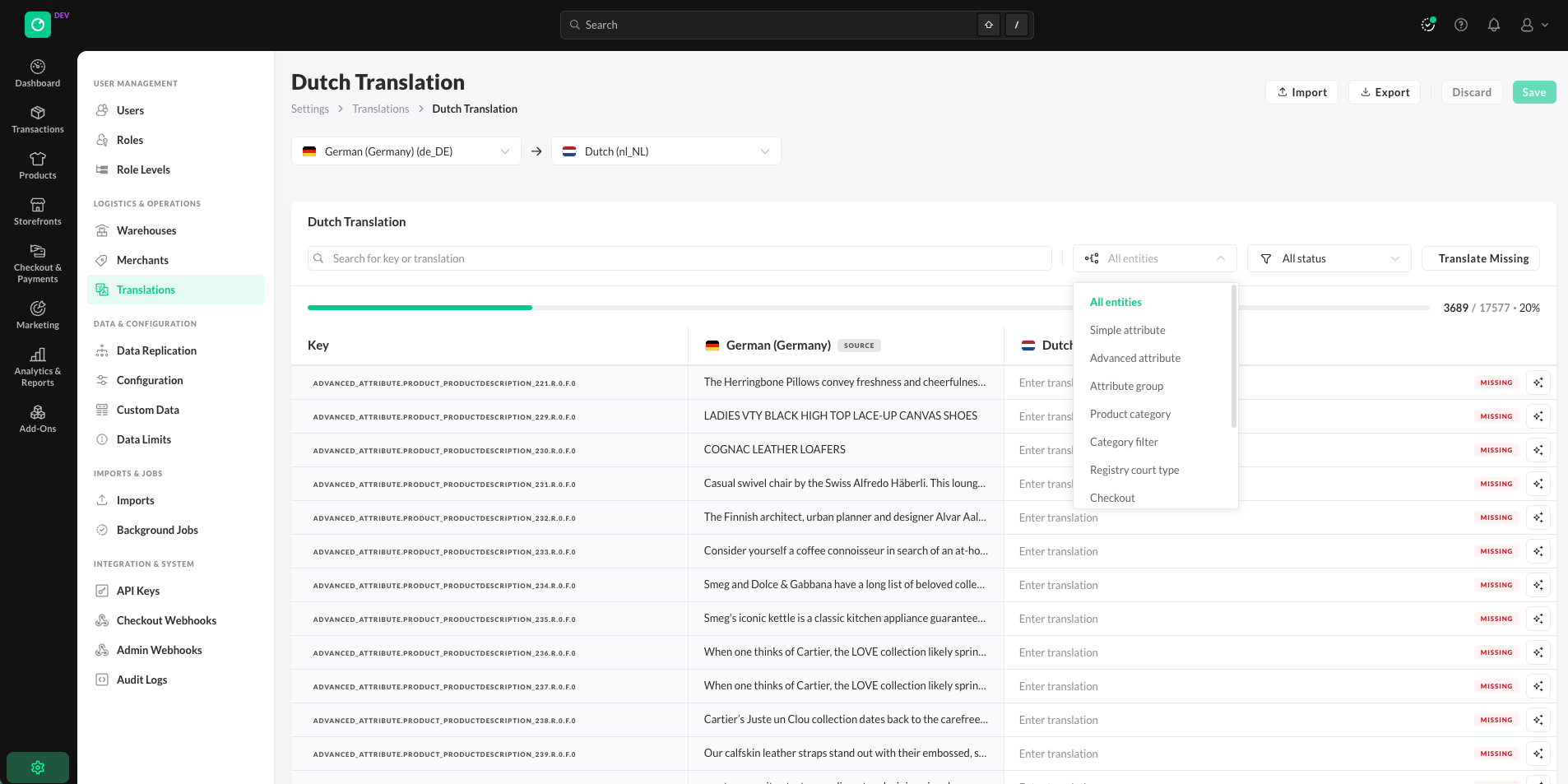
The Translation Detail page can be filtered by entities and the Translation Status
Promotions
- New rule builder for global and item conditions in advanced promotions.
- Search or paste product names, product IDs, or reference keys in the product selection.
- Translate the promotion display name directly from the promotion edit page.
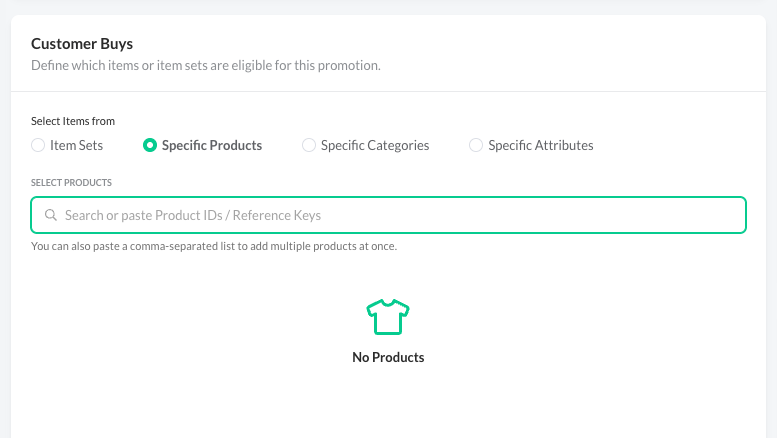
Select specific products for a promotion by ID or reference key.
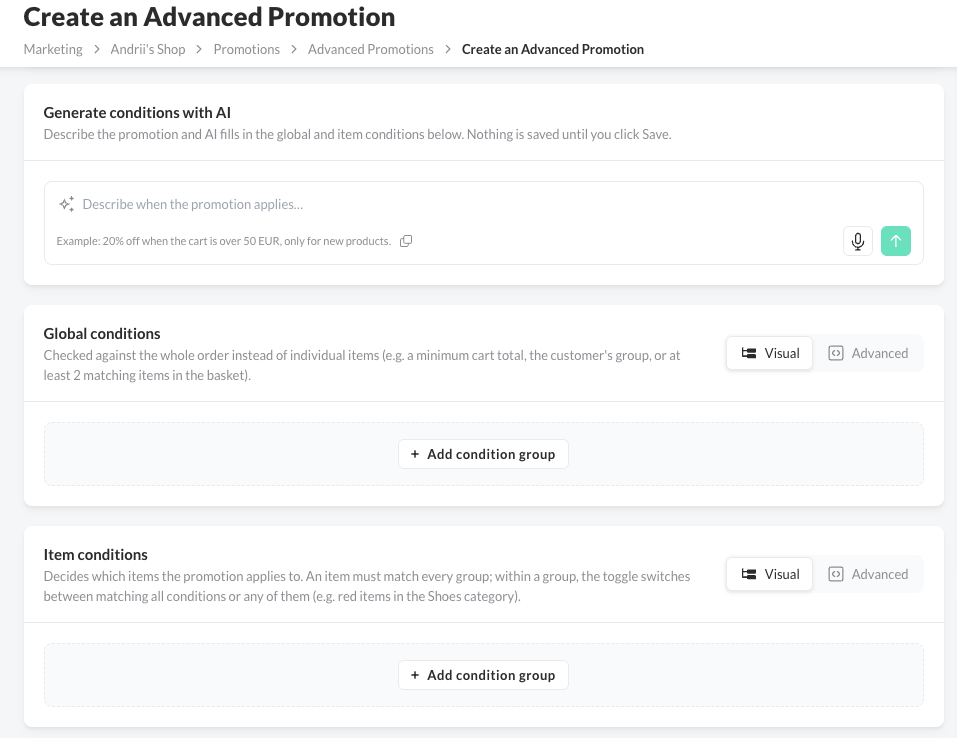
AI and visual builder for the Global and Item conditions in Advanced Promotions
Checkout and Payments
- Easier navigation and access to key checkout configurations.
- Identity Providers redesigned: create and link providers in Checkout & Payments ➜ Identity Providers.
- Loyalty Programs: manage one program for several shop countries.
- Hosts, Routes & Domains grouped under one menu item in Checkout & Payments ➜ Hosts & Domains.
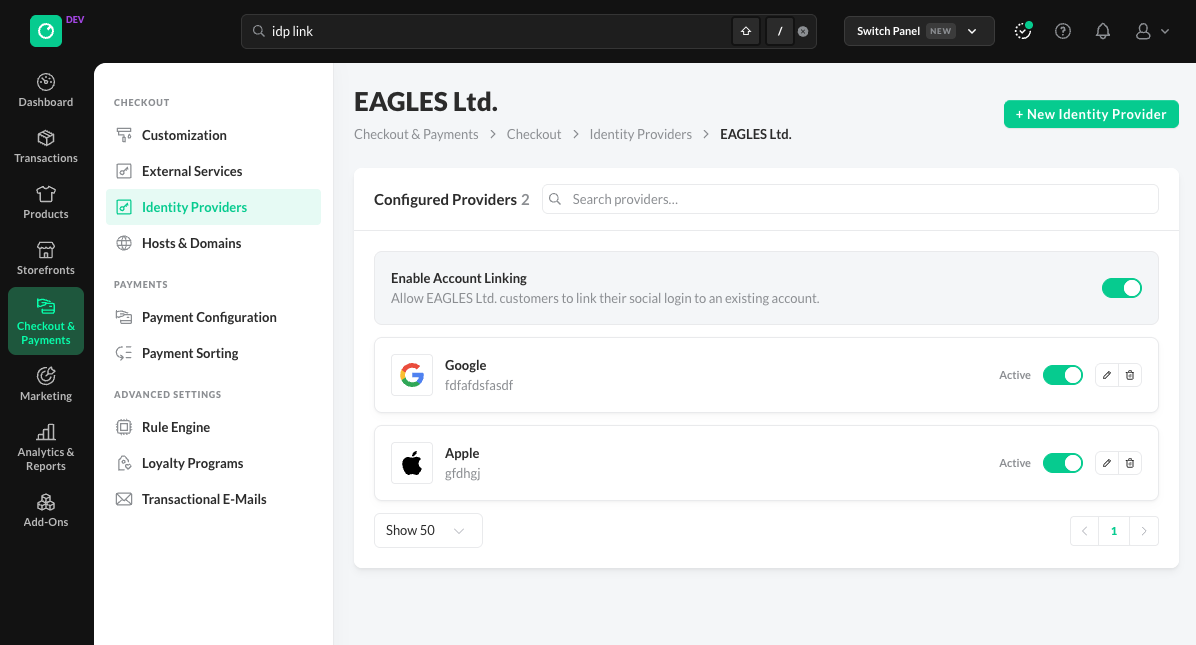
Manage the identity providers of a company
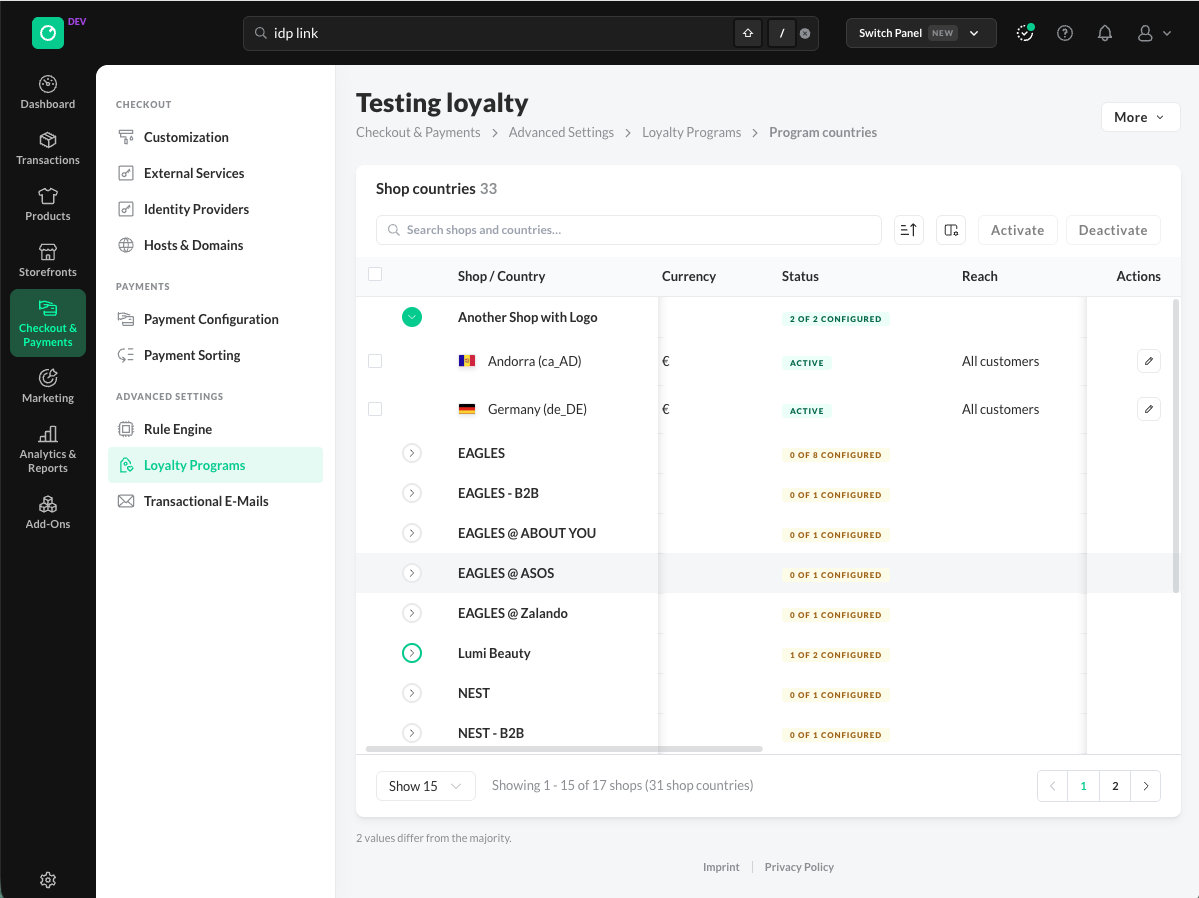
Manage the configuration of each shop and country in a loyalty program.


